Twitch on Mobile: Live Chat Makes Watching a Shared Event

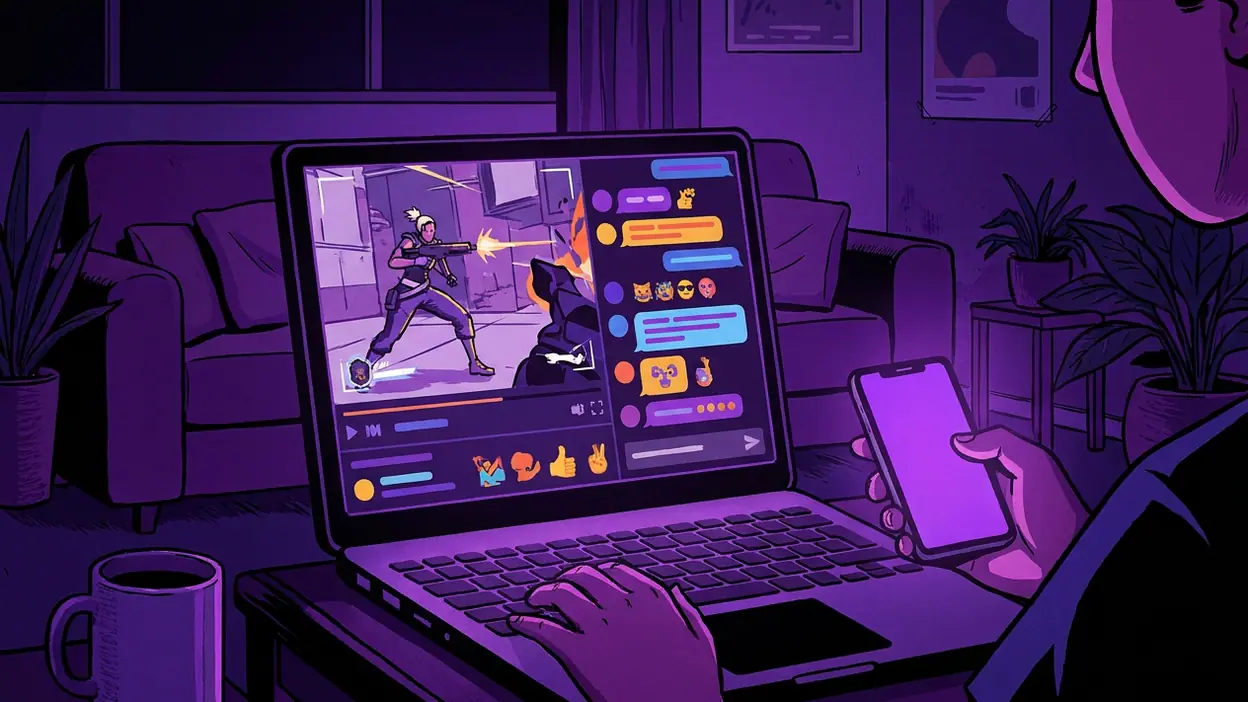
A Twitch stream is easy to mistake for a video with a busy comment column attached. On a phone, the live chat makes it something else: a room you can drop into while the event is still unfolding. That is the feature that gives Twitch: Live Streaming its particular pull. The broadcast supplies the action, but chat turns watching into a small, immediate form of participation—and can also make the experience noisy, hard to follow, or oddly demanding.
This matters most in moments that are better shared than simply viewed: a close match, a creator’s first attempt at a difficult game, or a live conversation whose jokes depend on everyone being there at once. Twitch’s mobile design puts that shared presence within easy reach. It does not always make the room welcoming, though, and the difference between lively and overwhelming can be a few hundred messages a minute.

Twitch: Live Streaming
Twitch Interactive, Inc.4.3Entertainment
See More Apps Related to Twitch: Live Streaming


Chat is the feature that makes a stream feel live
What it actually does
Open a live channel and Twitch gives you the broadcast alongside a moving stream of messages. Viewers react to plays, answer one another, repeat familiar jokes, and respond to the creator as events happen. In channels with active moderation, chat can feel like a running conversation rather than a wall of text. The creator may address messages directly, making the audience part of the rhythm of the show.
On mobile, chat is available without turning the stream into a passive background video. You can follow the action, glance at reactions, and contribute when you have something to say. The exact arrangement depends on the viewing mode and screen space; opening chat more fully gives it room but takes attention away from the video. That trade-off is the heart of the design. Twitch is trying to keep two streams of information legible at once: what the creator is doing and what the audience thinks about it.
Chat is not simply a list of comments. It moves at the speed of the event and gains meaning from timing. A message posted seconds after a surprising play can feel like a shared gasp. The same words arriving later, in a replay or a quiet channel, carry much less weight. Twitch’s central feature is therefore less about typing than about being present at the same moment as other viewers.
Why it matters more than it seems
That sense of timing changes the value of the content. A recorded video can show a remarkable finish, but a live chat lets viewers witness the surprise together, then watch the creator react to the audience’s reaction. The event has a social layer that cannot be fully reconstructed afterward. For regular viewers, familiar names and recurring bits can make a channel feel like a place they return to, not just a feed they scroll past.
There is a practical benefit, too. Chat gives viewers a way to ask questions, share tips, or point out something the creator missed. In a gameplay stream, that might mean advice about a strategy; in a live discussion, it may be a useful link or a quick clarification. None of this is guaranteed—the creator may not see a particular message—but when the exchange works, the audience is doing more than consuming the show.
Worth Reading Next

OpenTable’s OS Update Makes Booking Smoother, but Search Still Leads
Cash App by Use Case: Who Should Trust It With Their Money?

Clash of Clans Makes Every Raid the Start of a New Plan
Stickman Warriors Is Built for Quick Fights, Not Deep Competition
Downloader’s One-Tap Promise Comes With Real Limits
More From Our News Desk
View All

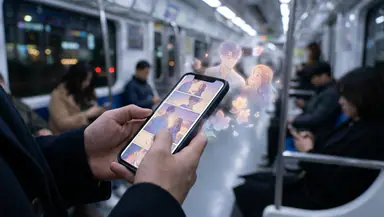
This also explains why Twitch can hold attention longer than a quick video app. The viewer is not only waiting to see what happens next; they are watching for the next turn in a social exchange. That makes a stream feel rewarding when you are involved and frustrating when you cannot keep up. The same feature creates both the stickiness and the friction.
The best real-world scenario
Picture settling in to watch a live tournament on a commute home or from the couch after dinner. A close round reaches its final seconds. The broadcast shows the play, while chat surges with predictions, disbelief, and celebration. The creator reacts, the next match begins, and the room’s attention shifts with it. You are not just checking whether your favorite player won; you are sharing the suspense with people who care about the same outcome.
That setting is where mobile chat earns its place. You do not need a desk, a second screen, or a long block of uninterrupted time to join. A phone makes it possible to check in during a break, watch a decisive stretch, and add a quick reaction. A stream can still play in the background while you do something else, but chat is strongest when you can give it at least occasional attention.
It is less useful when the broadcast itself requires careful listening or when messages arrive faster than anyone can read them. A fast-moving chat during a complex explanation may compete with the very information viewers came to hear. The feature is not universally additive; the best experience depends on whether the room’s conversation complements the stream or crowds it out.
How it changes viewer behavior
Chat encourages people to arrive on time and stay longer. If a channel has a recurring event, viewers may come back not only for the subject but for the familiar crowd and the chance to take part as things happen. They learn the channel’s customs, recognize regular contributors, and develop a sense of what counts as a good moment there. That is a stronger habit than simply remembering to watch another upload.
It also changes how people watch. Viewers dip in and out, follow the chat’s cues, and sometimes let the crowd tell them when something important has happened. This can make the stream feel welcoming when a community shares context generously. It can make newcomers feel lost when the conversation is built around references they have never seen. The social layer rewards familiarity, which is both its appeal and its barrier.
For creators, chat creates a feedback loop. A response from viewers can steer the tone, prompt a detour, or turn a minor incident into the memorable moment of a broadcast. That spontaneity is difficult to reproduce in a polished, edited video. But it also asks creators to divide their attention between the main activity and the room. Some handle that balance naturally; others let the chat interrupt the content too often.
Where the design feels smart
Twitch understands that chat should remain connected to the broadcast rather than become a separate destination. Its mobile experience makes it possible to move between watching and reading without forcing every viewer into the same layout. The option to give chat more space respects different habits: some people want the match to fill the screen, while others treat conversation as half the show.
The design also suits the way participation actually works. Most viewers do not need to speak constantly. They can read along, send a short reaction, and return to watching. That low-effort entry is important on a phone, where long messages are awkward and attention is often divided. When a creator or moderator notices a question, even a brief exchange can make a viewer feel seen.
There is a useful distinction between watching a stream and joining its community. Chat makes that step feel immediate, without requiring a separate forum or a more elaborate profile of interests. Yet it does not pretend every viewer is equally involved. You can remain quiet and still understand why others are there, which keeps participation optional rather than turning the broadcast into a test of social confidence.
Where it still falls short
Speed is the obvious problem. In a large channel, messages can pass by too quickly to read, let alone answer. Repeated reactions and in-jokes may dominate the conversation, while a thoughtful question disappears before the creator sees it. Smaller channels usually make interaction easier, but the experience varies sharply from one community to another.
Noise is not only about volume. A channel can be quiet enough to read and still feel unwelcoming if its regulars assume every newcomer understands the references. Moderation helps keep a room usable, but it cannot guarantee that the conversation will be coherent or kind. Twitch gives viewers access to a crowd; it does not make every crowd a good company.
Mobile screens sharpen the compromise. More room for messages means less room for the broadcast, and reading continuously can distract from the action. If you want to focus on a creator’s explanation or a game’s detail, chat may be an interruption rather than a bonus. The app lets viewers adjust their attention, but the platform’s most distinctive feature is also the one most likely to compete with the content.
How rivals handle the same problem
X also organizes conversation around live events, but its replies sit in a broader, more persistent social feed. That makes it useful for commentary that continues before and after a broadcast, but less like a room whose attention moves with the exact moment on screen. Twitch chat is more immediate and channel-specific; the trade-off is that its best moments can vanish into the scroll.
Canva’s live collaboration and editing tools solve a different problem: helping people make something together rather than react to a shared performance. Its interaction is organized around a project and its contents. Twitch is organized around a person or event unfolding now. That distinction matters because chat is not a universal collaboration tool. It is a social layer for watching, and it succeeds when conversation adds energy without taking over.
Neither comparison makes Twitch the better choice for every kind of live interaction. X is more suited to public commentary that people can revisit, while collaborative tools suit deliberate work. Twitch’s advantage is the tight link between a live broadcast and a live audience. Its weakness is the same dependence: if the channel is moving too fast or its community is opaque, the connection can feel more like noise than company.
Who gets the most value
Chat is most valuable to viewers who follow a creator or scene regularly, enjoy reacting in the moment, and do not mind learning a community’s habits. It also suits people who want to ask a quick question or trade reactions while watching a tournament, game session, or live conversation. You do not need to post constantly; simply recognizing the crowd’s response can make the broadcast feel more alive.
Casual viewers can still benefit, especially during a major event with clear stakes. But if you prefer uninterrupted viewing, want to catch every spoken detail, or dislike fast-moving online conversation, chat may be something to minimize rather than embrace. Twitch remains useful as a streaming app without active participation, but its distinctive social value becomes much harder to feel when the audience is treated as background clutter.
The final assessment
On mobile, Twitch’s live chat is more than a companion feature. It is the mechanism that turns a broadcast into a shared occasion, giving a match, a creator’s reaction, or an unexpected moment a crowd to meet it. That presence can build loyalty and make short visits feel meaningful. It can also overwhelm the screen, reward insiders, and pull attention away from the stream itself.
Twitch: Live Streaming is at its best when the broadcast and its audience enhance each other: a creator who notices viewers, a chat that stays readable, and an event worth experiencing together. It is less convincing when sheer volume passes for community. The feature succeeds not because every message matters, but because the possibility of a shared reaction changes how watching feels. If you want a live room around the video, Twitch earns its place on your phone; if you only want the video, the app’s defining strength may be the part you keep tucked away.