OpenTable’s OS Update Makes Booking Smoother, but Search Still Leads

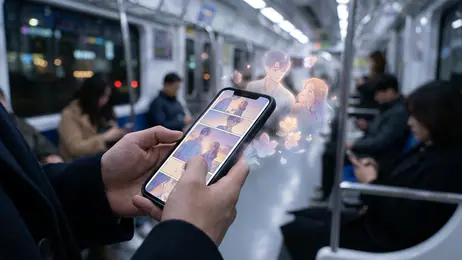
Restaurant booking has become a test of how well an app fits around the rest of a phone. People expect a reservation to take a few taps, survive a switch to maps or messages, and remain easy to find when dinner plans change. That is the standard OpenTable now has to meet on both Android and iOS: not just showing restaurants, but keeping the decision and the reservation connected to the way people actually use their devices.
The app’s core job has not changed. Search by place, date, time, party size, and preference; compare restaurants; then reserve a table. What has changed is the environment around that job. Recent versions of Android and iOS have pushed users toward stronger privacy controls, more capable system search and sharing, and a less rigid relationship between apps. The result is a subtler kind of update: the best booking experience is increasingly the one that feels ready when needed, then disappears into the background.

See More Apps Related to OpenTable


A reservation app in a more connected phone
OpenTable gains most from those platform shifts when it treats a booking as an ongoing plan rather than a finished transaction. A reservation has a time, a location, a party, and often a thread of messages attached to it. On a modern phone, those details can sit alongside calendar events, navigation, and conversations without forcing the user to start over in each app. That is the opportunity, even if the precise system integrations and presentation vary by device and app version.
There is an important limit to the claim. Android and iOS do not make every reservation automatically appear everywhere, and users should not assume that an operating-system update creates a new OpenTable feature. The practical gain is that phones increasingly make it easier to move between apps and return to a task. A booking app that keeps confirmation details clear and lets users reach them again quickly benefits from that change, whether through notifications, sharing, or a direct trip back into the reservation.
What users notice first
The first noticeable improvement is not a dramatic new screen. It is the reduced effort of getting from a vague dinner idea to a useful set of choices. A search for a time and party size gives the results a concrete purpose, while filters help narrow the field beyond a long scroll of names. Availability is the essential detail: a restaurant that looks appealing but cannot seat the group at the requested time is not a real option.
That focus makes the app most persuasive for people who already know roughly where they want to eat, or what kind of evening they are planning. The map and listing views serve different instincts: one helps orient a search around a neighborhood, the other makes it easier to compare candidates. Restaurant pages can add the context that a bare search result lacks, including cuisine, photos, and practical details. Still, the quality of that information depends on the listing and location. A polished profile cannot guarantee that every detail is current.
On a phone, the reservation flow benefits from keeping the key choices visible and the confirmation easy to recognize. The user should be able to tell which restaurant, date, time, and party size they have selected before committing. That sounds basic, but it is exactly where small interface decisions matter. A dinner booking is often made while walking, commuting, or coordinating with someone else; clarity is more valuable than animation or novelty.
Worth Reading Next

Facebook Is Useful Again for the Small Logistics of Daily Life

Ludo King Keeps Its Simple Appeal as Phone Updates Change the Routine
Google Photos, Used Well: Find, Protect, and Manage Your Photos

Free Fire’s Ninth Anniversary Makes Familiar Matches Matter Again

Ceiling Fan Balancer Makes a Common Fix More Methodical
More From Our News Desk
View All


The day-to-day shift: from booking to coordination
The real change in daily use comes after the tap that secures a table. Plans move. Someone is late, the group grows, or a different neighborhood becomes more convenient. In those moments, the app is useful only if the reservation is easy to retrieve and the next step is clear. Notifications can help keep a booking in view, while links and sharing tools can make it simpler to pass the plan to other diners. On current phones, those actions sit naturally beside messages, maps, and calendars.
This is also where the experience can feel less complete than the initial search. A reservation app can record a plan, but it cannot resolve every group disagreement or guarantee that a restaurant will accommodate a late change. Users still need to check the details, follow the restaurant’s cancellation terms, and contact the venue when a situation calls for a direct conversation. The phone makes the logistics easier to carry; it does not remove the human part of dining out.
For regular users, that convenience can make the service sticky without turning it into a habit app. Most people do not open a restaurant-booking app for entertainment. They return because it has useful availability, a reservation history, and enough information to help them make a decision under time pressure. That is a narrower kind of loyalty, but a more honest one.
Where the ecosystem helps, and where it gets in the way
Android and iOS each bring strengths to this task. Android’s notification controls and broad device range give users plenty of ways to decide what deserves attention, though menus and background behavior can differ across manufacturers. iOS tends to make sharing and app-to-app handoffs feel consistent, while its permission prompts encourage users to decide carefully what information an app can access. Neither platform guarantees a better restaurant search on its own. They shape how comfortably the booking fits into the rest of the day.
Privacy is part of that comfort. Location access can make nearby discovery faster, but a user who prefers not to grant it should still be able to search by entering a city, neighborhood, or address. Good platform behavior means asking for sensitive access when it has a clear purpose, rather than treating permission as a prerequisite for every basic action. It also means making notifications useful rather than noisy. A reservation reminder has a clear reason to arrive; repeated prompts to re-engage do not.
Compatibility friction remains real. Older phones may run older operating-system versions, while newer app releases can gradually leave those devices behind. Android users may also see differences in screen layouts, battery management, and notification settings depending on the manufacturer. On either platform, a person who disables notifications or restricts location can lose some convenience without losing the central ability to search and book. The best experience should degrade gracefully instead of making a single permission or recent device feel mandatory.
There is also a larger uncertainty around platform features. Widgets, system-level search, and deeper shortcuts can make a frequent task quicker, but their availability changes by operating system, region, and app release. A review of the current experience should not promise integrations that a particular user may not see. OpenTable’s dependable foundation is still its restaurant and availability search; the ecosystem is most valuable when it smooths the edges around that foundation.
What competing apps reveal
Other mobile services make the same platform changes visible in different ways. Grab combines transport and food delivery, so its challenge is coordinating several high-intent tasks in one app. Google Play Books & Audiobooks is built around returning to content, where continuity across devices matters more than a map or time slot. Those comparisons sharpen OpenTable’s particular problem: a restaurant reservation is both a discovery task and a commitment with a real-world deadline.
Universal TV Remote Control and Spelling & Phonics: Kids Games are further from the dining category, but they underline a basic point about mobile design. A utility must work across a range of hardware and user habits, while a focused app must make its main action obvious. OpenTable has to do both. It needs broad enough discovery to help users choose, then a direct enough booking path to avoid making that choice feel like paperwork.
As platforms add more ways to surface app content, rivals will likely compete not only over features but over which service is easiest to return to. For OpenTable, that does not mean copying a delivery app’s home screen or turning every restaurant search into a social feed. It means making a saved plan, a changed booking, or a nearby alternative accessible at the moment that information becomes useful.
A sensible direction, with a practical test ahead
The wider mobile direction is clear: apps are being judged less as isolated destinations and more as participants in a chain of small tasks. A restaurant reservation begins with a search, moves through coordination, and ends at a physical place. The operating system can reduce the friction between those stages, but the app still has to supply accurate availability and a clear route through its own choices. The best update is the one that preserves the useful details across the moments when plans shift.
That makes OpenTable a particularly good fit for diners who book ahead, compare several restaurants, or arrange meals for a group. It is less compelling for someone who chooses a place impulsively and rarely needs a reservation, or for users whose local restaurant coverage is thin. Availability, listing accuracy, and regional depth determine the value more than a fresh coat of interface polish. The app can make a strong search feel easy; it cannot make an unavailable table appear.
What I would watch next is how well the app handles the whole life of a booking: clearer confirmation access, restrained and timely reminders, straightforward changes, and useful transitions to directions or shared plans. Those improvements matter more than adding features for their own sake. On current Android and iOS phones, OpenTable’s opportunity is not to become the center of a diner’s digital life. It is to make the moment between “Where should we go?” and “We have a table” reliably shorter. If it keeps that promise while adapting carefully to each platform, it remains a practical companion for planned meals, not merely another place to browse restaurant photos.