Samsung Music Shows the Quiet Power of a Preinstalled Player

The most revealing thing about Samsung Music is not what it can do with a song. It is how easily the app can be there before a listener has chosen anything at all. Samsung’s player is a straightforward home for music files stored on a Galaxy phone, but its position inside Samsung’s hardware and software business gives it a wider role: it makes the phone feel complete, keeps everyday listening close to the device, and quietly demonstrates the value of owning the whole stack.
That makes this less a contest over streaming catalogs than a story about defaults. Samsung Music is useful on its own merits, particularly for people who keep audio files on their phones. Its limits are just as instructive. It does not try to replace Spotify or YouTube Music as an all-you-can-stream service, and that restraint reflects a strategic choice: Samsung can support a familiar listening habit without building every layer of the music business itself.

Samsung Music
Samsung Electronics Co., Ltd.3.8Music & Audio
See More Apps Related to Samsung Music


A local player inside a larger machine
The power behind the app
Samsung is not merely a phone maker with a music app attached. It sells devices across several price points, runs its own software layer on Android, and connects phones with products such as Galaxy Buds, watches, tablets, and televisions. Each part of that business gives Samsung a chance to shape what people encounter first and how their devices work together. An app that handles a common task can reinforce that relationship even when it is not a headline feature.
Distribution is a product decision, not just a download decision. A manufacturer can put its own tools in front of users during setup, place them among familiar system apps, and make them feel like the natural choice for a particular job. That does not guarantee loyalty: users can install alternatives or ignore the app. But it lowers the effort required to try Samsung’s version, and effort matters in routine behavior. A player that is already available can win a place in someone’s day before that person has compared features.
Where it fits in the Galaxy ecosystem
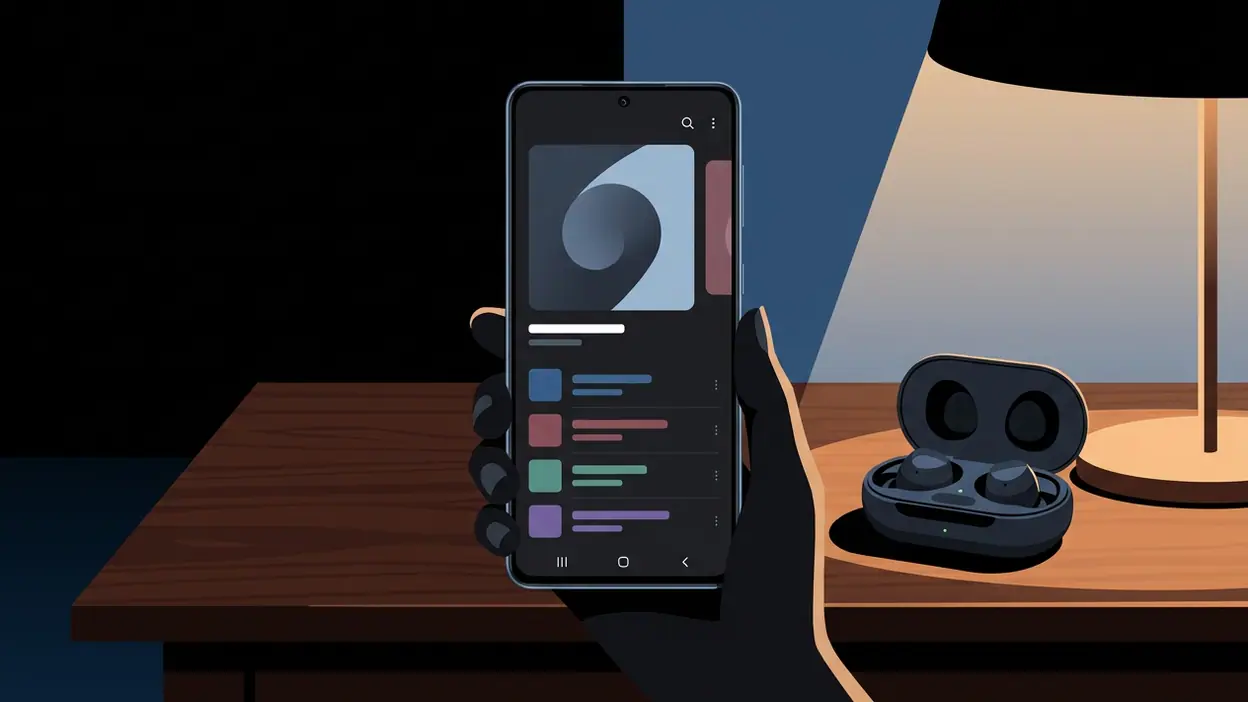
Samsung Music has a clearly bounded job. It organizes and plays local audio, with a library view built around categories such as tracks, albums, artists, folders, and playlists. On a Galaxy phone, that makes it a practical companion for downloaded files, personal recordings, purchased music, or an existing collection transferred from another device. The app is less a command center for every kind of media than a tidy shelf for music the listener already owns or has saved.
That distinction matters because Samsung’s ecosystem does not need every app to become a destination platform. A dependable utility can make the hardware feel more considered. If music is on the phone, there is a recognizable place to play it; if a listener uses Galaxy Buds, playback can sit naturally within the same device routine. The value is incremental rather than dramatic. Samsung Music helps the phone feel ready for ordinary life, while Samsung’s broader device range supplies the surrounding context.
The approach also limits the app’s strategic reach. It does not bind a listener to a Samsung-only music catalog, and local files can be played through other apps. Its ecosystem role is therefore mostly about convenience and familiarity, not exclusive access. That is a softer form of platform control, but a durable one: Samsung can make its software the easiest path without making it the only path.
Worth Reading Next

Zoom Workplace Wants to Own Your Whole Workday, Not Just Your Meetings

My Talking Tom’s Daily Ritual: Can a Viral Pet Loop Last?

Piano Music Go Turns Quick Breaks Into a Test of Rhythm and Precision

How to Use Yelp to Find Better Places With Less Scrolling

Temu Turns Bargain Hunting Into a Daily Habit
More From Our News Desk
View All


The advantage of being close at hand
Preinstallation and placement are often treated as boring details. In practice, they shape discovery. A person who already owns music files may open Samsung Music because it is present, while a person whose listening starts with recommendations may head straight to YouTube Music or Spotify. The first interaction can establish a habit: choose a track, resume an album, or return to the same library the next day. None of that requires a splashy feature. It requires the app to be available at the moment the need appears.
Samsung also benefits from the trust that comes with a familiar device brand. Users may assume a first-party player is the sensible option for audio stored on a Galaxy phone, even if they have never read a review or compared alternatives. That expectation is not proof that the app is better. It is evidence that distribution and brand context can do part of the work that a rival must accomplish through advertising, recommendations, or a strong free tier.
Habit without a streaming hook
Streaming services build habits through an endless supply of songs, playlists, recommendations, and new releases. Samsung Music relies on a different loop: the listener already has a track, the app makes it easy to find, and playback brings them back to a familiar collection. That loop is less powerful for discovery, but it can be satisfying for people who know what they want to hear. There is no need to browse a vast service or wait for a recommendation to understand the app’s purpose.
In use, the appeal is the low-friction feel of a focused library player. Sorting by artist or album is more useful than being pushed toward a service subscription when the music is already on the device. Folder browsing also helps people whose collections have a structure of their own. The interface is not a grand reinvention of music software; it is a practical way to move from stored file to listening session. That clarity is a strength, especially on a phone where small chores should stay small.
The trade-off is that a local library only grows when the user supplies it. Samsung Music cannot conjure up a new album from a streaming catalog or keep a listener supplied with personalized mixes. It is not the right tool for someone who expects music to arrive through discovery feeds, podcasts, or a subscription library. A narrow habit can be a comfortable habit, but it has a ceiling.
What the strategy means on phones
On a phone, ecosystem power is often experienced as a series of small defaults rather than a locked gate. Which app opens a file? Which player is easiest to reach? Which service pairs neatly with headphones? Samsung Music sits at the local-playback end of those questions. It helps keep a basic activity inside Samsung’s own software environment, but it does not prevent a user from choosing a different player or streaming service.
That balance is important. A good first-party utility can reduce friction without forcing a larger commitment. If it works for the user’s library, there is no reason to install something else. If it does not, the limitation becomes visible quickly. Samsung’s leverage is strongest at the beginning of the decision; the app’s usefulness has to carry the relationship after that.
How rivals answer
Spotify and YouTube Music compete for a different center of gravity. Their strongest proposition is access: vast catalogs, search, recommendations, playlists, and listening that follows an account across devices. Spotify also bundles podcasts into its broader identity, while YouTube Music draws on Google’s music service and its connection to the wider YouTube universe. Those products are built to make the next thing to hear easy to find.
Samsung Music does not need to beat them at that game. It handles files on the device rather than competing head-on for subscription loyalty. Lark Player occupies a closer local-player lane, while StarMaker focuses on karaoke and performance rather than routine library playback. The contrast makes Samsung’s choice clearer: it provides a native-feeling utility, leaving streaming discovery and social singing to services designed around those behaviors. That saves Samsung from having to maintain a comparable entertainment catalog, but it also means the app cannot satisfy every listener’s definition of a music player.
Where listeners gain
Users benefit most when they value control over a personal collection. Local files do not depend on an active subscription, a recommendation system, or a catalog that may change. A listener can keep music available for offline use and arrange it around personal preferences. Samsung Music also gives Galaxy owners a familiar starting point without demanding that they create an account or move their listening into a service ecosystem simply to play what is already stored on the phone.
There is a modest privacy and autonomy benefit in that model, too. Playing a local file is a more direct transaction than browsing a personalized streaming feed. The listener chooses the music, and the app plays it. That is not an argument that streaming is inherently bad; it is a reminder that convenience can come in more than one form. For people who dislike subscription dependence, an uncomplicated local player remains a useful counterweight.
Where users lose leverage
The same design leaves gaps. Samsung Music cannot offer the breadth, discovery, or continuity of a serious streaming service. Someone who wants curated playlists, shared listening, cross-platform library syncing, or a large podcast catalog will need another app. A local collection can also become harder to maintain as people switch phones, change formats, or rely more heavily on cloud services. The more listening shifts away from files stored on a device, the less central a local player becomes.
There is also a broader platform question. When a manufacturer controls the hardware, software layer, and placement of its own apps, users may not notice how much the starting point has been chosen for them. Samsung Music is not unusually coercive, and its basic task is transparent. Still, the same distribution advantage that makes it convenient can make competing options less visible. Users retain the ability to choose, but the platform owner gets the first chance to frame the choice.
That is the quiet power on display here: not control over every song, but control over the first convenient doorway. Samsung Music is a useful, focused player for people with music stored on their phones, and it makes the Galaxy experience feel more complete without asking for much in return. It is not a substitute for Spotify or YouTube Music, nor does it need to be. My verdict is that Samsung has made a competent utility whose strategic importance is larger than its feature list: a reminder that on mobile, the app already in reach can matter nearly as much as the app with the biggest catalog.