Google Play Games Is for Playing, Not Streaming

When I open Google Play Games, I am not looking for the same thing I want from Netflix, Prime Video, Disney+, or YouTube Kids. Those apps put a finished show in front of me; Play Games points me toward something to play, tracks parts of my gaming life, and tries to make returning to a mobile game feel effortless. That distinction is its strongest argument and its limit: it is a useful gaming companion, not an entertainment hub that can replace video streaming.
The app makes most sense if you already play Android games and want a single place for your profile, achievements, friends, and supported games. If you mainly want a reliable way to fill a quiet half-hour, the right choice depends on whether you would rather watch or participate. Play Games has a clear edge for the latter, but its value rises and falls with the games you actually play.

Google Play Games
Google LLC3.9Entertainment
See More Apps Related to Google Play Games


A different kind of entertainment contender
What it is really up against
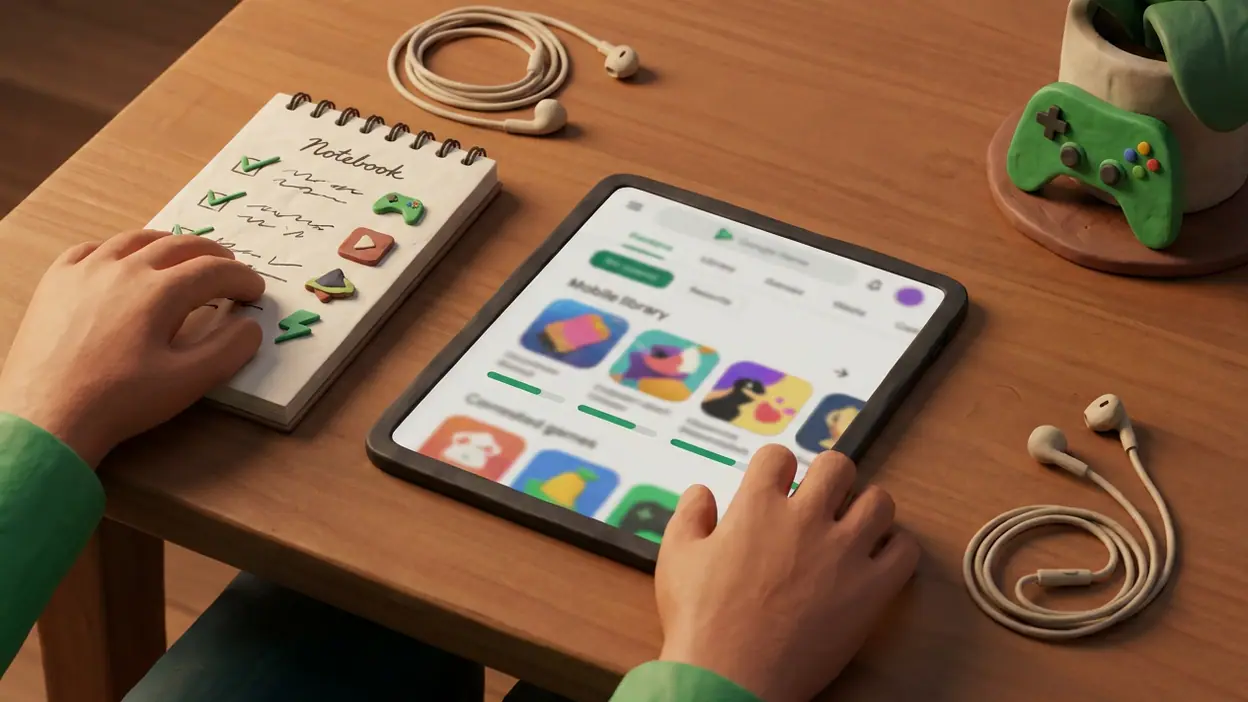
At first glance, these apps compete for the same scarce resource: the time you spend on your phone. But the comparison stops there. Netflix, Prime Video, and Disney+ are subscription-led libraries built around series and films. YouTube Kids is a more controlled video destination for children and families. Play Games is a discovery and account layer for mobile gaming, with game listings and Google Play Games features such as achievements, leaderboards, and a player profile where supported.
That makes the contest less about which app has more content and more about what kind of attention each one asks for. A streaming app can keep running while you eat, commute, or fold laundry. A mobile game asks for decisions: tap, aim, plan, retry. Play Games does not itself deliver the main event in the way a video app does; it helps you find, organize, and get more out of games that are installed or available through Google Play.
There is an important platform caveat. Google Play is Android’s app marketplace, and the Play Games experience is most at home there. iPhone owners should not expect it to work as a cross-platform gaming hub in the same way. The streaming services, by contrast, are built to follow an account across phones, tablets, televisions, and other supported devices. For a household split between Android and iOS, that difference is decisive.
Where Play Games wins immediately
Its quickest win is purpose. Open a streaming app and you may spend several minutes scrolling through rows of recommendations before settling on something. A gaming profile and game-focused browsing offer a narrower route: look for a game, check what you have played, or see whether a title supports achievements and social features. That focus is modest, but it can reduce the friction between thinking “I want a game” and actually starting one.
Achievements give routine play a small extra pulse. A level you would otherwise finish and forget can become a step toward a badge, a personal record, or a friendly comparison on a leaderboard. These rewards do not transform a weak game into a good one, and plenty of mobile players ignore them. Still, they make a satisfying loop for people who enjoy measurable progress: play a round, unlock something, then have a reason to come back.
Worth Reading Next

Zoom Workplace Wants to Own Your Whole Workday, Not Just Your Meetings

My Talking Tom’s Daily Ritual: Can a Viral Pet Loop Last?

Piano Music Go Turns Quick Breaks Into a Test of Rhythm and Precision
How to Use Yelp to Find Better Places With Less Scrolling
Temu Turns Bargain Hunting Into a Daily Habit
More From Our News Desk
View All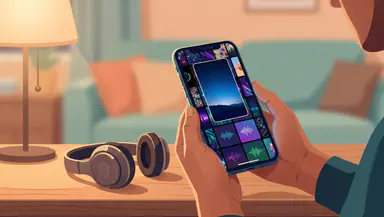
It is also better suited to active, short sessions. A puzzle game, card match, or quick arcade run can fit into the gaps of a day without requiring the same uninterrupted attention as a film. The app’s role is not to make those games brilliant; it is to put gaming front and center and give supported titles a little continuity beyond the current session. Its advantage is participation, not a bigger library.
Where the rivals remain stronger
Streaming services win on sheer clarity of payoff. Netflix opens into a substantial catalogue of series and films; Prime Video and Disney+ offer their own libraries and viewing features; YouTube Kids is designed around child-oriented video discovery and parental controls. Tap a title and the entertainment starts. Play Games may lead to a store listing, a download, an update, a sign-in, or a separate game launch before the fun begins.
That extra distance matters. A game can be large, ad-heavy, awkward on a small screen, or built around purchases. Play Games does not remove those design choices, and its achievements cannot guarantee that a title respects your time. A streaming subscription can also make the cost feel predictable, although catalogues change and subscriptions add up. Mobile games range from free to paid, with in-app purchases and advertising varying by title; the hub does not make that range disappear.
For families, YouTube Kids has a more specific job than Play Games. Its controls and child-focused presentation are meant to help adults manage video viewing. Game discovery is not a substitute for age ratings, purchase restrictions, or supervision. A parent choosing an app for a child should judge the individual games and device settings rather than treating the Play Games profile as a safety layer.
The daily-use differences that matter
In everyday use, Play Games is most valuable as a companion to a habit that already exists. If you play several supported games, a shared profile can make your progress and achievements feel connected. If you play one game casually and never care about records, friends, or discovery, the app may fade into the background. It is not a universal dashboard for every mobile game: developer support and the way a title handles accounts determine which features are available.
Streaming apps have the opposite kind of stickiness. They supply the material, then use watchlists, recommendations, downloads, and continued playback to keep a viewing routine going. Play Games depends more heavily on the games themselves. A brilliant puzzle game can bring you back every day, but the hub cannot manufacture that pull. The game provides the rhythm; Play Games can add a progress trail around it.
There is also a social difference. Leaderboards and friend activity can turn a private score into a light competition, particularly if your circle plays the same titles. But this is not the broad social feed some players may expect. If your friends are on other platforms, or prefer different games, the comparison features lose their spark. A streaming service’s recommendations may be impersonal, but they do not need your friends to make the catalogue useful.
Speed, usability, and the gap between intention and play
For a game you already have installed, getting from a gaming-focused screen to play is usually a simpler path than browsing a general entertainment service for something entirely different. That is the product’s cleanest usability win. Yet opening Play Games is still an extra step compared with tapping a favorite game directly. Its speed advantage appears when you are choosing or tracking a game, not necessarily when you already know exactly what you want to launch.
On the streaming side, playback is the destination, and the interface is organized around reaching it. On Play Games, discovery and tracking sit alongside the games rather than replacing their own menus, tutorials, and sign-in screens. A title may launch quickly but then introduce its own account flow. The experience is therefore only as smooth as the game developer’s implementation, a dependency that streaming apps generally avoid because they control the playback experience end to end.
I would not choose Play Games on the promise that it makes every game faster or every session simpler. Its practical benefit is more specific: it can make supported games easier to browse and give progress a home. If you are looking for one button that instantly turns spare time into entertainment, a streaming app is often more direct. If you want to choose how that time unfolds, gaming has the more active appeal.
Who should choose each option?
Choose Play Games if you use an Android device, play mobile games regularly, and get satisfaction from achievements, leaderboards, or keeping an eye on games linked to your account. It is especially sensible for players who like trying new titles but want a gaming-first starting point rather than opening the store without a plan. Treat it as a useful layer around gaming, not as a replacement for your game library.
Choose Netflix, Prime Video, or Disney+ when your priority is an on-demand film or series catalogue, especially if you watch across several kinds of devices or share a household account. Pick YouTube Kids when the actual need is child-oriented video discovery and parental oversight. Those apps are not better versions of Play Games; they solve different problems more directly.
Some people will sensibly keep both kinds of app. A quick game and a half-hour episode are not interchangeable, and switching between them is part of the appeal of a phone. The useful question is not which brand wins a universal contest; it is whether your default downtime is something you want to watch or something you want to play.
The surprise: a companion with a narrow ceiling
The surprising strength is how little Play Games needs to do to be worthwhile. A profile, a visible achievement, or a leaderboard can lend a small sense of continuity to games that otherwise feel like isolated icons. It is an understated benefit, not a dramatic new way to play. For a player who likes tracking progress, that small layer can make returning to a game feel more intentional.
The weakness is the mirror image: the app’s usefulness can be easy to overestimate. Its name sounds like a gateway to all mobile gaming, but the experience depends on Android, supported titles, and whether you care about the features attached to them. It cannot match the breadth of a video catalogue, and it cannot rescue a game whose own design is dull or pushy. Think of it as gaming infrastructure with a light social layer, not a destination in its own right.
The best-value verdict
Value here is not simply a question of price. Streaming subscriptions charge for access to a changing library, while mobile games may cost nothing upfront and then ask for money through ads or purchases. Play Games itself is most valuable when it helps you get more from titles you already enjoy. If you would never use its profile, discovery, or achievement features, there is little reason to make it part of your routine just because it sits near the store.
For Android players, though, it is a reasonable companion to keep available. It offers a focused route into gaming and a bit of structure around play without pretending to be a premium content service. By comparison, streaming apps are better value for regular viewers who want a reliable catalogue, while YouTube Kids is the more relevant tool for supervised children’s video. There is no honest single winner because the products spend your time in fundamentally different ways.
My recommendation: use Play Games if you actively play Android games and enjoy seeing your progress collected in one place. Do not install it expecting Netflix-style entertainment, universal game coverage, or a shortcut around clumsy game design. For players who fit its audience, it is a practical, low-pressure gaming companion; for everyone else, the game icons themselves may be all they need.