Zoom Workplace Wants to Own Your Whole Workday, Not Just Your Meetings

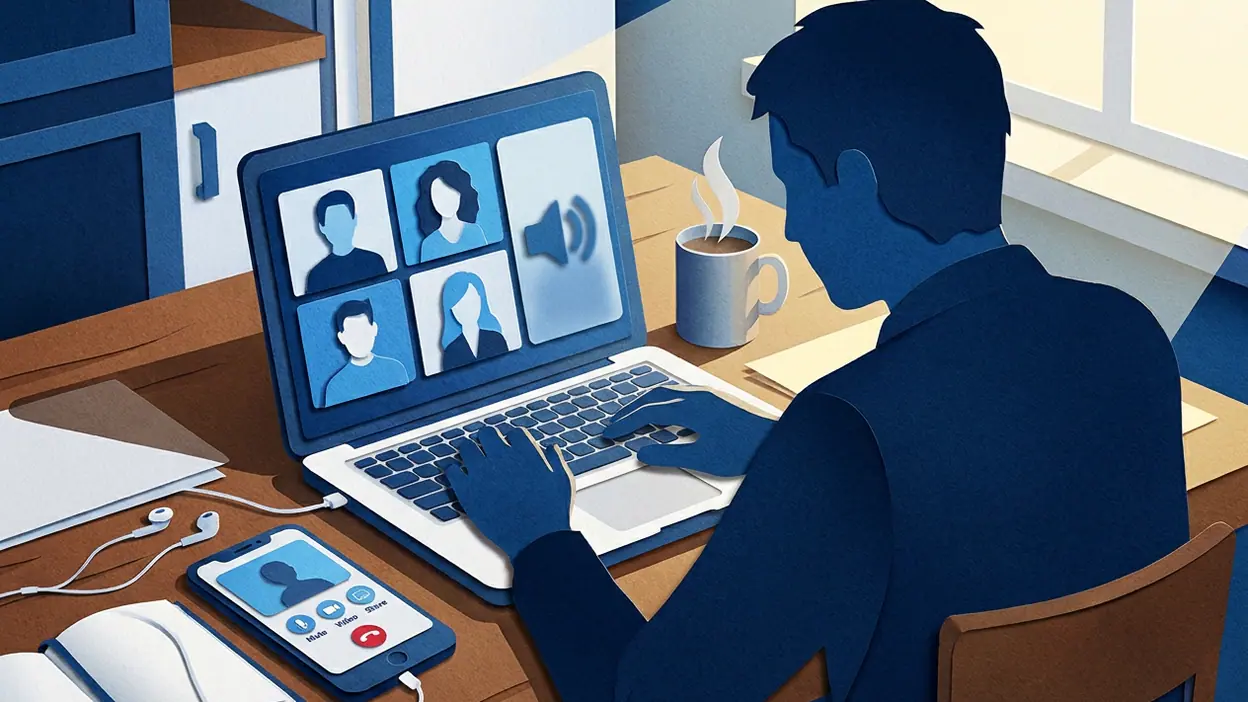
The most surprising thing about Zoom Workplace is not that it can host a meeting from a phone. That trick made the company famous. The surprise is how much of the workday now sits around that familiar blue doorway: chat, phone calls, scheduling, notes, and AI-assisted follow-up, all competing for a place on the same small screen. Zoom is trying to turn the app people open for one urgent call into a workplace they return to between calls. That is a much bigger bet than video, and the mobile experience reveals both its promise and its strain.
For years, Zoom’s name became shorthand for the meeting itself: tap a link, check the camera, hope the microphone behaves. The shift to Zoom Workplace changes the question. Instead of asking whether the call works, we have to ask whether one app can make the surrounding work less scattered. On a phone, where every extra tab and notification is more noticeable, that ambition is unusually easy to test.

Zoom Workplace
zoom.com4.1Business
See More Apps Related to Zoom Workplace


The meeting is still the center, but no longer the whole story
At its core, Zoom Workplace remains a reliable mobile route into live conversations. Joining a meeting is quick, controls are familiar, and the essentials are where regular Zoom users expect them: mute, camera, participants, chat, and screen sharing. That familiarity matters when a call begins suddenly in a hallway or from the back seat of a car. You do not want to learn a new interface while colleagues are waiting.
But the app now frames meetings as one part of a broader toolkit. Depending on the account and the organization’s setup, users can move among team chat, calls, meetings, calendar-related information, and collaborative work features. The precise mix is not identical for everyone; subscriptions, administrator settings, and regional availability can affect what appears. That caveat is important. The pitch is a unified workplace, while the actual app can feel like a doorway into services your employer has chosen to enable.
This creates a useful kind of continuity. A message can lead to a call; a scheduled meeting can become the day’s main event; a follow-up can happen without switching immediately to a separate product. The gains are most convincing for people already embedded in Zoom at work. If your team uses its chat and phone tools as well as meetings, the app has a coherent reason to stay installed. If you only join the occasional call, much of the broader ambition may remain background scenery.
The phone also exposes the cost of putting more in one place. Zoom’s meeting controls were designed around a focused task. A larger workspace asks users to navigate more surfaces, and mobile real estate does not expand just because the product name does. The app is capable, but capability is not the same as clarity. A person looking for one meeting link can still feel that the surrounding platform wants attention it has not yet earned.
Attention around the app has risen for a straightforward reason: people are tired of juggling separate tools. Teams may run meetings in one service, keep quick discussions in another, place calls somewhere else, and rely on still more software for notes and task handoffs. Zoom’s response is to gather more of that activity close to the meeting. The move is not merely a new label; it is an attempt to claim the hours before and after the call, where work often fragments.
Worth Reading Next
Google Play Games Is for Playing, Not Streaming

My Talking Tom’s Daily Ritual: Can a Viral Pet Loop Last?

Piano Music Go Turns Quick Breaks Into a Test of Rhythm and Precision
How to Use Yelp to Find Better Places With Less Scrolling

Temu Turns Bargain Hunting Into a Daily Habit
More From Our News Desk
View All


The most striking detail is how much the product’s identity has changed without abandoning its old promise. A user can still open the app for a simple video conversation, but the larger strategy is to make that conversation part of a connected stream of work. AI features add to the shift by aiming to help with meeting summaries and follow-up, though availability and behavior depend on the feature, plan, and organizational settings. They are useful when they reduce the chore of reconstructing a discussion, not when they become another surface to inspect.
That distinction matters in practice. A summary can save time after a long call, but it does not automatically replace good notes, clear ownership, or a decision someone is willing to make. Automated assistance can miss context, flatten disagreement, or give a confident-looking account that deserves a human check. The sensible use is as a starting point for recall and action, not as a witness whose version of the meeting is beyond question.
There is also a very ordinary tension at the heart of the mobile experience: work does not stop being work just because it fits on a phone. A meeting on a small screen can be genuinely convenient, especially when travel or a last-minute change makes a laptop impossible. It can also turn a short break into another stretch of notifications, messages, and requests. Zoom can reduce the number of apps in the rotation; it cannot decide when the workday should end.
Notifications are where that tension becomes tangible. A unified app can make it easier to see what needs attention, but it can also gather more interruptions under one roof. The best experience depends on sensible team habits and careful notification choices. Without them, convenience turns into an always-open channel, and a phone that once served as an emergency meeting device becomes a pocket-sized office that keeps asking to be checked.
Comparisons sharpen the point. Microsoft Teams makes a strong case for organizations already built around Microsoft’s collaboration tools, while Webex Meetings remains a familiar alternative for businesses that prioritize its meeting environment. Zoom’s advantage is the clarity of its original calling experience and the recognition it has earned among people who simply need to join. Its challenge is showing that the wider workspace feels as natural as the meeting did. A broad feature list alone cannot settle that contest.
Adobe Scan AI PDF Scanner, OCR, and Microsoft Authenticator are useful contrasts for a different reason: each is focused on a defined mobile task. Scanning a document or approving a sign-in is easy to understand because the app’s job is narrow. Zoom is asking users to accept a more expansive role, with several kinds of work sharing one interface. That can reduce app switching, but it also raises the bar for organization. The more jobs an app takes on, the more carefully it must tell users where to go next.
What feels genuinely new is not any single button. It is the attempt to make Zoom a place where a meeting connects to the work that surrounds it, rather than an isolated event that begins and ends with video. That is a meaningful product direction, particularly for teams already using multiple Zoom services. On mobile, though, the proof is measured in small moments: finding the right conversation, joining without fuss, retrieving what was decided, then getting back to the rest of the day.
For users who live inside a company’s Zoom setup, those moments can add up. The app can put communication and meetings within easy reach, and its familiar call flow remains its strongest asset. For occasional attendees, the extra workspace may feel like scaffolding around a task they already complete in seconds. Neither reaction is wrong; they describe different relationships with the same product.
The larger story is that video meetings have become too ordinary to support a whole product identity by themselves. Zoom is responding by trying to own more of the work around them, and the mobile app makes that ambition visible in a way a desktop feature list cannot. The bet is credible, but not yet self-proving: every added tool must justify the attention it asks for.
That leaves Zoom Workplace in an interesting position. It is still one of the easiest ways to get into a Zoom call, but its future depends on whether people choose to stay after the call ends. The app has crossed the line from meeting utility to workplace platform; now it has to show that gathering more work together actually makes work feel lighter. Until then, the meeting remains the dependable center, and everything around it is an ambitious promise.