YouTube on Mobile: The Convenience of Letting Go

Open YouTube to watch one clip and the app is already arranging the next five decisions for you. A search, a recommendation, a Short, a live stream: the path from intention to another video is almost frictionless. That is the point, and the power. YouTube is an exceptionally useful mobile app because it has become the default doorway to online video; it is also a platform that gets to shape what people see, how long they stay, and which alternatives they consider.
On a phone, that bargain feels personal. The screen is close, the headphones are in, and a few idle minutes can turn into a nightly routine. YouTube’s strategic advantage is not simply its enormous catalog. It is the combination of catalog, recommendation systems, creator tools, advertising, and distribution that makes the app hard to leave without leaving a large part of video culture behind.

See More Apps Related to YouTube


The video app that behaves like an ecosystem
Google’s power behind the play button
YouTube belongs to Google, and that connection matters less as a corporate footnote than as an operating advantage. Google Search helps people find videos from outside the app, while Google accounts make subscriptions, history, and saved playlists available across devices. Google’s advertising business gives the company a direct commercial reason to keep viewers watching and a large infrastructure operation to serve video at scale.
Those pieces reinforce one another. A creator can publish a tutorial, a viewer can discover it through search, and the recommendation feed can later surface that creator’s related videos. Viewing activity can inform future recommendations, while an account carries much of the experience from a phone to a browser or television. None of that requires a viewer to think about Google’s wider business. The ecosystem works precisely because it usually feels like a set of convenient features rather than a single strategy.
That convenience also gives the company leverage over the terms of participation. YouTube sets the rules for recommendations, monetization, moderation, and the interface through which creators reach an audience. A channel may have loyal subscribers, but it does not own the feed that delivers its next upload. A viewer may build a careful subscription list, but the Home screen still ranks and mixes it with platform-selected suggestions.
Distribution is the quiet advantage
YouTube’s mobile position is powerful before anyone presses play. People already know the name, creators routinely link to videos, and the service is available across phones, tablets, browsers, smart TVs, and game consoles. The app is a familiar destination for everything from music performances to repair instructions. That range means users do not have to decide which specialist service to open before they know what they want to watch.
On Android, the app sits close to Google’s broader services; on iOS, it remains a regular destination despite Apple’s separate ecosystem. Links open into a recognizable viewing experience, and sign-in can restore subscriptions and history. These are practical advantages, not magic tricks. But they compound: every shared link can bring in a new viewer, every creator has a reason to send an audience there, and every viewer who finds useful material gives the service another chance to become a habit.
Worth Reading Next

Asphalt 8 Turns Speed into a Daily Mobile Ritual

Amazon Kindle: Reading App - Where Books and Notes Go
More From Our News Desk
View All
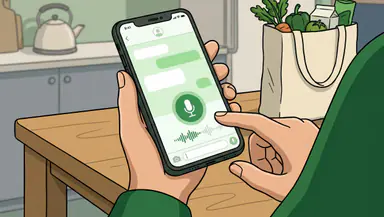

The mobile app makes this reach tangible. Search is quick, casting can move playback to a larger screen, and downloads are available to eligible users in supported regions and plans. Premium features and availability vary by market, so not every viewer gets the same package. Still, the core promise is straightforward: a huge video library, accessible from nearly anywhere, with little setup.
Habit is designed into the session
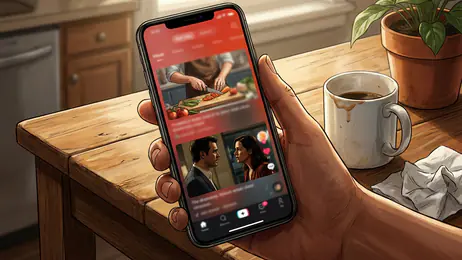
The app’s stickiness comes from the way it reduces pauses. Autoplay can continue a session; recommendations appear around the video; Shorts offer a fast vertical feed; and notifications can pull subscribers back when channels post. Each feature serves a plausible user need. Together, they make stopping an active choice rather than the natural end of a viewing session.
That does not mean every recommendation is manipulative or every long session is unwanted. I often find the next useful clip through the suggestions, especially when researching a practical task or following a topic across several creators. The problem is that the same machinery is also optimized around continued engagement. A viewer can arrive with a specific question and leave having spent half an hour on adjacent material, without any clear moment when the app asked whether that was still the plan.
Controls exist, including settings for autoplay, notifications, and watch history. Their presence matters, but they do not erase the imbalance: the platform chooses the defaults and presents the alternatives. The recommendation feed is both YouTube’s best guide and its strongest claim on your attention.
What changes when the screen fits in a pocket
On a television, watching tends to be deliberate: someone chooses a video, settles in, and shares the screen with a room. On a phone, the same service occupies the gaps in a day. A quick check on a bus, a clip during lunch, a tutorial beside a workbench: mobile viewing makes YouTube useful in places where sitting down at a computer would be absurd.
That flexibility is a genuine benefit, but it also turns video into a constant option. The app can fill a quiet moment before a user has decided whether they wanted to fill it. Shorts sharpen that effect with a format built for quick swipes, while long-form videos, livestreams, and music keep the same app relevant for longer sessions. The result is not one viewing habit but a stack of them, all competing for the same pocket of attention.
For creators, the phone is both camera and publishing desk. Uploads, comments, analytics, and channel management can be handled on mobile, though advanced editing still belongs more naturally to dedicated tools. That division is visible in the surrounding app market. MX Player and VLC for Android appeal to people who want to play local files and exercise more control over playback. KineMaster and VivaVideo focus on making and editing video. YouTube’s central job is different: host, recommend, and distribute. It does not need to be the best editor or the most flexible local player to dominate the viewing habit.
How rivals answer a platform this large
Competitors respond by narrowing the contest. Short-video services emphasize rapid creation and discovery; streaming platforms build libraries around paid shows and films; independent video hosts may offer creators different policies or audiences. MX Player and VLC address playback needs that YouTube’s online-first design does not prioritize, while KineMaster and VivaVideo make production more accessible before a video reaches any platform.
That specialization can be valuable, but it rarely reproduces YouTube’s full loop. A strong editor helps make a video; it does not automatically find an audience. A capable player handles a file; it does not offer the same breadth of creator channels and search-driven discovery. YouTube’s defense is the accumulated network around it: creators publish because viewers are there, and viewers return because creators keep publishing. A rival can improve one part of the experience without replacing the whole system.
The platform still faces pressure to keep that system credible. Creators need dependable ways to reach subscribers and earn money. Viewers need useful recommendations, understandable controls, and moderation that does not feel arbitrary. Short-term engagement can conflict with trust, and an app that becomes less predictable risks sending both audiences elsewhere. Scale is an advantage, but it also raises the cost of every disappointing decision.
Where viewers gain, and where they lose leverage
Users benefit most when breadth and convenience matter. YouTube is superb for finding a niche explanation, checking a product demonstration, following a creator, or putting on a music performance without planning a subscription to a specialized service. Search and recommendations can expose viewers to material they would not have found through a conventional TV schedule. Subscriptions, playlists, playback controls, captions, and casting make that library practical on a small screen.
Users lose leverage when convenience becomes dependence. A creator’s reach can shift after a recommendation or monetization change; a viewer’s Home feed can change without any change in the subscriptions they chose. Advertising and paid features shape the experience, and the service’s algorithms remain opaque to ordinary users. There is no simple way to take the social graph, recommendation history, and audience relationship elsewhere as a complete package.
The most useful response is not to pretend that switching is easy. It is to use the controls that exist: curate subscriptions, review autoplay and notification settings, and treat recommendations as suggestions rather than a neutral map of the web. These steps return a little agency, though they cannot change who owns the platform or how its ranking system works.
The verdict
YouTube deserves its place among the essential mobile apps because it solves a real problem at extraordinary scale: finding and watching almost any kind of video with very little effort. Its best moments are concrete—a clear tutorial when something breaks, a creator worth following, a performance found through a late-night search. The app is fast, familiar, and unusually useful across both quick checks and long sessions.
But the same reach that makes it dependable gives Google influence over discovery, attention, and creator access. YouTube is not merely a player on a phone; it is a distribution system whose convenience helps make it the default. I recommend it without hesitation as a video destination, but not as a neutral window onto video. Use it for the library, value the access, and remember that the feed is a product decision. The app earns its power by being useful; users should still notice what that power lets it decide.