WhatsApp Voice Notes Make Conversation More Personal, but Demand Our Attention

A WhatsApp voice note can carry a pause, a laugh, or a weary breath that a typed message would flatten. That is its real appeal: not simply that speaking is faster than typing, but that a short recording lets a conversation sound more like the person having it. WhatsApp Messenger has made voice notes an everyday middle ground between texting and calling, and that modest role is exactly why the feature matters.
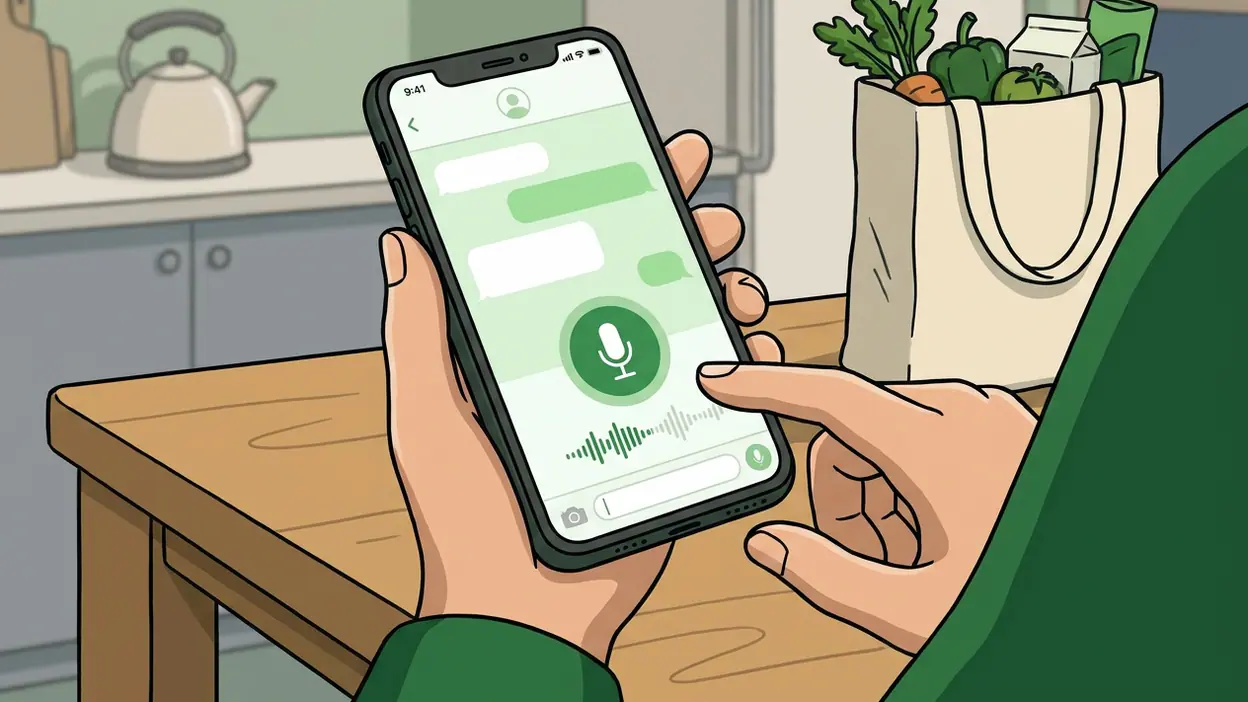
It is easy to overlook the design because the action is so familiar: press and hold the microphone, speak, release. Yet that small gesture changes what people are willing to send. It gives a busy conversation a voice without demanding that both people stop what they are doing and talk in real time. In practice, voice notes are less a substitute for calls than a flexible form of presence.

WhatsApp Messenger
WhatsApp LLC4.6Communication
See More Apps Related to WhatsApp Messenger


What a voice note actually does
A voice note is an audio message recorded inside a WhatsApp chat and delivered like any other message. The recipient can listen when they are ready, replay it, and respond in the same thread. Recording can be locked so the sender does not have to keep a finger on the screen, and playback speed controls help listeners move through longer recordings more quickly.
Those details are important because the feature is built around interruption—or, more precisely, the avoidance of it. A call asks for attention now. A voice note lets the speaker talk now and the listener answer later. It preserves the immediacy of spoken language while borrowing the asynchronous rhythm of text.
The result is a message that carries more than its words. A quick explanation can include emphasis; a birthday greeting can sound warm rather than dutiful; a complicated set of directions can be spoken in one breath instead of assembled into a chain of corrections. And because the note sits in the chat, it remains part of the same ongoing exchange rather than becoming a separate event.
Why it matters more than it seems
Text is efficient, but it can make every thought look equally polished and equally cold. Voice notes reintroduce tone without requiring the formality of a phone call. A familiar voice can soften a correction, make a joke land, or communicate that someone is tired in a way that punctuation rarely manages.
This has a practical side, too. Speaking can be easier than typing when someone is walking, cooking, carrying bags, or trying to explain a subject with several moving parts. It can also be more accessible for people who find typing uncomfortable or slow. The value is not universal—listening can be difficult in a noisy room or inconvenient in a quiet one—but the option gives a conversation another useful mode.
Worth Reading Next

1Weather Review: Clear Forecasts for Better Daily Plans

InShot Makes Quick Video Editing Easy, but Small Screens Have Limits
More From Our News Desk
View All


There is a social bargain underneath it. The sender gets to express a thought in their own cadence; the recipient gets control over when to hear it. That balance helps explain why voice notes feel intimate without being as demanding as a call. You can hear someone’s personality while keeping your own schedule intact.
The best real-world use
Voice notes are at their best when a message needs texture but not a live conversation. Picture a family group coordinating a weekend visit. One person is on the train, another is making dinner, and someone else is checking dates. A short recording can explain a change of plan in a natural voice, while everyone listens when their hands and surroundings allow.
The format also earns its place for personal updates that do not fit neatly into a sentence. A friend describing a difficult day may not want to arrange a call, but a few seconds of speech can communicate more care than a clipped “How are you?” A voice note lets the sender leave room for feeling without insisting on an immediate response.
For work, the case is narrower. A concise spoken update can help a small team move quickly, especially when people already share a chat. But voice notes are a poor choice for details that must be scanned, searched, copied, or confirmed later. A date, address, or exact instruction is usually better in text. The smartest users switch formats rather than treating audio as an upgrade for every message.
How it changes behavior
Because recording is low-friction, people may send a thought before they have edited it down. That can make chat feel more spontaneous and personal. It can also produce a string of rambling recordings that the recipient has to process one by one. The feature changes not only how a message is delivered, but how much of the sender’s unfiltered thinking gets handed over.
That trade-off is why voice notes work best with a little courtesy. A brief recording with a clear point feels generous; a long monologue with no warning can feel like assigned listening. The sender may be free to record at any time, but the listener still has to find a place and moment to hear it. WhatsApp’s playback speed option helps with time, yet it cannot make an unclear recording clear or make an unwelcome interruption disappear.
Voice notes also alter the tempo of a conversation. Text often encourages quick back-and-forth replies. Audio naturally stretches the exchange: one person records, the other listens, then chooses whether to answer with a note, a text, or a call. That slower rhythm can be healthier for a thoughtful exchange, but frustrating when a simple yes-or-no answer is all that is needed.
Where the design feels smart
The strongest design choice is that recording and listening stay inside the chat. There is no separate app to open, file to attach, or complicated workflow to remember. The microphone is close to the place where people already compose messages, and the recording lock makes longer notes less fiddly. The feature is easy to discover because it behaves like a natural extension of conversation.
Playback controls show a similar understanding of real use. People do not always have the time to listen at normal speed, and a speed setting offers some control without changing the message itself. The feature does not make audio universally convenient, but it acknowledges that convenience depends on the listener as much as the sender.
There is also a quiet advantage in keeping voice notes alongside text, photos, and other messages. A recording can answer a question in context, and the reply follows it in the same thread. That continuity makes the feature feel less like a media tool and more like another sentence in a conversation—only spoken.
Where it still falls short
Audio is hard to skim. A busy chat can accumulate several notes, and the recipient has to listen to find the one detail they need. Text can be searched with the eye; a spoken message generally demands time from beginning to end. Playback speed reduces that cost, but it does not offer the quick visual scan that makes written messages so useful.
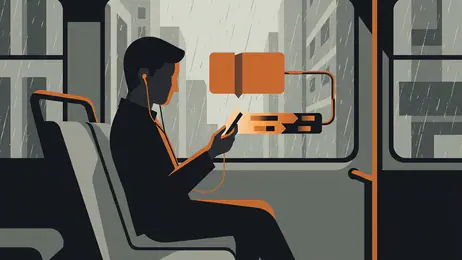
Context matters as well. A voice note that feels natural at home may be awkward on a crowded bus, in a meeting, or late at night when someone else is sleeping. Headphones solve some of those problems, not all of them. The sender may know the circumstances they are recording in, but they cannot know when the recipient will be able to listen.
And speech can be less precise than typing. People repeat themselves, trail off, or bury the useful point beneath a long preamble. If the message contains a reference number, a shopping list, or a plan with several times and places, audio can turn a simple exchange into work. Voice is rich in tone, but poor at a glance.
How rivals handle the same problem
Microsoft Teams approaches asynchronous communication from a work-first angle, where recordings and meetings serve organized teams and project context. WhatsApp’s voice notes feel more casual and personal: they belong to the everyday chat, not a meeting workflow. That informality is its strength, though it also means people must establish their own habits around length and clarity.
YouTube solves a different problem by making audio and video part of a published viewing experience, not a private exchange. Its creators can shape a presentation for an audience, while a WhatsApp sender is usually speaking to one person or a group that already knows them. The comparison highlights what voice notes do well: they make ordinary conversation more expressive without asking anyone to produce a polished piece of media.
Neither alternative makes WhatsApp’s format unnecessary. A live call is better when both people need to respond immediately; a written message is better when the information must be scanned; a more structured team tool can suit formal collaboration. Voice notes occupy the space between those choices, and work best when users recognize that space rather than forcing every message into it.
Who gets the most value
The feature is especially useful for people who already use WhatsApp to stay close to family and friends across different schedules. It suits someone who wants to explain a thought naturally but does not expect an immediate reply, and someone who often has a free moment to speak but not a convenient moment to type. For people who communicate in several languages or rely on tone to avoid misunderstandings, hearing the speaker can add helpful context.
It is less useful for people who spend much of the day in quiet or noisy environments, prefer to scan rather than listen, or need a reliable written record. Those users may still appreciate occasional voice notes, but they should not feel that audio is the more personal or considerate choice by default. A clear text can be kinder than a two-minute recording.
That flexibility is a mark of a mature feature. WhatsApp does not need voice notes to replace text, calls, or every other form of communication. It needs them to make one common kind of message easier to send and more human to receive.
A small feature with a clear purpose
WhatsApp Messenger gets voice notes right because the feature understands a familiar social need: people want to sound like themselves without making a conversation synchronous. Its simple recording gesture, chat-based delivery, and practical playback controls support that need with little ceremony. The best notes bring warmth or clarity to a message that would feel flat in text.
The limits are equally clear. Audio asks for focused listening, resists quick scanning, and can become inconsiderate when it grows long or carries information better written down. That is not a flaw that a faster playback button can erase; it is the nature of the format. Used with judgment, voice notes make WhatsApp feel less like a stream of text and more like an ongoing relationship. Used indiscriminately, they turn the recipient into an audience. The feature earns its place not by replacing other ways to talk, but by giving everyday conversation a useful, unmistakably human middle ground.