Facemoji Puts Personalization on the Keyboard, but Usefulness Still Matters

A phone’s keyboard is one of its most-used surfaces and one of its least considered. That makes it a revealing test for personalization: can an app change a daily habit without making the habit slower? Facemoji AI Emoji Keyboard answers with an ambitious mix of themes, stickers, emoji tools, and AI features. Its broader significance is not that every flourish earns a place in the typing routine. It is that personalization apps are being asked to do more than decorate a screen: they must make customization useful at the exact moment people communicate.
That shift is the category’s central story. Launcher and wallpaper apps have long made the home screen feel personal, while keyboards have traditionally focused on speed, prediction, and language support. Facemoji brings those expectations together in a high-traffic space. The result is a useful case study in what users now expect from personalization, what still feels like old-fashioned cosmetic dressing, and what a more mature category should deliver next.

Facemoji AI Emoji Keyboard
Nexileap4.7Personalization
See More Apps Related to Facemoji AI Emoji Keyboard


Personalization is moving from the home screen to the habit
The baseline has risen. A personalization app is expected to be easy to set up, coherent across its visual choices, and flexible enough to suit more than one mood. A wallpaper can be changed in seconds; icons and widgets can be coordinated; a keyboard can switch its appearance without changing how familiar typing feels. People also expect a steady supply of fresh material and a clear path back to a plain, readable setup when decoration stops being fun.
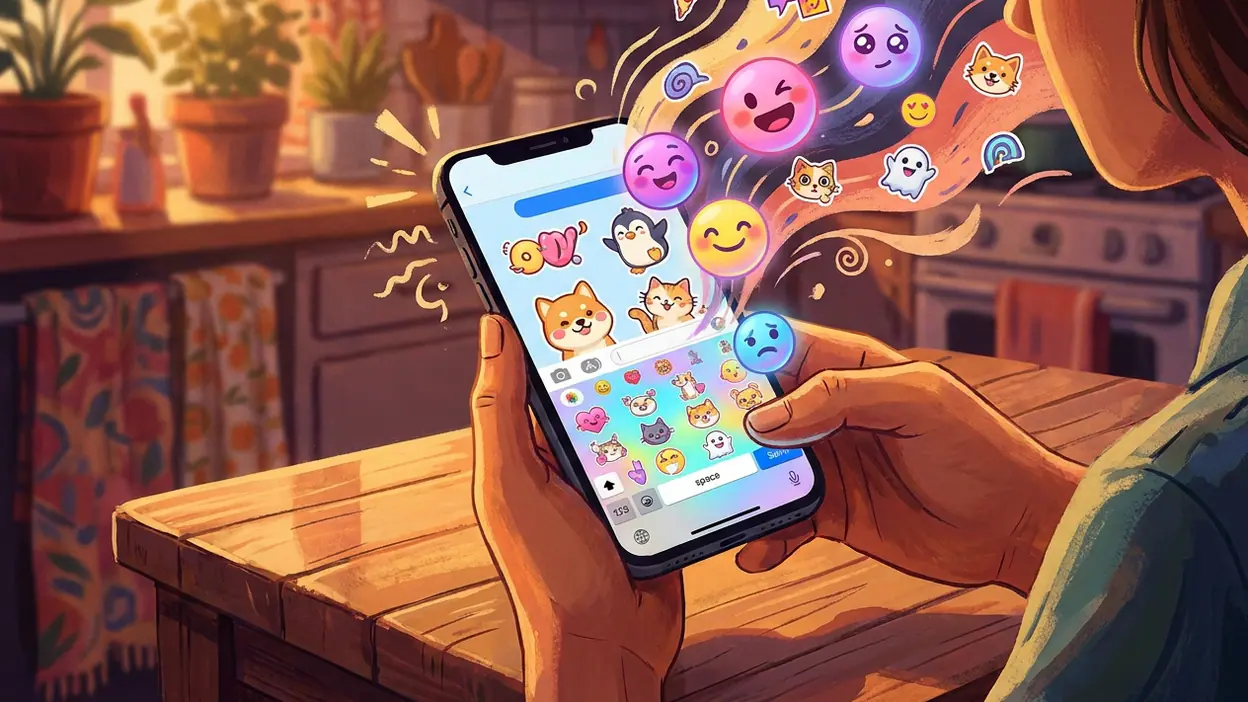
Facemoji takes that baseline into the conversation itself. Its appeal is not limited to putting a colorful skin behind the keys. The keyboard brings visual themes together with expressive tools such as emoji and stickers, making customization part of the message-making process. That is a stronger proposition than simply matching the keyboard to a wallpaper: the app wants to influence what users send, not just what they see while sending it.
In practical use, that ambition has a natural tension. A keyboard has to remain fast and legible before it can be entertaining. Themes can give it personality, but extra controls and content can also compete for attention in the cramped area where people are trying to type. Facemoji’s strongest signal is its recognition that this surface carries both functional and cultural weight. Its challenge is to keep those roles from getting in each other’s way.
Expression is the strongest signal
Personalization works best when it changes an action, not just its appearance. Facemoji’s emoji and sticker emphasis points in that direction. These are familiar tools for softening a reply, making a joke land, or adding tone where a short text might otherwise read as abrupt. The keyboard can make that expressive layer feel close at hand, rather than sending users on a detour through another app or a separate content library.
The AI label adds a more current promise: software should help create or find an expression, not merely present a fixed catalog. That expectation is spreading across creative apps, but keyboards are a particularly demanding place to meet it. Suggestions need to arrive quickly, make sense in context, and be easy to ignore. A clever result that takes longer to locate than typing a sentence is less an assist than an interruption. Facemoji is therefore most interesting as a sign of the direction keyboards are moving, rather than as proof that every AI feature has already become essential.
Worth Reading Next

Asphalt 8 Turns Speed into a Daily Mobile Ritual

Amazon Kindle: Reading App - Where Books and Notes Go
More From Our News Desk
View All

Its more conventional side is equally instructive. Themes, colorful key treatments, and browsable decorative options follow a well-established personalization formula: choose a look, apply it, and enjoy the immediate visual change. That formula still works. People like seeing a device reflect their taste, and a keyboard theme can make an otherwise generic interface feel less anonymous. But a large menu of skins is no longer enough to define a leading product. It is the category’s starting point.
There is also a practical limit to how much visual character a keyboard can absorb. Keys need contrast; labels need to remain easy to scan; the layout needs to feel stable from one conversation to the next. A theme that looks striking in a preview may be less comfortable during a long message. The category’s old convention is to treat customization as a display case. The better standard is to treat it as interface design, where appearance must support the task.
Peers expose the gap between decoration and integration
The surrounding personalization market makes that distinction clearer. Launcher OS™ works at the level of the home screen, where icons, layout, and the overall look of a device can be organized as a system. Wallpaper 4K HD – Wallcraft and Wallpapers focus on the image that fills the display, while Themepack - App Icons connects visual choices to app symbols. Those products show how mature the basic promise of personalization has become: users expect to coordinate visible parts of a phone, not merely pick one isolated background.
Facemoji’s opportunity is to extend that coordinated feeling into communication. A wallpaper may set a mood, but it does not help write a reply. An icon pack can make the home screen feel considered, but it does not add tone to a conversation. The keyboard sits closer to behavior, so its best ideas can be more consequential than another decorative layer. At the same time, the comparison raises the bar: users increasingly expect choices to feel connected, easy to manage, and consistent across the places they use most.
Fonts Keyboard is a useful contrast for another reason. It makes the act of changing text style part of the typing experience, much as Facemoji places expressive content near the keys. That proximity can be convenient, but it also exposes the risk of feature accumulation. When every keyboard becomes a storefront for fonts, themes, stickers, and tools, the core act of entering text can become a crowded interface. More options are not automatically more personal if users must keep navigating around them.
What Facemoji challenges, then, is the idea that a keyboard should be judged only as an input utility—or, at the opposite extreme, as a decorative accessory. It argues for a keyboard that is both a tool and a creative layer. That is a meaningful change in category framing, even if the execution must still answer the basic questions of readability, speed, and restraint.
The emerging standard is useful choice without clutter
The next standard will be less about how many themes or effects an app can display and more about how intelligently it presents them. A strong personalization keyboard should make a distinctive look easy to apply, keep the typing surface legible, and place expressive features where they can be used without disrupting a message. It should also make the experience feel optional: users who want plain, quick typing should not have to fight through a parade of extras.
That standard has a design consequence. Customization should be organized around intent, not volume. Someone trying to change a keyboard’s appearance has a different need from someone looking for a reaction sticker or a fresh way to express a thought. Clear separation between those tasks can make a feature-rich app feel calm. A crowded tool shelf, by contrast, turns personalization into maintenance.
There are still broader weaknesses across the category. Visual polish is often easier to advertise than dependable usability, and the preview may tell users little about how a theme feels during extended typing. AI features bring their own questions: how relevant are the suggestions, how much effort does it take to get a useful result, and what information is involved in producing it? Keyboard apps also operate in a sensitive position because they handle what people type. Users deserve clear explanations of how features work and what data they require, rather than being asked to trade confidence for convenience.
Facemoji makes the consequence for users plain. The upside is a more expressive daily tool, one that can make routine messages feel less standardized and put playful options within easy reach. The downside is that a keyboard can demand attention at precisely the moment a person wants to get a thought across. Its usefulness depends on whether its decorative and creative layers stay subordinate to typing, rather than turning every message into a prompt to browse.
That balance is why Facemoji AI Emoji Keyboard matters beyond its individual themes and features. It reflects a category moving away from passive customization and toward personalization embedded in everyday behavior. The move is promising, but novelty is not the finish line. A keyboard earns a permanent place through comfort, clarity, and tools that help users communicate in their own voice.
The category’s future will belong to products that make a phone feel personal without making it feel busier. Facemoji points toward that future by treating expression as part of the keyboard’s job, while also revealing how easily features can pile up around a simple task. My verdict is that the new expectation is not more decoration. It is personalization that earns its space: useful when wanted, quiet when not, and polished enough to disappear into the act of typing.