Google Translate Review: A Practical Ally When Words Fail

The best test of a translator is not whether it can turn a polished sentence into another polished sentence. It is whether it helps when you are standing outside the wrong station, staring at a menu you cannot parse, or trying to explain a small but important problem to someone who does not share your language. Google Translate is still one of the most useful apps on a phone because it meets those moments with several practical ways to communicate, then gets out of the way.
That breadth is its argument. Text, camera, voice, conversation, handwriting, and offline downloads all belong to one familiar toolkit. Not every mode is equally graceful, and no machine translation can promise that nuance will survive intact. But the app understands that translation is not one task. It is a chain of little acts: spotting a phrase, checking a sign, asking a question, and confirming that the answer makes sense.

Google Translate
Google LLC4.3Tools
See More Apps Related to Google Translate


Why it deserves the spotlight
Translation apps often sell the fantasy of effortless fluency. This one is more convincing when judged as a field tool. It does not make you bilingual; it gives you a workable next move. That distinction matters. A traveler can point a camera at a notice, a student can check a sentence, and a person in a hurry can speak into the microphone without first deciding which translation method the situation requires.
The interface reflects that pragmatism. The main text box is immediate, the language pair is easy to change, and the controls for switching direction or listening to a result are close at hand. There is little ceremony between opening the app and getting a usable answer. That low friction is not glamorous, but it is the feature that makes the app easy to keep installed.
Its reach also gives it unusual cultural weight. People use it across borders, in classrooms, at work, and in family conversations where language abilities vary from person to person. The app can make an initial exchange possible, which is a meaningful service even when the translation needs a human follow-up. Its best contribution is often not perfect wording; it is permission to begin.
What feels exceptional in use
The camera mode remains one of the clearest demonstrations of the app’s practical intelligence. Point it at a printed sign or menu and the words can be translated in place, keeping the original layout as a visual reference. The effect is especially helpful when you are moving through a station or trying to compare dishes at a table. Instead of copying unfamiliar text character by character, you can look at the object in front of you and make a decision.
It is not magic. Small type, decorative fonts, glare, curved packaging, and crowded layouts can all trip up recognition. A quick scan may produce a rough reading rather than a trustworthy one. Still, the camera turns a slow, error-prone chore into a fast first pass. When accuracy matters, the ability to inspect the source text and try again keeps the feature useful rather than merely impressive.
Worth Reading Next

Asphalt 8 Turns Speed into a Daily Mobile Ritual

Amazon Kindle: Reading App - Where Books and Notes Go
More From Our News Desk
View All
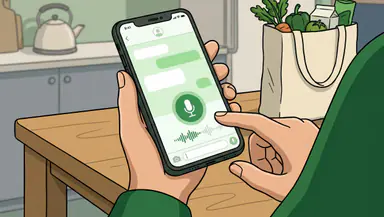

Voice translation has a different strength: it lowers the social barrier to speaking. You can say a phrase and hear the translated version, or use conversation mode to pass the exchange back and forth. In a quiet room with clear speech, that can support a simple interaction without requiring both people to take turns typing. The important design choice is that the app treats translation as an exchange, not just a block of converted text.
Text translation is still the dependable center. It handles quick definitions and longer passages, while saved phrases and history make repeated material easier to revisit. Handwriting input can help with scripts or characters that are awkward to type. These modes do not compete for attention; they give the user another route when the obvious one fails. Its real trick is having a useful second attempt ready.
How it earns long-term attention
Many apps earn daily use by demanding it. Google Translate earns occasional use by being ready for the moment you need it. That pattern is easy to underestimate: a tool opened only a few times a month can still become indispensable if those openings happen at moments of genuine uncertainty. It is a utility with a low profile and a high ceiling of usefulness.
Offline language downloads make that promise more credible. Before a trip, you can save supported languages so basic translation remains available without a reliable connection. Offline results may not match every online capability, and downloads take storage, but the option changes the app from a convenience into a sensible travel backup. A patchy signal should not be the thing that prevents you from understanding a basic direction.
History and saved items add a modest layer of continuity. They are useful for a hotel address, a recurring phrase, or a word you want to check again later. The app does not turn those fragments into a full language-learning course, nor should it pretend to. Its long-term appeal is lighter: it reduces repeated effort and gives you a small reference shelf built from your own needs.
The moments where it matters
Picture arriving at a bus terminal with a printed notice and no dependable data connection. Downloaded language support may help you get the gist, while camera translation can give you a first reading of the sign. If the wording is important, you can switch to text entry or ask someone nearby to confirm the meaning. That sequence is more realistic than expecting a single scan to solve everything—and more useful because the app offers several routes forward.
At a restaurant, the camera can help narrow down a menu, but the spoken exchange is often where the app proves its value. You may need to ask about an ingredient or clarify a request. Voice mode can bridge that first gap, especially when both people can hear the playback. For allergies, medical needs, or anything with serious consequences, though, machine translation should be treated as an aid, not the final authority. A confident-sounding result is not the same as a verified one.
In a classroom or at work, text translation is the quiet everyday win. It can help a reader get the sense of an email or check unfamiliar wording before replying. The sensible use is as a comprehension aid and drafting companion, with a human review for tone and precision. A literal translation may preserve the topic while missing the politeness, humor, or implied meaning that makes a sentence land correctly.
Its edge over louder rivals
Google Translate’s advantage is not that every translation is flawless. It is that the app combines multiple input methods in one place and makes the handoff between them relatively painless. A camera-first tool can be better for signs; a specialist dictionary can explain a word in more depth. But this app is unusually capable when you do not yet know whether your problem is visual, spoken, or written.
That restraint is part of its appeal. It does not ask to become your travel planner, entertainment hub, or daily destination. Compared with attention-hungry products such as HBO Max, it is almost aggressively untheatrical: open, solve a small problem, close. Even Google Maps Go serves a more continuous purpose, guiding your movement through a place. Translate is different. It appears at the point where meaning breaks down.
Its familiar Google interface and broad language coverage also reduce the cost of trying it. You can change languages, listen to a result, or move from typed text to the camera without learning a new system. That does not make it the right choice for every professional or high-stakes translation task. It does make it a particularly strong general-purpose option for people who need an answer now, not a specialist workflow.
Where it needs polish
Machine translation remains vulnerable to context. Idioms, humor, slang, regional expressions, and sentences with several possible meanings can come out stiff or misleading. Short fragments are especially tricky because the app has less surrounding information to work with. It can provide a useful approximation while still missing what a person actually meant.
Conversation mode can also feel a little mechanical. People do not always take neat turns, speak at a steady pace, or wait for a device to finish talking. Accents, background noise, interruptions, and overlapping speech may make the exchange less smooth than the interface suggests. In a real conversation, it helps to slow down, use short sentences, and confirm key details rather than treating the translated audio as a flawless interpreter.
Visual translation has its own limits: a poor camera angle or difficult typography can turn a fast scan into a confusing overlay. Some results also need more explanation than a direct translation can provide. The app is at its best when it is honest about its role in practice: a capable bridge, not a substitute for a qualified interpreter or a culturally fluent human being.
Who should care most
Frequent travelers will get the clearest return, especially those who want a compact backup for signs, menus, and basic conversations. Students and multilingual households may find it useful for checking meaning and keeping familiar phrases close. It also suits anyone who occasionally deals with unfamiliar language and would rather have a practical tool ready than scramble to find one at the last minute.
People who translate professionally, handle legal or medical material, or need exact wording for a consequential decision should use it with care and seek a human review. The app can help surface meaning, but it cannot reliably judge every implication. Knowing when not to trust an automated answer is part of using it well.
Why it belongs in this moment
More of daily life now involves short exchanges across languages: a delivery instruction, a message from a colleague, a sign encountered while traveling, or a conversation with a neighbor. Not every situation calls for a full translation service. Often people need just enough understanding to continue. Google Translate is built for that middle ground, where a small gain in clarity can make a person feel less stranded.
That is why it remains relevant even as translation tools become more sophisticated. Its value is not an abstract promise that language barriers will disappear. They will not. The value is concrete and local: one better-understood sentence, one sign read without guesswork, one conversation that gets past the opening awkwardness.
My verdict is straightforward: Google Translate deserves a place on almost any phone, not because it can replace human language skills, but because it turns uncertainty into a workable next step. Its best moments are quick, ordinary, and quietly consequential. Keep it for the times you cannot afford to be completely lost, and use its answers with the judgment they sometimes require.