QR & Barcode Scanner: When a Quick Scan Is Worth It

A QR code is a tiny promise: point a camera at a square and something useful should happen. QR & Barcode Scanner is built around keeping that exchange quick and legible. Its central feature is not an elaborate productivity system but the act of reading a code and turning it into a link, product detail, or other usable result. That sounds modest, and it is. The value lies in how often a fast, dependable scan can remove a small point of friction from an ordinary day.
The scan is the product
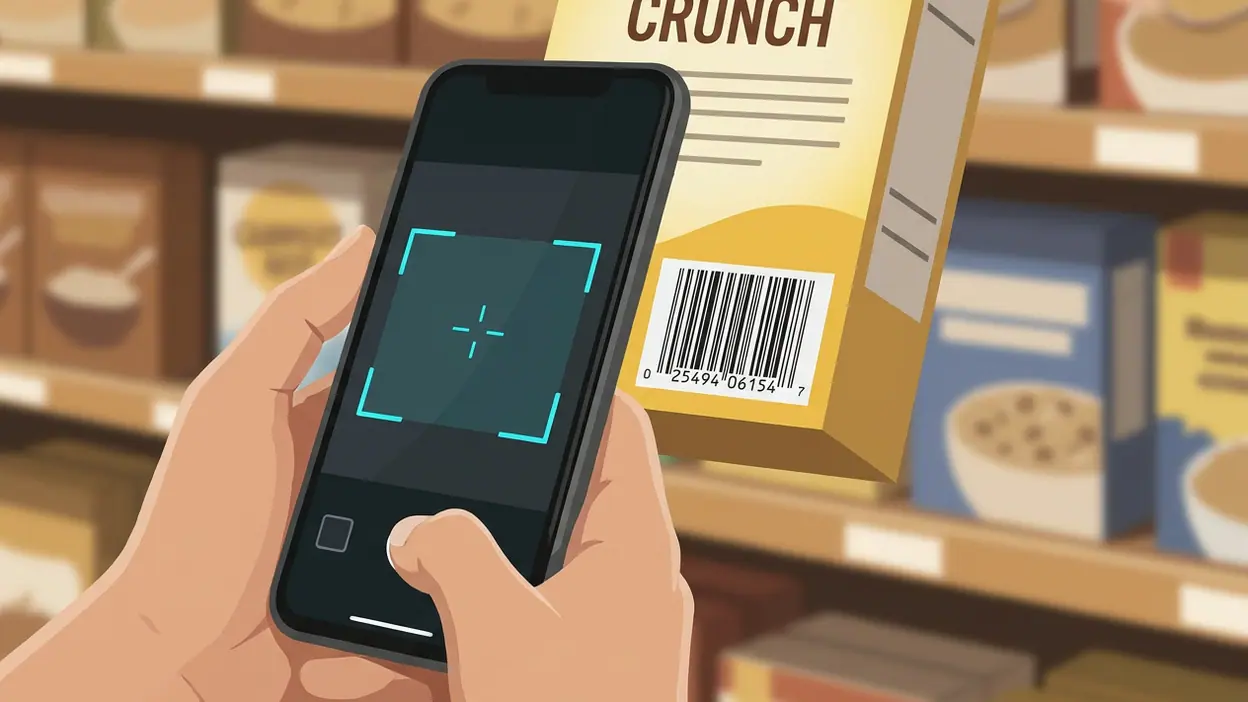
At its best, the app makes the camera feel like a direct input rather than a chore. Open the scanner, aim at a code, and let the app interpret what is in front of it. QR codes tend to lead to web pages, menus, contact details, or other digital destinations; barcodes are more often attached to packaged goods and retail products. Bringing both formats under one roof gives the tool a broader everyday job than its name might suggest.

QR & Barcode Scanner
TeaCapps4.6Productivity
See More Apps Related to QR & Barcode Scanner


The core interaction is easy to understand because the task itself is easy to understand. There is no need to learn a workflow or build a personal system before getting value. A code is visible, the camera reads it, and the result gives you a next step. That simplicity is a strength, but it also sets a high bar: a scanner has little to hide behind if focusing is slow, the result is unclear, or the app interrupts the task with distractions.
It is worth keeping expectations grounded. A scanner does not make a destination trustworthy simply by decoding its code, and identifying a product barcode is not the same as providing a complete, authoritative product record. The app's useful promise is narrower: make encoded information accessible without asking you to type it in by hand.
Why a small shortcut matters
Typing a long web address from a poster or copying a product number from packaging is the sort of task people tolerate until a shortcut appears. QR scanning removes that transcription step. It also reduces the chance of a typo, which matters when the code is printed on a ticket, a table card, a parcel, or a label that is awkward to handle.
The benefit is cumulative rather than dramatic. One scan saves only a little time, but codes have become part of the physical environment: on café tables, event signs, product boxes, and printed instructions. A good reader makes those objects more interactive without demanding much attention. The app's utility therefore depends less on novelty than on whether it is ready when an ordinary code appears.
That is also why restraint matters. A scanner should help you inspect a result before you follow it, especially when a code opens a website. The camera can read the pattern, but it cannot tell you whether the destination deserves your trust. A clear handoff to the result, rather than an assumption that every scan is safe or useful, is the responsible version of convenience.
Worth Reading Next

UNO! Review: Why One Last Card Still Makes Every Match Matter

Adobe Express Makes Creation Easy, but Community Happens Elsewhere

Roblox Under Pressure: Can Players Recover When a Session Breaks?

Facebook’s Feed Is No Longer Just for Friends
Coloring Games: Color & Paint – A Creative and Educational Haven
More From Our News Desk
View All


A useful test: the table menu
The clearest real-world scenario is a restaurant menu. A printed code sits on the table, and the alternative may be to ask for a menu, search for the restaurant's site, or enter an address manually. With a scanner, the action is direct: open the camera view, frame the code, and move on to the menu page if the destination looks right. It is a small interaction, but one that benefits from speed and an uncluttered interface because nobody wants to turn dinner into a troubleshooting session.
The same pattern works at a gallery, a conference desk, or a shop shelf. The code is already placed where the information is needed, and the phone bridges the gap between the physical object and its digital details. A barcode scan can be handy when comparing an item or checking what a label identifies, though the usefulness of any product information depends on what the app can actually retrieve. The scan is the reliable first step; the depth of the follow-up is a separate question.
How it changes behavior
A reliable scanner changes what you do with a code in front of you. Instead of treating it as decoration or postponing the task until later, you can check it immediately. That immediacy can make people more willing to use printed links and product labels, because the interaction costs less than typing and searching.
There is a subtle change in attention, too. Codes invite a deliberate choice: point the camera, inspect the outcome, then decide whether to continue. That is better than treating scanning as an automatic endorsement. In this sense, a good reader should make the next action easy while leaving the user in control of it. Fast recognition is valuable; blind trust is not.
For occasional users, the app's appeal is that it need not become a habit or a destination in its own right. It can sit quietly until a code makes it relevant. For people who encounter codes daily at work or while shopping, that same low-friction behavior becomes more noticeable: fewer manual lookups, fewer copied strings, and less interruption to the task already under way.
Where the design earns its keep
The design succeeds when the camera is the obvious starting point and the result is understandable without a detour. A scanner is not improved by burying its main action among decorative features. The strongest version of this kind of utility app keeps the user oriented: frame the code, see what it resolves to, and choose what happens next. That sequence is simple enough to be forgettable, which is exactly what a practical tool should aim for.
It also helps when QR and barcode scanning feel like parts of one coherent tool rather than unrelated modes. People do not always know in advance which kind of code is on a package or sign. A reader that can handle both makes the app easier to reach for without forcing the user to classify the code first. The design principle is straightforward: let the camera do more of the recognition work, and ask the person for less setup.
Still, the app's essential value leaves little room for vague polish to compensate for uncertainty. Permission requests should make sense, scan results should be presented plainly, and any history or extra controls should support the task rather than crowd it. Those are not luxuries in a camera-based utility; they are the difference between a tool that feels ready and one that feels like an obstacle.
The limits behind the convenience
The narrow focus is also the main limitation. If a code is damaged, poorly lit, or printed at an awkward angle, a scan may take more effort than the ideal one-tap story suggests. Camera performance and clear guidance matter most in those moments, not when a large, clean code is already in view. Users should also be mindful of where a link leads; decoding a QR code does not verify its safety.
Barcode reading has a different ceiling. A barcode can identify a product, but a useful comparison, price, or detailed description depends on access to a dependable information source. Readers can sometimes make that distinction feel blurred by presenting a scan as if it were a complete answer. A careful user will treat the decoded result as a starting point and verify anything consequential elsewhere.
There is a broader trade-off here: a dedicated scanner is convenient, but it must justify being installed when many phones can read QR codes through a built-in camera. The reason to keep a separate scanner is dependable access to both QR and barcode tasks, not a promise that every scan will reveal more. If the app adds clutter or makes the basic action harder, the built-in option may be enough for someone who scans only once in a while.
How other apps sharpen the comparison
The related apps in this space solve different problems, which helps clarify what this one should be judged on. 1800 Contacts - Lens Store is about shopping for a particular kind of product, while FeedFan - Instafeet App centers on a social and creator-oriented experience. Neither is a direct substitute for scanning a code. Their contrast makes the point: QR & Barcode Scanner is a utility, and its success depends on the small transaction between a physical code and a usable digital result.
Even the puzzle and game titles in the wider app landscape underline the difference. Word Search Quest - Puzzles and Slow Mo Run are built to hold attention. A scanner should do the opposite: resolve a task, then get out of the way. It is not competing for leisure time or asking to become a daily destination. Its standard is whether it saves effort at the moment it is needed.
Who gets the most from it
The best fit is someone who regularly encounters printed codes and wants one place to handle both QR and barcode scans. That could be a shopper checking labels, a visitor following venue information, or a worker dealing with stock and packaging. The value grows with frequency: a person who scans codes several times a week has more reason to keep a dedicated reader close than someone who only sees one at an occasional restaurant.
It is less compelling for anyone whose phone already handles their entire scanning routine and who has no need for barcode-specific use. For that person, another app can feel redundant unless its results, controls, or reliability clearly improve the experience. The app is not essential merely because codes are common; it earns a place by reducing friction better than the alternatives already on the device.
The final measure
QR & Barcode Scanner makes its case through a narrow, practical feature: pointing a camera at a code and turning it into something you can act on. That may never be an exciting premise, but it is a useful one. The app's strongest moments are the ordinary ones, when a menu, package, or sign would otherwise send you into a manual search. Its limits are equally clear: a scan is not a safety check, and a barcode is not a guarantee of rich product data.
As a feature-focused utility, it is best judged by the seconds it removes from small tasks and the clarity it brings to the next step. People who scan often, especially across both code types, are the ones most likely to appreciate keeping it installed. For everyone else, the built-in camera may be enough. That is not a failure of ambition; it is the honest standard a good scanner should meet: be ready, read the code, and leave the decision in your hands.