Android Auto Review: The Best Driving Tech Knows When to Step Back

The best driving technology is the kind you stop noticing. On a familiar route, that means a clear turn, a song change, or a call handled without a wrestling match with your phone. Android Auto earns its place not by turning the dashboard into a miniature tablet, but by making a small set of useful tasks easier to manage while the car is moving. That restraint is its strongest feature—and the standard by which its occasional frustrations should be judged.
In use, it feels less like another app to explore than a carefully limited layer between the driver and a connected phone. The exact experience depends on the car, the phone, the cable or wireless connection, and which apps are installed. But the idea holds: put navigation, audio, calls, and messaging within reach, present them in a driving-friendly format, and keep the rest of the phone’s distractions out of the way. When that arrangement works, the benefit is immediate.

Android Auto
Google LLC4.1Auto & Vehicles
See More Apps Related to Android Auto


A dashboard with a point of view
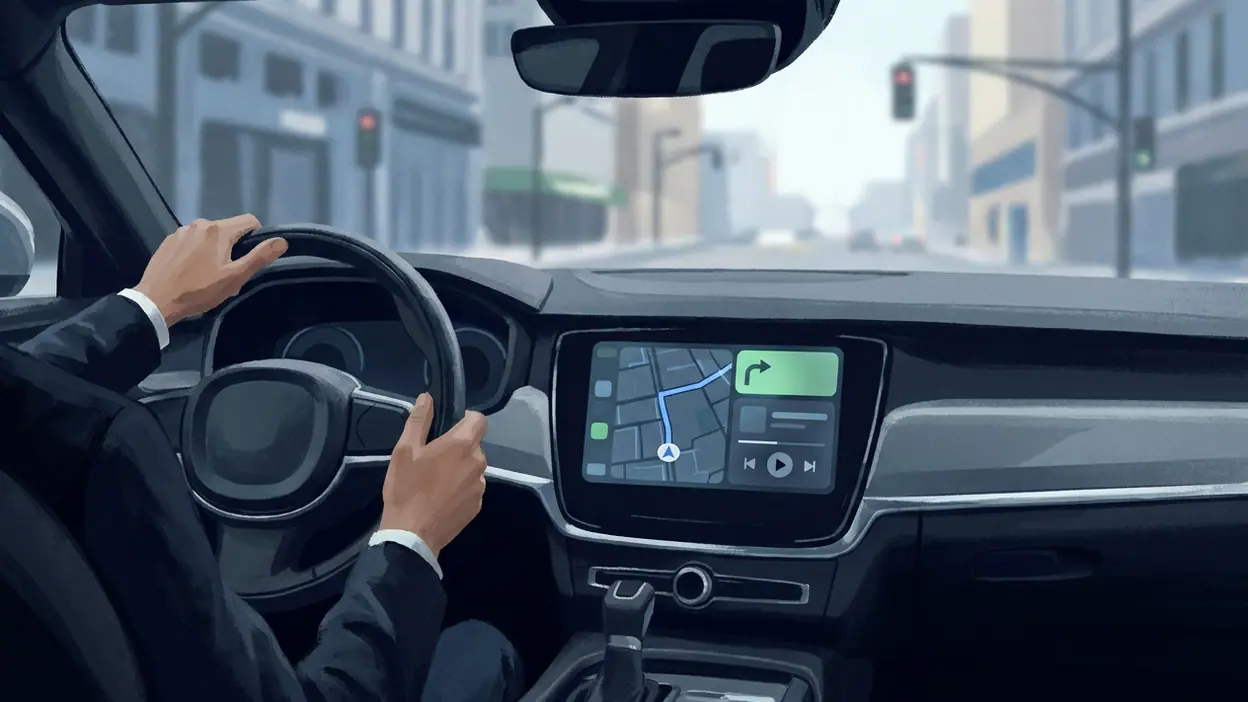
Its most important design decision is what it refuses to show. This is not a general-purpose desktop for the car. Instead, the interface favors large controls, legible information, and familiar destinations. The home view can bring together navigation and media, while a launcher provides access to compatible apps. The result is a screen with a job, not a screen begging to be explored.
That distinction matters because driving already asks for attention in fragments: a glance at the road, a quick check of the next turn, a brief pause at a light. A cluttered interface turns each check into a small reading session. Android Auto generally keeps the exchange short. Maps show where to go; audio controls make it simple to pause or skip; communication tools help a driver respond without opening a full phone app. Voice interaction can reduce tapping further, though it is not a substitute for judgment or safe driving.
The experience also respects the car as a different kind of space. A phone rewards browsing and lingering; a dashboard should reward quick comprehension. That is a subtle but meaningful editorial choice in the product itself. It does not ask the driver to admire its interface. It tries to make the next useful action obvious.
Small conveniences that add up
Android Auto’s strongest moments are rarely dramatic. A route begins before the car pulls away. A playlist continues where it left off. A message can be heard and answered by voice rather than hunted down on a handset. These are modest conveniences, but repetition gives them weight. A feature used several times on an ordinary commute matters more than an impressive tool that only comes out on a special trip.
Navigation is the clearest example. Google Maps is a familiar option for many drivers, and its turn guidance gains practical value on a screen positioned for the road rather than held in a hand or propped awkwardly in a cup holder. Seeing the next maneuver at a glance is helpful; having audio guidance alongside it means the driver need not keep checking the display. Other compatible navigation apps can also appear, so the platform is not limited to a single map provider.
Worth Reading Next

UNO! Review: Why One Last Card Still Makes Every Match Matter

Adobe Express Makes Creation Easy, but Community Happens Elsewhere

Roblox Under Pressure: Can Players Recover When a Session Breaks?

Facebook’s Feed Is No Longer Just for Friends

Coloring Games: Color & Paint – A Creative and Educational Haven
More From Our News Desk
View All


Audio is just as central to the everyday rhythm. Music, podcasts, and other supported services become part of the same driving surface, with controls shaped for quick use. This is not the place for elaborate library management, and that is for the best. The point is to start listening, change what is playing, and return attention to the trip.
Built for the routine, tested by the exception
Long-term usefulness comes from habits rather than novelty. Once a driver has connected a phone, set preferred navigation and audio apps, and learned where the basic controls live, the system can fade into the background. It becomes part of the car’s routine: connect, choose a destination, listen, and get on with the journey. That quiet consistency is the real source of its stickiness.
It also helps that the platform can adapt to different cars and setups. Some vehicles support wireless connection; others rely on a USB cable. Some dashboards provide a generous display, while others offer a tighter layout. A phone’s Android version, the vehicle’s compatibility, and the quality of the connection all influence the experience. This flexibility is useful, but it means there is no single universal setup to promise every driver.
That unevenness becomes more apparent on an unfamiliar trip. A route change, an incoming call, and a request to find a nearby stop can arrive in quick succession. In those moments, the value of a calm interface is obvious: the driver needs the next useful piece of information, not a maze of menus. Voice commands can help, but recognition may vary with cabin noise, network conditions, and how naturally a request is phrased. A good system should reduce friction, not pretend friction has vanished.
The edge is discipline, not spectacle
Android Auto has plenty of louder competition for attention, including navigation apps, media apps, and phone interfaces designed to keep users engaged. Its advantage is not that it does everything better than each specialist. Google Maps, for instance, remains a destination in its own right, while a music service owns its catalog and recommendations. Android Auto’s edge is in bringing compatible tasks into a shared, driving-conscious setting.
That role is less glamorous than being the best map or the most compelling music app, but it is arguably more useful in the car. The platform creates continuity between services without asking the driver to switch constantly between phone screens. It turns separate tools into a more coherent trip. The comparison with unrelated attention-grabbers such as Pokémon GO or Zedge is instructive only in one respect: a driving interface should not compete for attention as those products do. Here, less is a deliberate virtue.
Its measured approach also gives it a practical kind of cultural relevance. For many people, the car remains one of the few places where a phone’s usual habits need to be actively restrained. A familiar route can still involve navigation, a call, or a change in what is playing. Android Auto acknowledges that connected life does not stop at the driveway, while trying to keep the driver’s focus where it belongs.
Where the polish runs out
The biggest weakness is that the experience depends on several pieces of hardware and software that do not always cooperate equally well. A flaky cable can interrupt a wired connection. Wireless setups may be convenient, but they depend on compatible equipment and reliable pairing. Some cars display the interface more cleanly than others, and a screen that feels spacious in one dashboard can feel cramped in another. These are not small details when the product is meant to be ready each time the engine starts.
App support is another constraint. The platform is intentionally curated, which makes sense for safety, but it also means a favorite service or a specific feature may not be available in the form a user expects. Even supported apps can differ in how well their menus and controls suit the car. Android Auto sets a common frame; it cannot make every third-party app equally thoughtful inside it.
Voice control deserves a similarly balanced verdict. It can be a genuinely useful way to place a call, choose music, or ask for directions, especially when the car’s controls make speaking easy. But it is not consistently effortless. Misheard names, vague requests, and the occasional need to repeat a command interrupt the promise of hands-free simplicity. Drivers should treat voice as a helpful option, not a guarantee that every interaction can be completed without a glance or adjustment.
These shortcomings do not undo the core idea. They do, however, make setup and compatibility worth checking before a driver relies on the system. A polished interface cannot compensate for a car that drops the connection, and a smooth pairing process is part of the product, not a footnote.
Who should care most
Drivers who regularly navigate unfamiliar places, spend time commuting, or rely on audio and calls will get the clearest value. It is particularly useful for anyone who wants a more consistent way to bring phone services into a compatible car without mounting a handset and constantly switching between apps. People who take occasional short trips may still appreciate it, but the appeal grows through repetition.
Those with older or incompatible vehicles should temper expectations. A phone can still provide navigation and audio on its own, but the integrated dashboard experience depends on supported hardware. Likewise, anyone expecting the system to replace every function of a phone will find the deliberate limits frustrating. This is a driving companion, not a second mobile operating system for the car.
For the right driver, that limited scope is precisely the appeal. It reduces the temptation to browse and gives common tasks a more sensible home. The system is most convincing when the driver already knows what they need and wants to do it with minimal fuss.
Why it belongs now
Cars have become more connected, but more screens do not automatically make a drive better. The useful question is whether a display helps a driver understand the road, manage a necessary task, and return attention to driving. Android Auto has a clear answer: keep the experience focused, use familiar services, and make the most common actions easy to reach.
That approach feels more valuable as phones become increasingly crowded with notifications and distractions. A car does not need another feed. It needs a restrained bridge to the parts of the phone that make a journey easier. The execution is not flawless, and the reliance on compatibility can make setup feel less dependable than the interface suggests. Still, the underlying judgment is sound.
After spending time with it, I would recommend Android Auto to drivers with a compatible car who want navigation, audio, and communication to behave like parts of one considered system. Its excellence appears in the ordinary moments: the route is ready, the next turn is clear, and the phone can stay out of hand. It is not the most ambitious thing on a dashboard, nor should it be. It is a useful, disciplined companion whose best trick is helping the drive remain the main event.