Weather Complications: Wear OS
For Android
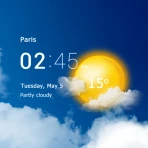
I like weather information best when it is available before I reach for my phone. That is the basic appeal of Weather Complications: Wear OS, an app from amoledwatchfaces™ that adds weather-focused complication choices to a compatible Wear OS watch. Instead of opening a full forecast every time I want a quick detail, I can place a small piece of weather information directly on the watch face and glance at it during an ordinary day.
The app is aimed at people who already use a Wear OS watch and want more useful weather details around the time and date. Its options cover information such as UV, high and low temperatures, and air quality, so it is more practical than a single temperature readout when the complication is configured thoughtfully. I found that its value depends less on constant interaction and more on choosing the right watch face layout for the information I actually check.
The important expectation is simple: this is a complication app, not a complete weather service. It extends what can appear on a Wear OS watch face, but it does not replace a full forecast app when I need hourly trends, radar, maps, or detailed explanations. That distinction makes it easy to recommend to the right person and equally easy to overlook if you expect a full weather dashboard.
Where the experience can get stuck
The first point of confusion is usually the difference between installing an app and seeing its complications. After installation, the new choices may not appear on the watch face automatically. I still need to edit the face, select an available complication position, and look through the complication options until I find the weather entries. Someone expecting a new standalone icon or a new watch face may think nothing happened, even though the useful part is waiting inside the face editor.
Watch faces also vary considerably. Some offer several small slots around the dial, while others provide only a few larger areas. A weather complication that is readable on a spacious digital face may be cramped on a compact analog design. This is not necessarily a fault in the app. It is a trade-off created by the watch face itself, and it is one reason I would decide first which information matters most: current conditions, UV, air quality, or the daily high and low.
The other common sticking point is the relationship between the complication and the underlying weather information. A complication is a small display surface. It has limited room, and the amount of visible detail depends on the selected style and the space assigned by the face. If I try to show too much in a tiny slot, the result can be less useful than a simple temperature or high-low display. The best setup is usually the one that answers one question quickly rather than attempting to summarize the entire forecast.
There is also a practical difference between seeing a value and understanding its context. UV and air-quality information can be valuable, but they are most useful when I interpret them alongside my plans. A number on the wrist does not explain every local condition or tell me how long it will remain relevant. I use these complications as prompts for a decision, not as a replacement for checking a detailed forecast before a long trip, outdoor workout, or day in changing weather.
What to check before blaming the app
When a complication does not appear, I start with the watch face rather than reinstalling anything. I open the face customization screen, select the intended slot, and scroll through every available complication category. On some faces, the selection list is divided into different groups, so the weather options may not be visible at the first glance. I also check whether the slot accepts the type of complication I want, because a narrow text position may not support the same presentation as a larger slot.
Next, I confirm that the watch is actually using the face I edited. It sounds obvious, but it is easy to customize one face and then return to another, especially after trying several designs. I also give the watch a moment to refresh after changing the selection. Weather information is not always redrawn instantly, and repeatedly changing settings can make it harder to tell whether the original choice worked.
Compatibility matters as well. Weather Complications: Wear OS is designed for Wear OS and requires Android eleven or later. That makes the operating-system requirement an important first check before purchase. If the phone or watch environment does not meet the requirement, changing the watch face will not solve the problem. I would check the operating-system versions on both devices before spending time troubleshooting the complication itself.
The app is rated for Everyone, which fits its straightforward purpose, and it is a paid download priced at $5.49. That price makes the setup experience more important than it would be for a casual free utility. I would not buy it merely to experiment with one watch face. I would buy it because I specifically want richer weather choices on the face I use every day.
It is also worth checking whether the chosen watch face supports third-party complications in general. Some faces are highly restricted or offer only their own visual elements. If other independently installed complications cannot be selected either, the problem is probably the face design rather than this weather package. Switching temporarily to a face with more open complication slots is a useful way to isolate that issue without making unnecessary changes.
You may also like

Amazon Kindle: Revolutionizing Digital Reading

Why OLX: Compras Online e Vendas Captivates Shoppers Worldwide

Unpacking the Strategy of Yalla Ludo's Jackaroo Mode

Why eBay's Mobile App Stands Out in Online Shopping

How Fishdom's Puzzle Mechanics Transform Your Aquarium Experience

Block Blast! The Perfect Puzzle for Busy Lives
A sensible setup routine
My preferred setup process is deliberately small. I install the app, open the watch-face editor, choose one visible slot, and add a single weather complication first. I then wait for it to populate before adding anything else. This gives me a clear baseline and avoids confusing a display-layout problem with a refresh problem.
For a daily watch, I usually place the most frequently needed detail in the easiest-to-read position. A current weather value belongs where I can see it without turning my wrist too far or staring at a tiny corner. UV or air quality makes more sense in a secondary slot if I regularly plan outdoor activities. High and low temperatures are useful when I am deciding what to wear for the whole day, but they may be less important than current conditions during a short commute.
There is a subtle design trade-off here: adding several weather complications can make the watch face look informative but less readable. I prefer one primary weather field and one secondary indicator over filling every available slot. This keeps the face useful at a glance and leaves room for the time, battery, or another detail I genuinely need. The app gives me more choices, but it does not require me to use all of them.
If the complication appears but looks abbreviated, I first try a larger slot or a different face. I do not assume the information is missing. Small complication areas often have to shorten labels or values, while a larger area can present the same kind of information more clearly. This is one of the most practical ways to improve the experience without changing the app or the watch.
Recovering a weather workflow when something goes wrong
If a selected complication remains blank or stale, I work through the simplest recovery steps in order. I check that the watch is connected to the phone, confirm that the watch face still has the intended complication selected, and give the display time to update. I then switch to another complication and back again, or briefly apply a different watch face before returning to the original one. These steps refresh the selection path without immediately resorting to a full reinstall.
I also avoid changing several variables at once. If I replace the watch face, alter multiple slots, and reinstall the app together, I lose the ability to identify what fixed the problem. A better approach is to test one slot with one complication on a known-compatible face. Once that works, I can rebuild the preferred layout gradually.
When a value seems wrong, I compare it with the weather information already available on the phone rather than judging it against memory. Weather conditions change, and different services may update at different moments. A brief mismatch does not automatically mean the complication is broken. If the phone itself has not refreshed its weather information, the watch cannot be expected to show a newer picture.
Another useful habit is to distinguish display recovery from data recovery. Reopening the face editor may restore a missing complication on the screen, but it will not correct an underlying connection or location issue. Conversely, a connection refresh may update the value while leaving a poor layout unchanged. Treating those as separate problems makes troubleshooting faster and prevents unnecessary resets.
Because the app is focused on Wear OS complications, I would also test the same selection on a second face if available. If the information works there, the original face is the likely source of the friction. If it fails everywhere, I would then look more closely at the watch-phone connection and the operating-system setup. This simple comparison is more informative than repeatedly tapping the same empty slot.
When the app is not the cause
Not every missing or delayed weather value originates in Weather Complications: Wear OS. The watch may be offline, the phone may be out of reach, or the weather information may simply be waiting for an update. A watch face can also stop showing a complication after it has been changed, replaced, or restored. These situations can make a reliable app look unreliable because the visible symptom is the same: an empty, old, or unavailable field.
The watch face itself is a particularly important suspect. Different faces handle complication slots differently, and some may redraw them slowly or limit the amount of text they can show. If one face displays the information correctly and another does not, I would keep the working face and treat the issue as a face-specific limitation. That is more practical than concluding that the entire app is unusable.
The same applies to the phone and watch software. The current version is 2.1.0, and the app was released on October 15, 2023, but the more important day-to-day question is whether the device environment is compatible and current enough for Wear OS complication behavior. I would check the watch and phone software before assuming the app needs to be replaced. A mismatch between devices can create symptoms that look like an app failure.
Location and weather-source behavior can also affect what I see, although the complication itself is not a full explanation of local conditions. If the displayed information appears delayed during travel, I first check whether the watch has updated its connection and whether the phone is showing the same delay. I would not use a tiny wrist complication as the only source for safety-sensitive decisions, especially when air quality or UV conditions are central to the plan.
This is where the app’s narrow purpose becomes clear. It can make a watch face more informative, but it does not control every part of the weather pipeline. If I need detailed forecasts, severe-weather alerts, precipitation maps, or a long-range planning view, a full weather application remains the better tool. I can use both: this app for glanceable information and another service for deeper checking.
Who will get the most from it
I think the strongest audience is someone who already owns a Wear OS watch, uses a customizable face, and frequently checks weather-related details without wanting to open a phone. The choice of UV, high and low temperatures, and air quality makes it more appealing to people with specific outdoor routines than to someone who only wants the current temperature.
For example, imagine leaving home for work, walking part of the commute, and planning to spend lunch outside. I could place the current weather in the main slot, keep the day’s high and low in a secondary position, and use UV or air quality where the face has room. That arrangement lets me make three quick decisions: whether my current clothing makes sense, whether the afternoon may feel different, and whether outdoor time deserves a closer look at the full forecast.
It is also useful for people who change watch faces but want weather information to remain part of the experience. Instead of relying on a single weather-themed face, I can choose a minimalist face for work, a more data-heavy face for exercise, and configure each with a suitable complication. The benefit is flexibility, although it depends on each face offering enough compatible slots.
I would be more hesitant to recommend it to someone who rarely looks at complications, uses a fixed watch face, or expects a complete forecast screen. The $5.49 price is difficult to justify if the only desired feature is one basic temperature field that the watch or another app already supplies. It is also not the best match for someone using an incompatible operating system, because the app’s purpose is tied specifically to Wear OS.
Its audience size is still developing: the app has over one thousand installs, with a 4.4 average from fifty ratings and eight written reviews. I read that as a small but encouraging signal rather than proof that every watch and face combination will behave identically. The developer is amoledwatchfaces™, and the app’s focused design suggests a purchase decision based on the exact complication choices I want, not on broad popularity alone.
How it compares with ordinary weather alternatives
A standard weather app is better when I want context. It can give me a forecast timeline, broader condition details, and a more comfortable space for reading. A built-in watch complication may be more convenient and free with the device, but it may not offer the particular combination of UV, air quality, and high-low information I want on one face.
This app sits between those options. It is more focused than a full weather application and potentially more flexible than a basic built-in complication set. Its advantage is not that it turns the watch into a complete weather station. Its advantage is that it lets me decide which small weather details deserve a permanent place on the face.
The trade-off is that I pay for customization and must spend time arranging it. Someone who wants an immediate, no-setup weather readout may prefer the default watch tools. Someone who wants a polished visual face with carefully selected weather fields may find the extra control worthwhile. In my experience, the purchase makes sense only when the complication layout is part of the daily watch workflow rather than an occasional novelty.
My practical verdict
Weather Complications: Wear OS is a specialized app that does one job well: it expands the weather information I can keep visible on a compatible Wear OS watch face. I like the emphasis on useful details beyond a single temperature, especially when UV, air quality, or the day’s temperature range matters to my plans.
The main friction is not complicated navigation inside the app. It is understanding how complications depend on the watch face, available slots, device connection, and operating-system compatibility. Once I treat those as part of the setup, the experience becomes much easier to manage. Starting with one complication, testing it on a suitable face, and adding more only after the first one works is the most reliable approach.
I would recommend it to an active Wear OS user who wants a more deliberate weather layout and is comfortable customizing a watch face. I would skip it if I need maps, detailed forecasts, or a complete replacement for a weather service. For the right user, the app turns a watch face from a time display into a compact planning tool; for everyone else, its focused nature may make the price and setup effort harder to justify.
Pros
- Accurate weather updates for your location.
- Easy-to-read and user-friendly interface.
- Customizable notifications for severe weather.
- Supports multiple locations for travel tracking.
- Integrates smoothly with Wear OS devices.
Cons
- Limited features in the free version.
- Occasional glitches in widget updates.
- Requires constant internet connection.
- Battery consumption is relatively high.
- Some features are locked behind paywall.
FAQ
What is Weather Complications: Wear OS?
Weather Complications: Wear OS is a specialized application designed to provide users with real-time weather updates directly on their Wear OS-enabled smartwatches. It integrates seamlessly with your device to display essential weather data, such as temperature, humidity, wind speed, and more, right on your wrist, without needing to check your phone.
How does Weather Complications integrate with my smartwatch?
Weather Complications uses the Wear OS platform to integrate weather data into your smartwatch's interface. Once installed, it allows you to customize weather widgets and complications on your watch face, providing live updates and alerts. This integration ensures that you have the latest weather information accessible at a glance, enhancing your smartwatch's functionality.
Are there any costs associated with Weather Complications: Wear OS?
Weather Complications: Wear OS offers both free and premium versions. The free version provides basic weather data, while the premium version, available as a subscription, offers detailed forecasts, custom notifications, and additional features without ads. Users can choose the version that best suits their needs and budget, ensuring flexibility and comprehensive weather coverage.
Is Weather Complications compatible with all Wear OS devices?
Weather Complications is designed to be compatible with most Wear OS devices. However, it's essential to check the app's compatibility with your specific smartwatch model and Wear OS version before downloading. Compatibility details are usually available on the app's download page, ensuring users can make informed decisions and avoid installation issues.
What permissions does Weather Complications require?
Weather Complications requires certain permissions to function effectively, including access to location services for accurate weather data and network connectivity for updates. It may also request permissions to modify watch faces for better integration. Rest assured, these permissions are standard for weather applications and are crucial for providing precise and timely weather updates.