Text or Die
Rollic Games
App Specs
- Version
- 30.2.2
- Updated
- Downloads
- 10.00M
- Requires
- 7.0
- Price
- Free
- Age rating
- Everyone 10+
 Analysis by FileLocations
When a few people are sharing a phone or sitting together with time to kill, a word game can turn a quiet wait into friendly competition. Text or Die is built around a simple pressure: answer a prompt with a word, and try to make yours longer than the other players’ answers so your character stays out of danger. I like that its trivia angle rewards both knowing the answer and thinking about how to phrase it. It is less about recalling one exact fact than spotting a valid, lengthy response before the round moves on.
How it works when a device is shared
Rollic Games made this free trivia game for quick rounds rather than a long, carefully planned session. The basic idea is easy to explain to someone who has never played: read the prompt, type an answer, and aim for the longest suitable word. The shark-themed stakes give each round a clear visual goal, so a new player can understand the tension without a tutorial from the rest of the room.
That makes it a natural fit for a shared-device moment: one person can hold the phone while others suggest answers aloud, or players can take turns trying to beat the previous response. It is also useful when a group is waiting for food or winding down after dinner, because a round asks for attention in short bursts rather than requiring everyone to settle in for a long match. The trade-off is that the phone becomes the center of the activity. If your group would rather talk without taking turns around a screen, a verbal trivia game may be a better choice.
The word-length twist creates a particular kind of table talk. Someone may know the obvious answer immediately, while another person searches for a longer example that still fits the question. I find that the best group play comes from treating the prompt as a small language puzzle, not merely a test of who remembers the most. For a fairer shared-device session, agree before starting whether people can help the person holding the phone; otherwise, the loudest suggestion can become an accidental advantage.
Keep turns and accounts clear
On a device used by more than one person, the simplest boundary is practical: decide whose turn it is and who is entering the answer before a round begins. That avoids confusion about whether a response belongs to the person holding the phone or to the group. It also helps keep younger players from tapping through someone else’s session or changing what they meant to do.
I would not treat a shared phone as though it automatically creates separate player spaces. Instead, make the device handoff explicit and keep any personal store or device settings under the owner’s control. If the game is being passed between siblings or friends, a quick “your turn, then mine” routine is more useful than assuming the app itself will coordinate ownership. This is a small habit, but it keeps a casual game from turning into a disagreement about who was playing.
There is also a useful distinction between sharing the screen and sharing the decision. A younger player can suggest a word while an adult handles the device, which makes the game more collaborative without handing over every tap. For a group that wants everyone to submit independently, a single shared phone may feel limiting; a game designed around individual devices or a board-game format may suit that group better.
Coordination matters more than speed alone
The central choice is not always “What is the first answer I know?” It is “What answer is both relevant and long enough to help?” That gives players a reason to pause for a moment, compare possibilities, and avoid typing a vague word just because it is lengthy. When playing as a group, I recommend asking one person to read the prompt and letting the player entering the response make the final choice. That keeps suggestions useful without creating a noisy scramble.
One non-obvious way to make rounds more enjoyable is to alternate between the person who proposes an answer and the person who types it. The proposer can focus on brainstorming, while the typist checks that the answer actually matches the prompt. This division is especially handy with children who enjoy coming up with ideas but are still developing confidence with spelling. It does not change the game; it simply makes the shared-device experience less frustrating.
The format also rewards a different skill from conventional trivia quizzes. In a standard quiz, the expected response is often a specific fact, and a confident guess can be enough. Here, a player benefits from knowing several possible examples and choosing one with useful length. If your group likes arguing over wording and alternatives, that is part of the appeal. If you prefer questions with one short, definitive answer, the word-building emphasis may feel like a detour.
Age context and spending boundaries
The game is rated Everyone 10+, which is a useful starting point for deciding whether it suits a household, but it is not a substitute for considering the child who will play. The premise is easy to follow, yet the pressure of trying to survive can be more exciting than a relaxed quiz. I would start a younger player alongside an adult, explain the aim in plain language, and see whether the competitive framing feels fun rather than stressful.
Because it is free to download and includes in-app purchases, I would also set expectations before handing over a shared device. The listed purchase range is $0.99 to $24.99 per item, so a household that wants to avoid unplanned spending should use its usual device-level purchase safeguards and make clear who is allowed to approve a transaction. That is sensible for any shared phone or tablet; there is no need to assume that every person using the game has the same purchasing authority.
For a parent or caregiver, the most useful routine is to separate play permission from purchase permission. A child can be allowed to enjoy a round while an adult remains responsible for store decisions. If your household prefers games with no in-app purchases, this may not be the right fit, even though the game itself is free to start. If you are comfortable managing purchases at the device level, the distinction is straightforward.
What the game asks of a household
Text or Die is most appealing when people enjoy quick verbal problem-solving and do not mind a competitive prompt. I can imagine it working well during a short break, with one person reading and another typing, or as a low-effort challenge between family members who already like word games. Its appeal is less certain for a household looking for a quiet solo puzzle, a deep trivia curriculum, or a game that naturally gives every participant a separate turn on one screen.
Worth Reading Next

LinkedIn Is Our App of the Week for Making Professional Connections Count

Stickman Party: Best for Couch Play, Less So for Solo Sessions
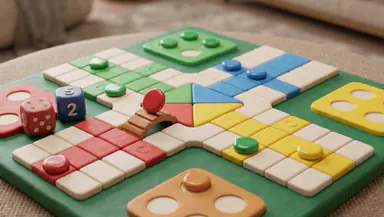
Parchisi STAR Online Gets the Board Right, but the Menus Need Work

UNO! Review: Why One Last Card Still Makes Every Match Matter

Adobe Express Makes Creation Easy, but Community Happens Elsewhere
More From Our News Desk
View All


It also differs from familiar trivia apps in a meaningful way. A conventional quiz usually rewards being correct as quickly as possible; this game adds a length-minded choice, so a player may need to search for a better-fitting answer rather than settle for the first one. Compared with a crossword or word-search game, it is more social and prompt-driven, but offers less of the slow, private solving rhythm those formats provide. For a pure knowledge test, I would pick a standard quiz. For a group that likes stretching answers and debating which option works best, this has a clearer niche.
Who should try it—and who may prefer something else
The game has an average rating of 4.1 from around 285,000 ratings, with roughly 22,000 written reviews and over 10 million installs. Those figures suggest that it has reached a substantial audience, but they do not tell me whether its specific style will suit your group. The deciding question is whether you enjoy turning a simple prompt into a small contest of recall, vocabulary, and answer selection.
It is a good candidate for casual players who want a fast trivia-flavored word challenge, especially if they enjoy sharing suggestions and comparing answers. I would skip it if you dislike competitive pressure, want a strictly solitary experience, or find the “longer answer” goal less satisfying than getting one exact answer right. It can also be a poor match when several people want equal independent control but only one device is available.
The current version is 30.2.2 and it requires Android 7.0 or later. That gives Android users a practical compatibility check before installing, particularly if they are considering an older shared device. The age rating and purchase range are worth checking alongside compatibility, since those details shape whether a family is comfortable letting the game sit within easy reach.
My household verdict
I would recommend Text or Die to a household that wants a quick, talkative game and is happy to manage turns and purchases outside the game itself. Its strongest quality is the way it turns ordinary trivia prompts into choices about wording: the player is not only recalling an answer but deciding how to make that answer count. That gives friends or family something to discuss, even when the person holding the phone is the only one typing.
My main reservation is that the format depends on enjoying competition and on having a clear plan for a shared device. It is not a substitute for a calm solo word puzzle, and I would choose a conventional quiz when accuracy matters more than answer length. But for a brief household challenge, with an adult setting the boundaries and everyone taking turns fairly, it is an easy game to understand and a distinctive way to make a few spare minutes more engaging.
Pros5 things we liked
- Quick rounds make it easy to play in short sessions.
- Trivia prompts reward broad knowledge and creative answers.
- Longer answers can earn more survival space.
- The simple controls are easy to learn.
- Competing with other players adds replay value.
Cons5 things to know
- Some prompts may feel repetitive over time.
- Answer spelling can affect whether a response is accepted.
- Multiplayer results may depend on other players’ activity.
- Ads can interrupt the pace of play.
- The game may require an internet connection.
FAQ's for Text or Die
What is Text or Die, and how do you play it?
Text or Die is a casual word-and-trivia game built around typing answers to prompts. In many rounds, players try to enter a valid answer with as many letters as possible, then use the resulting word to build a taller tower. The tower helps protect your character from rising water, while other players compete in the same challenge. Exact modes and features can vary by version.
Can I play Text or Die offline, or does it require an internet connection?
Text or Die is primarily designed around online competition, so an internet connection is generally needed to access its multiplayer-style rounds, rankings, or other connected features. Availability of offline play can depend on the current app version and the mode selected. If you plan to play while traveling or without reliable data, check the game’s store listing and test its available features before relying on offline access.
Is Text or Die free to download, and does it include ads or in-app purchases?
Text or Die is generally offered as a free-to-download game, but free access may come with advertising and optional in-app purchases. Purchases may relate to currency, customization, or other game features, depending on the version available in your region. Review the app-store listing for current pricing and purchase details, and use device-level purchase controls if children may play or make purchases.
Is Text or Die suitable for children?
The basic gameplay is simple and language-focused, but suitability depends on a child’s reading ability, the content of prompts, and the app’s online and advertising features. Online play can also involve exposure to other players or user-generated names, depending on how the current version works. Parents should check the store’s age rating, review privacy and advertising information, and supervise play, especially for younger children.
Does Text or Die require an account, and what data might it collect?
Account requirements and data practices can change with app updates, platform, or region. The game may use device or account information to provide connected play, save progress, personalize advertising, or measure performance. Before installing, consult the privacy details linked from the Google Play Store or Apple App Store, and review the permissions requested on your device. Avoid sharing personal information in player names or other public-facing fields.