Tesla
Tesla, Inc. Lifestyle

- 9.37K Reviews
- 3.5
- Version
- 4.51.0-3639
- Installs
- 5.00M
Screenshots
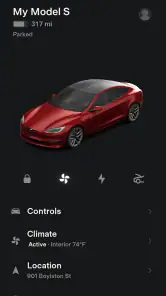
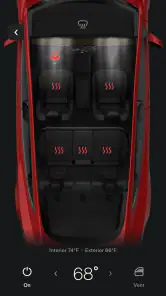
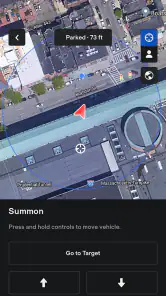
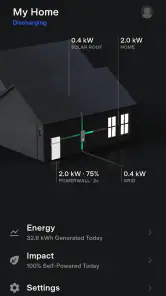
- Key strengths of the app—features, ease of use, or overall experience.
- Innovative electric vehicle technology
- Autopilot feature enhances driving safety
- Frequent software updates
- Strong brand reputation
- Impressive acceleration and performance
- Possible downsides—like bugs, missing features, or performance issues.
- High purchase price
- Limited service center availability
- Long charging times for full battery
- Premium connectivity costs extra
- Autopilot system requires careful monitoring
When it comes to innovation, Tesla is a name that resonates with most tech enthusiasts. Known for its cutting-edge technology and commitment to sustainability, Tesla has been a game-changer in the automotive industry. But today, let's talk about the Tesla app, which is as revolutionary as the cars themselves.
Getting Started with the Tesla App
First things first, downloading the Tesla app is a breeze. Available on both Android and iOS, it offers a seamless installation process. Once installed, you're greeted with a sleek interface that perfectly mirrors the modern aesthetic of Tesla vehicles. The app is your gateway to controlling and monitoring your Tesla from anywhere, offering a level of convenience that makes you feel like you're living in the future.
Features that Make Life Easier
The Tesla app is packed with features that make managing your vehicle incredibly simple. From unlocking your car to starting the engine remotely, it's all at your fingertips. Need to cool down your car before you get in on a hot day? No problem. The app lets you adjust the climate control remotely, ensuring your ride is always comfortable.
One of the standout features has to be the charging options. You can monitor your car's charge status, find nearby charging stations, and even schedule charging to take advantage of off-peak electricity rates. For those who love data, the app provides detailed insights into your driving habits and energy consumption, helping you drive more efficiently.
Security and Updates
Security isn’t an afterthought with Tesla. The app allows you to track your vehicle's location in real time, receive alerts if the alarm goes off, and even start the car with a key card if your phone dies. Plus, Tesla's regular over-the-air updates mean your car is always getting smarter and more capable.
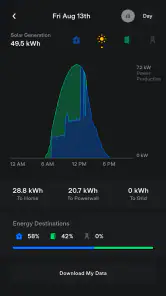
For those who own a Tesla Powerwall, the app integrates seamlessly, allowing you to monitor your home's energy usage and storage. It's this kind of thoughtful integration that sets the Tesla app apart from other automotive apps.
Personal Experience
As someone who's had the pleasure of using the Tesla app, I can say it truly enhances the Tesla ownership experience. The ability to control so many aspects of my vehicle from my phone is not just convenient but also incredibly satisfying. It feels like having a personal assistant dedicated entirely to your car.
Of course, no app is perfect. There are occasional connectivity issues, and the app's functionality can be limited in areas with poor internet service. However, these are minor inconveniences when weighed against the app's comprehensive capabilities.
Final Thoughts
In conclusion, the Tesla app is more than just a companion to your car; it's an integral part of the Tesla ecosystem that enhances your overall experience. Whether you're a tech-savvy individual or someone who simply appreciates convenience, the Tesla app is sure to impress. If you own a Tesla or are considering buying one, the app is a must-have tool that will undoubtedly enrich your driving experience.











