Zoom Rooms Controller
zoom.com Business

- 438.00 Reviews
- 3.9
- Version
- 6.6.5
- Installs
- 10.00M
Screenshots

- Key strengths of the app—features, ease of use, or overall experience.
- Easy setup and integration with existing systems.
- Intuitive user interface for quick navigation.
- Seamless connection with Zoom meetings.
- Customizable settings for personalized experience.
- Supports multiple devices simultaneously.
- Possible downsides—like bugs, missing features, or performance issues.
- Requires stable internet for optimal performance.
- Limited features in the free version.
- Might be complex for non-tech users initially.
- Occasional connectivity issues reported.
- Subscription can be pricey for small teams.
Have you ever found yourself in the middle of a video call, scrambling to find the right settings or struggling to manage a room full of participants? Enter the Zoom Rooms Controller, your new best friend for seamless video conferencing. If you've ever used Zoom, you'll know it's pretty powerful on its own, but with the Zoom Rooms Controller, it’s like giving your meetings a supercharged boost.
What is Zoom Rooms Controller?
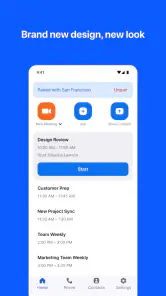
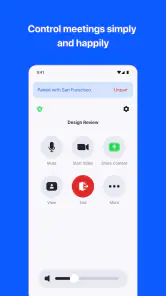
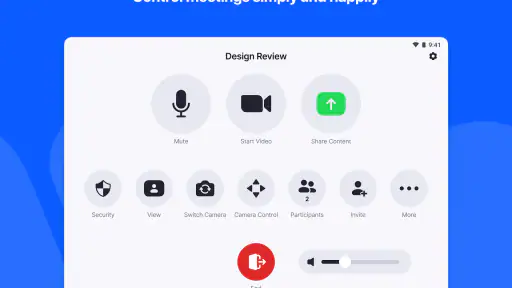
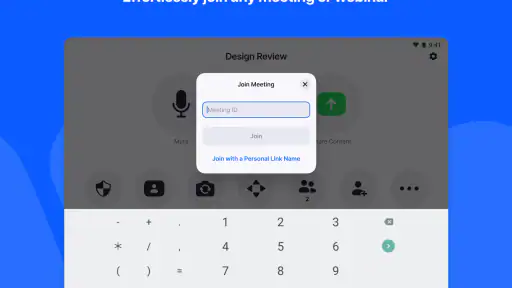
Picture this: a single app that allows you to control the entire Zoom Rooms experience from a tablet or mobile device. The Zoom Rooms Controller app lets you start or join meetings, adjust the camera, manage participants, and even control the room's hardware, all from your fingertips. This app transforms your device into a command center for your meetings, making the whole process as easy as pie.
Setup and User Interface
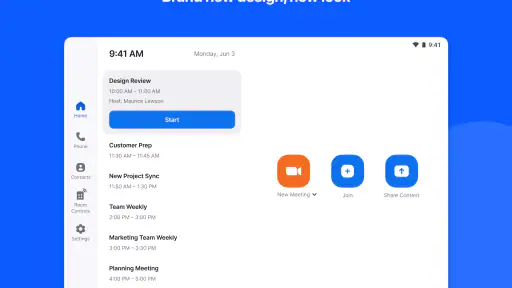
Setting up the Zoom Rooms Controller is like setting up any other app, but the benefits really stand out once it's up and running. The interface is intuitive and sleek, designed to ensure that even the least tech-savvy among us can navigate it with ease. The app is compatible with both iOS and Android devices, so no one gets left out. Connecting it to your Zoom Room is a breeze, and once you're in, everything you need is just a tap away.
Features Galore
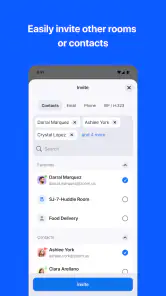
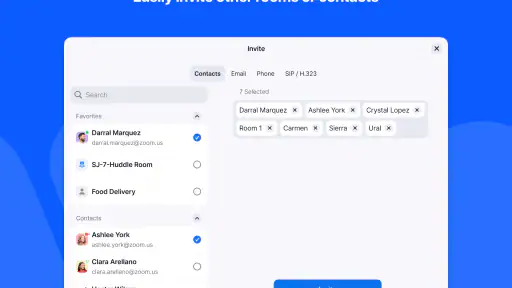
One of the standout features of the Zoom Rooms Controller is its ability to manage multiple participants effortlessly. Whether you’re hosting a small team meeting or a large conference, this app has got you covered. You can mute participants, spotlight speakers, or even lock the meeting for added security. Plus, the app allows you to share content with just a few taps, and if you're using a dual screen setup, you can manage both screens simultaneously. Talk about multitasking made easy!
Why You’ll Love It
If you're anything like me, you’ll appreciate how the Zoom Rooms Controller streamlines meetings. No more fiddling with remotes or switching between multiple devices to get things done. Everything you need is right there on your screen. Plus, the app’s consistent updates mean you’ll always have access to the latest features and improvements, keeping your meetings running smoothly.
Whether you’re a seasoned Zoom user or new to the platform, the Zoom Rooms Controller is a game changer. It simplifies the complex, enhances the essential, and turns what could be a chaotic meeting into a well-oiled machine. So, if you’re looking to elevate your virtual meetings, give this app a whirl. Trust me, once you’ve tried it, you’ll wonder how you ever managed without it!











