Kidduca 3D:Kids Learning Games
For Android
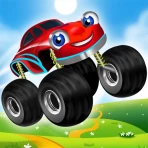
Kidduca 3D is an educational game aimed at making early learning feel more like play than a lesson. I found its central idea easy to understand: children can move between activities connected with maths, the alphabet, colours and languages, then take a break with car racing. That mixture gives parents a practical way to keep a young child engaged when a single worksheet or flashcard session would quickly lose attention.
It is made by Play & Learn: Online Educational Apps for Kids 2–7, and it is listed for Everyone. The game is free to install, although optional purchases range from $6.99 to $55.99 per item. That combination matters: you can explore the basic experience before deciding whether the paid content is worthwhile, but families should still check purchase settings before handing the device to a child.
How the learning-and-play mix feels in everyday use
The strongest part of the concept is the change of pace. A child who is tired of identifying letters may respond better to colours, while a short racing activity can act as a reset before returning to a learning task. I would use it in small sessions rather than treating it as a complete preschool curriculum. The game works best as a friendly supplement to talking, drawing, counting objects and reading together.
For example, during a quiet morning at home, I would choose one learning area instead of letting a child jump randomly through everything. We could spend a few minutes on letters, say the sounds aloud together, and then use the car activity as a short reward. After that, I would close the game and ask the child to find the same colours or letters in the room. This turns screen time into a starting point for an offline activity rather than the whole lesson.
The racing element is an especially useful change from the educational sections, but it also creates a trade-off. Some children may remember the driving activity more vividly than the learning content and immediately ask for that part. I would set the order before handing over the device: learning first, racing afterwards. That simple routine makes the entertainment feel earned without presenting the game as a strict school exercise.
What makes it suitable for younger children
The subject range is broad enough for different early-learning stages. A child beginning with colours can use the simpler recognition activities, while another who already knows basic letters may prefer maths or language practice. Because the game covers several areas, siblings with slightly different interests may both find something approachable in it.
Still, broad coverage is not the same as deep instruction. I would not choose this as the only tool for a child who needs carefully sequenced reading support, detailed numeracy practice or a structured language course. A dedicated app in one subject can usually offer more repetition and a clearer progression. Kidduca 3D is more convincing as a flexible activity box than as a replacement for teaching.
The name and presentation suggest a three-dimensional, playful setting, but parents should judge it by the child’s response rather than by the visual label alone. Young learners differ widely: one may enjoy moving through a colourful game world, while another may become distracted by anything that is not immediately instructional. A short supervised trial is the best way to see whether the style helps or interrupts concentration.
Speed expectations before a child starts playing
There is no published performance measurement that would let me promise a particular loading time or frame rate, so I would keep expectations sensible. This is a child-focused game with several learning themes and a racing component, not a demanding console-style title. On a reasonably modern supported device, I would expect the main concern to be smooth access and simple responsiveness rather than advanced graphical performance.
The current version is 1.7.28, and the minimum operating-system requirement is Android 8.0. That gives parents a useful first check: an older phone or tablet may meet the operating-system requirement yet still feel less comfortable if it has limited free storage, a tired battery or a crowded background workload. The operating-system number is a compatibility floor, not a guarantee that every older device will feel equally quick.
Before a session, I would close apps that are not needed, connect to a stable network if the game requires one for any part of its setup, and avoid starting when the device is already struggling. These are ordinary precautions, but they matter more with children because a small delay can look like a broken game. A child is unlikely to distinguish between slow loading, a missed touch and a genuine crash.
What happens during heavier or longer sessions
The most demanding moments are likely to be the transitions between different kinds of activity, especially when moving from learning content into the racing section. I cannot assign a measured resource cost to those moments, but the change in presentation is where I would pay attention. If a device becomes warm, loses battery quickly or starts responding slowly, I would shorten the session rather than letting the child continue through frustration.
You may also like

Amazon Kindle: Revolutionizing Digital Reading

Why OLX: Compras Online e Vendas Captivates Shoppers Worldwide

Unpacking the Strategy of Yalla Ludo's Jackaroo Mode

Why eBay's Mobile App Stands Out in Online Shopping

How Fishdom's Puzzle Mechanics Transform Your Aquarium Experience

Block Blast! The Perfect Puzzle for Busy Lives
For a preschooler, shorter sessions are sensible regardless of hardware. I would aim for one clear objective, such as practising colours, instead of leaving the game open indefinitely. This also reduces the chance that the child will drift into repeated racing and forget the original learning goal. A timer set by the parent can be more useful than relying on the child to stop independently.
Families sharing one tablet should also consider when the game is used. A child playing while another person is streaming video, downloading files or using the device for a video call may experience more interruptions than a child using it on an otherwise quiet device. If performance is inconsistent, testing it alone is a better diagnostic than immediately blaming the game or the tablet.
One practical workflow is to prepare the device before the child arrives: charge it, remove unnecessary background tasks, open the game, and choose the intended subject. This avoids handing over a device that still needs adult setup. It also keeps the child from tapping through unrelated screens while waiting, which can make the session feel slower than it really is.
Stability, interruptions and recovery
My reliability standard for a children’s game is higher than for a casual adult title. A small interruption can cause a young child to lose track of the task, and a parent may not have time to troubleshoot while cooking, travelling or helping another child. Kidduca 3D benefits from being used in a controlled routine: start it when the device is ready, stay nearby at first, and see how the child handles changing activities.
If the game stops responding, I would first try the simple recovery steps: leave the activity, close and reopen the app, and restart the device if necessary. I would also check that the tablet has enough free space and that its operating system is supported. These steps do not prove the cause, but they are sensible ways to separate a temporary device problem from a repeatable app issue.
Recovery is particularly important when a child has made progress. I would avoid promising that every interrupted session will resume exactly where it ended. Instead, I would structure activities so that losing a short round does not feel like losing a major achievement. A five-minute task with a clear beginning and end is easier to restart than an open-ended session.
Parents should supervise the first few uses for another reason: the game is free to install but includes in-app purchases. I would handle any purchase decisions myself and make sure the child understands which parts are available without tapping payment controls. This is not just a financial precaution; it prevents a learning session from being interrupted by an unexpected purchase prompt.
Device limits and family setup
The Everyone rating makes the game broadly appropriate from a content-rating perspective, but suitability still depends on the individual child. A two-year-old may need an adult to explain what to do, while an older child in the stated early-learning range may navigate more independently. Motor skills, language ability and attention span matter as much as age.
The Android requirement of 8.0 is helpful for filtering out clearly incompatible devices, but I would still test touch accuracy and screen size. A small phone can make shared play awkward, especially when an adult is trying to guide a child’s finger. A larger tablet is more comfortable for sitting together, though it may be less convenient for travel and more tempting to use for long periods.
Storage and battery are also part of the experience even though they are not learning features. I would install it before a trip rather than at the moment a child becomes restless. I would also carry a charger for longer journeys and avoid assuming that a device with little free space will behave perfectly simply because it can install the game.
For families with limited connectivity, the sensible approach is to test the exact activities they plan to use before leaving home. I would not build a travel routine around any app until I had opened it, checked the relevant content and confirmed that the device behaves as expected away from the usual home setup. That small test can prevent disappointment in a car, waiting room or airport.
How it compares with familiar alternatives
Compared with paper worksheets, the game offers movement, variety and immediate interaction. That can help a child who refuses static exercises, but paper has advantages too: it is quieter, easier to share with several children and better for practising pencil control. I would alternate between both rather than assuming digital practice is automatically more effective.
Compared with a single-subject maths or phonics app, this game is less specialised but more adaptable. Its combination of maths, ABC activities, colours and languages means parents can change direction when attention fades. The cost of that flexibility is that a child needing a carefully staged programme may progress more clearly with a focused alternative.
Compared with unrestricted video content, an interactive learning game gives the child something to do rather than simply watch. That is a meaningful advantage in a short supervised session. However, it still should not replace conversation, play with real objects or shared reading. The best use I found is to let the app introduce a topic and then continue it away from the screen.
The free entry point also changes the comparison. Parents can try the basic experience without committing to a purchase, which is useful when a child’s interests are unpredictable. On the other hand, the range of optional purchases means the total value depends on what becomes available during use and whether the child actually returns to those activities. I would evaluate repeated use, not the number of sections visible on the first day.
Who should choose it, and who should pass
I would recommend it to parents looking for a varied early-learning game that can fill short gaps in the day. It suits a child who likes switching between topics and enjoys a playful reward after a learning activity. It is also a reasonable option for families wanting one app to introduce several basics instead of installing a separate title for every subject.
I would be more cautious for a child who becomes overstimulated by fast changes or who needs a calm, highly predictable lesson structure. In that case, a quiet book, a simple alphabet activity or a specialised maths tool may be a better fit. I would also skip it as the main choice for formal language instruction or advanced academic practice, because its appeal is breadth and play rather than intensive depth.
The public response is encouraging but still modest in scale: the game has a 4.6 average from around 53 ratings and has passed 50K installs. I read that as a positive early signal, not as proof that every family will have the same experience. The number of ratings is small enough that personal testing remains more valuable than relying on the score alone.
My performance verdict after weighing the trade-offs
Kidduca 3D makes the most sense as a lightweight learning companion for short, parent-guided sessions. Its subject variety can reduce boredom, and the racing activity gives parents an easy way to vary the rhythm. I like that the free installation lowers the risk of trying it, while the age rating and Android compatibility make the initial device check straightforward.
My main reservations are practical rather than conceptual. Performance will depend on the device’s age and condition, and a child may need help moving between entertainment and learning. The optional purchases also require adult control. I would not leave a young child alone with the device until I had explored the available activities and understood the purchase flow.
The game was released on October 15, 2023, and its present version is 1.7.28, so I would keep the app updated when possible and retest it after major device changes. That is especially sensible if it becomes part of a regular routine. A stable setup matters more here than squeezing in one extra activity.
Overall, I see it as a good choice for families who want a flexible mix of early learning and playful breaks, not as a complete educational programme. Start with a short session, choose one subject, stay nearby, and compare the child’s response with offline alternatives. If the game helps your child talk about letters, numbers or colours after the screen is off, it is doing something worthwhile; if the racing section consistently overwhelms the learning, a more focused app will probably serve you better.
Pros
- Bright 3D visuals make lessons appealing to young children.
- Interactive activities can support independent learning and exploration.
- Covers several early-learning topics in one app.
- Simple controls are suitable for preschool users.
- Game-based tasks may help reinforce concepts through repetition.
Cons
- Some activities may feel too easy for older children.
- 3D graphics could be demanding on older or budget devices.
- Parents may need to guide children through unfamiliar lessons.
- Repeated exercises can become monotonous over time.
- Availability of features may vary by platform or app version.
FAQ
What is Kidduca 3D: Kids Learning Games?
Kidduca 3D: Kids Learning Games is an educational app designed to make early learning more engaging through colorful three-dimensional activities. It generally focuses on age-appropriate skills such as letters, numbers, shapes, colors, memory, and basic problem-solving. The playful presentation can help children learn through exploration rather than traditional lessons, although parents should review the available activities to confirm that the content matches their child’s age and learning level.
What age group is Kidduca 3D: Kids Learning Games suitable for?
The app appears to be aimed primarily at preschool and early elementary-age children, but the ideal age can vary depending on a child’s reading ability, attention span, and previous experience with educational games. Younger children may need an adult nearby to explain instructions or help with navigation. Before downloading, parents should check the current store description and age rating, since supported content and recommendations may change with updates.
Does Kidduca 3D: Kids Learning Games work offline?
Some learning activities may be available after the app has been installed, but offline access can depend on how the application delivers its games, media, advertisements, and updates. It is best to launch Kidduca 3D while connected to the internet first and test the activities you want your child to use. Parents who need reliable travel or classroom access should also verify whether any locked lessons require an online connection.
Is Kidduca 3D: Kids Learning Games free to download?
Kidduca 3D may be available as a free download, but the exact experience can include advertisements, optional purchases, subscriptions, or additional content depending on the platform and current version. Parents should read the Google Play or App Store listing carefully before installing, especially the in-app purchase information. If children use the device independently, parental controls and purchase restrictions are strongly recommended to prevent accidental charges.
Is Kidduca 3D: Kids Learning Games safe for children?
The app is created for children’s learning, but parents should still supervise initial use and review its privacy, advertising, and data-collection policies. Check whether the version you install includes external links, purchases, personalized ads, or account requirements. It is also wise to use device-level parental controls, limit screen time, and confirm that the app’s permissions are reasonable. Educational value is strongest when the game complements conversation and hands-on learning.