AI Photo Studio & Hair Styler
For Android
I approached AI Photo Studio & Hair Styler as a practical photography app rather than a replacement for a full desktop editor. Its appeal is immediate: it brings playful AI transformations into a phone workflow, with tools aimed at dance clips, stadium-style videos, and hairstyle previews based on your face shape. I found it most interesting when I treated the results as quick visual experiments instead of expecting perfectly realistic edits every time.
The app is free to install, suitable for Everyone, and sits in the Photography category. It was released on September 24, 2024, and the current version is 2.0.0.2, with Android 9 or later required. SPARK DYNAMICS YAZILIM HIZMETLERI LIMITED SIRKETI is the developer. Its average rating is 3.5 from around 5,600 ratings, and it has passed one million installs, so this is not an obscure experiment with no audience. At the same time, that middle-of-the-road rating tells me to keep expectations measured.
What the creative workflow feels like
The strongest part of the concept is variety. Instead of offering only filters that change color or add stickers, the app focuses on transformations that can alter the mood and presentation of a photo or video. A dance effect can turn a still image into something more energetic, while a stadium-oriented generator is better suited to dramatic sports-style scenes. The hair-styling feature serves a different purpose: it is closer to visual planning than entertainment.
I would begin with a clear, front-facing image when testing the hair tools. A neutral expression, even lighting, and a face that is not partly hidden by glasses or hair give the system a better starting point. This is a small but important workflow improvement. If the source photo is already difficult to read, it becomes hard to tell whether an unusual result comes from the selected style or from the original image.
For social posts, I would prepare several source images rather than repeatedly forcing one photograph through every effect. A close portrait may suit hairstyle exploration, while a full-body or wider image is more useful for movement-based effects. This separation saves time and makes the results feel more intentional. The app is more enjoyable when I choose the source for the effect, not when I expect one picture to work equally well everywhere.
The stadium generator is especially appealing for fans who want a dramatic visual without learning a complicated editing program. It can be used for a birthday post, a playful profile image, or a sports-themed message to friends. I would still treat the output as stylized content. A generated scene may look convincing at a glance while showing small inconsistencies around hands, clothing edges, facial details, or the relationship between the person and the background.
Hair previews are useful, but not a salon consultation
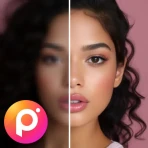
The hair-styling angle gives the app a more practical use than many novelty filters. Before showing a stylist a reference photo, I could use several generated looks to narrow down the general direction: shorter, longer, more structured, or more relaxed. That can make a conversation easier because I am bringing a visual starting point instead of trying to describe a cut with uncertain vocabulary.
However, I would not use a generated preview as a promise of the final haircut. Hair texture, density, growth patterns, and maintenance needs are difficult to represent in a single edited image. The app can help answer “Which general shape do I like?” but not “Will this exact cut work with my hair every morning?” A good practical habit is to save two or three preferred styles and discuss them with a professional rather than presenting one image as an exact instruction.
The reference image matters here more than many first-time users expect. A side angle can help when considering the outline of a cut, while a straight-on portrait is better for comparing how the front frames the face. If a style looks good only from one angle, that is useful information in itself. I would test a promising concept with more than one photo before making a real-world decision.
Where it differs from ordinary photo editors
Traditional mobile editors usually give me direct control over cropping, exposure, color, sharpness, and selective adjustments. That approach is predictable: I move a slider and can usually understand what changed. This app is different because its value comes from automated interpretation and transformation. It is faster for imaginative results, but less precise when I need to correct one small detail.
Compared with a standard filter app, the creative range is broader. A normal filter might make a portrait warmer or add a cinematic tone; an AI transformation can change the setting, movement, or visual identity of the scene. The trade-off is control. If I need a faithful product photo, an accurate skin tone, or a carefully retouched document, I would choose a conventional editor instead.
It also differs from dedicated hairstyle applications in its wider creative scope. A specialist hair tool may be preferable for someone who wants a focused catalog and careful comparison of cuts. This app makes more sense for a person who wants hairstyle experimentation alongside playful photo and video effects, without keeping several narrowly focused apps on the phone.
You may also like

Amazon Kindle: Revolutionizing Digital Reading

Why OLX: Compras Online e Vendas Captivates Shoppers Worldwide

Unpacking the Strategy of Yalla Ludo's Jackaroo Mode

Why eBay's Mobile App Stands Out in Online Shopping

How Fishdom's Puzzle Mechanics Transform Your Aquarium Experience

Block Blast! The Perfect Puzzle for Busy Lives
Everyday scenarios where it earns a place
Imagine preparing a birthday message for a friend who loves football. I could take a suitable portrait, try the stadium-style treatment, and use the result as a humorous greeting rather than spending time assembling a complicated composition manually. The process is quick, personal, and more memorable than sending an ordinary edited selfie.
Another realistic use is preparing for a haircut. I might take a well-lit portrait at home, explore several hair directions, and keep the versions that feel closest to my taste. The useful outcome is not a final decision made by the app; it is a clearer conversation with the stylist. I can point to the shape I like while remaining open to adjustments based on my actual hair.
For creators, the dance effects may work as short-form content prompts. I would use them to test an idea before investing time in a full video edit. If the generated movement looks appealing, it can inspire a more polished production elsewhere. If it looks artificial, I have still learned that the concept needs a different source image or a more conventional filming approach.
The app is less suitable for professional photography delivery, client work, or anything where the image must remain technically faithful. Its appeal is experimentation, speed, and shareable presentation. That distinction helps avoid disappointment: it is a creative playground with practical side uses, not a precision retouching suite.
Trust begins with visible choices
Because the app works with personal photos and may transform faces, I would pay close attention to every visible choice during use. Before selecting an image, I would check which photo is being shared, whether the app is asking for access to the whole library or only a chosen item, and whether a camera or media permission is being requested at that moment. I would avoid granting broader access than the task requires.
I would also review the app’s privacy information and the permission prompts presented on my device before uploading a particularly sensitive portrait. The important point is not to assume that an AI image tool handles every picture in the same way. A family photo, an identity document, a child’s image, and an ordinary selfie have very different privacy implications. I would keep the most sensitive material out of casual experimentation.
The same caution applies to generated images that include other people. Even when the purpose is harmless, I would ask permission before transforming a friend’s face and before sharing the result publicly. A playful stadium scene can become uncomfortable if someone appears in it without agreeing to the edit. Good judgment matters as much as the effect itself.
Permissions, accounts, and control in practice
I prefer to test an app in stages: install it, inspect the opening screens, note what it asks for, and only then choose a low-sensitivity image. If an account prompt appears, I would read what is offered before deciding whether registration is worthwhile. I would not create an account simply to try one effect unless the benefit is clear.
It is also sensible to check the phone’s permission manager after the first session. This gives me a direct way to see which access remains enabled and to revoke anything I no longer want to keep active. If I only use the app occasionally, I can remove access between sessions and grant it again when needed. That is a simple habit, but it gives me more control than treating the initial setup as permanent.
Generated content deserves the same care as original photographs. Before sharing, I would inspect the image at full size and remove anything that reveals a private location, a child, a workplace badge, or another person who did not agree to appear. I would also keep the original source photo separate from the edited copy. This makes it easier to delete the generated version without losing the photograph I actually wanted to preserve.
These steps do not make an AI photo workflow risk-free, but they create useful boundaries. I can decide which image enters the process, which permissions remain active, and where the finished result goes. That sense of agency is more valuable to me than simply having a large collection of effects.
Cost, limits, and the decision to continue
The app is free to start, but in-app purchases range from $7.99 to $99.99 per item. That is a broad range, so I would not begin a session assuming every creative option is included. I would first identify which tools are available without payment and inspect the purchase screen carefully before confirming anything. A free installation does not automatically mean unlimited access to every transformation.
This pricing structure may suit someone who uses one favorite effect often enough to justify paying for it. It is less attractive to a casual user who only wants a couple of experiments and does not want to think about premium prompts. I would set a personal spending limit before exploring, especially if the app is being used on a shared device or by a younger family member.
The Everyone age rating makes the app broadly approachable, but younger users still benefit from supervision around photos, permissions, and purchases. The most important conversation is not only about which effect looks funny. It is about asking before using another person’s image, avoiding private documents, and understanding that a generated picture may be shared more widely than intended.
Performance can also depend on the source material and the complexity of the transformation. I would use a stable connection when an effect takes time to process, keep the original image available, and avoid judging the app from one poor result. If repeated attempts produce distracting facial or body distortions, I would stop refining that image and try a different source rather than endlessly regenerating the same idea.
Who should use it, and who should skip it?
I would recommend this app to people who enjoy experimenting with portraits, want quick social content, or are curious about trying different hair directions before a salon visit. It is particularly suitable for someone who values convenience over detailed manual control and likes moving between practical previews and playful transformations in one photography app.
I would be more cautious about recommending it to professional photographers, meticulous retouchers, and users who need exact control over every pixel. A conventional editor is better for color correction, product imagery, restoration, and work that must remain faithful to the original. Someone who only wants hairstyle simulation may also prefer a dedicated hair-focused tool if its comparison workflow is more important than the app’s other effects.
Privacy-conscious users should make a deliberate choice rather than casually importing their entire photo library. Selecting individual images, checking permissions, reviewing privacy information, and keeping sensitive pictures out of the workflow are sensible precautions. If those steps feel like too much effort for a novelty effect, a local, manual editor may be the more comfortable option.
My final view after weighing the trade-offs
My impression is that AI Photo Studio & Hair Styler succeeds when I use it as a fast idea generator. The dance and stadium concepts add more personality than ordinary color filters, while the hairstyle feature can help turn vague curiosity into a clearer reference for a real haircut. The app’s one-million-plus install base shows that the concept has reached a substantial audience, but the 3.5 average also fits my experience of a tool that can be fun without being consistently perfect.
I would install it for creative experiments, not as my only photo editor. I would start with low-sensitivity images, grant only the access I am comfortable with, watch for purchase prompts, and inspect each result before sharing. The most useful mindset is to treat the output as a draft or visual suggestion. The app is at its best when it expands your ideas without taking away your judgment.
For me, that makes it worth trying if I want quick AI-driven photo and video concepts and do not mind occasional artificial-looking results. I would skip it for confidential images, precise professional editing, or a workflow built around complete manual control. Used selectively, it offers a convenient mix of entertainment and practical hairstyle planning while leaving the important decisions—what to upload, what to buy, and what to share—in my hands.
Pros
- Offers quick AI hairstyle previews without visiting a salon.
- Useful for comparing different hair colors and cuts side by side.
- Simple interface makes experimenting accessible for beginners.
- Can inspire conversations with a hairstylist before making changes.
- Convenient for testing creative looks using a smartphone camera.
Cons
- Results may look unrealistic with poor lighting or unclear photos.
- Some styles or features may require a subscription or extra credits.
- AI previews cannot accurately show every hair texture or face shape.
- Uploaded photos may raise privacy concerns depending on storage policies.
- Repeated generations can consume credits quickly on some plans.
FAQ
What is AI Photo Studio & Hair Styler used for?
AI Photo Studio & Hair Styler is designed for experimenting with portrait edits, hairstyles, hair colors, and AI-powered photo enhancements. After selecting a photo from your gallery or taking a new one, you can preview different visual styles and create an edited image. Results may vary depending on lighting, face angle, image quality, and how clearly your hair and facial features are visible.
Does AI Photo Studio & Hair Styler require an internet connection?
Most AI-based features generally require an active internet connection because photos may need to be uploaded to remote servers for processing. Basic photo selection or editing tools could work differently depending on the app version, but you should not assume that every feature is available offline. Using mobile data may also consume a noticeable amount of bandwidth when generating multiple previews.
Is AI Photo Studio & Hair Styler free to download and use?
The app may be available as a free download, but some hairstyles, advanced AI effects, exports, or other premium tools can be restricted behind in-app purchases or a subscription. Before confirming a payment, check the store listing and the in-app pricing screen carefully. Also review any free-trial terms, renewal conditions, and cancellation instructions so you understand the total cost.
Are my photos safe when using AI Photo Studio & Hair Styler?
Before uploading personal photos, review the app’s privacy policy and the permissions requested on your device. AI processing can involve transferring images to third-party servers, and retention or deletion practices may differ by provider. Avoid uploading sensitive images unless you are comfortable with the stated data practices. You should also verify whether generated photos are stored locally, online, or both.
Can the hairstyle and hair-color previews look realistic?
The app can provide a useful visual reference, but the previews should not be treated as an exact prediction of how a haircut or color will look in real life. AI results can show artifacts around the hairline, ears, face, or background, especially in low-quality or poorly lit photos. For the best results, use a clear front-facing portrait with your hair fully visible.