My BMW
BMW Travel & Local
- 4.24K Reviews
- 4.8
- Version
- 5.11.2
- Installs
- 500.00K
Screenshots

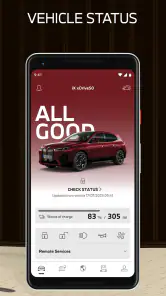
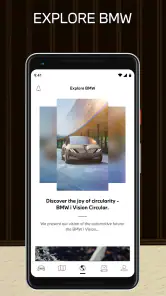
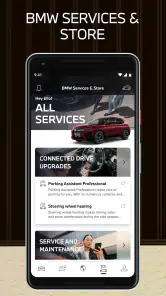
- Key strengths of the app—features, ease of use, or overall experience.
- Seamless integration with BMW vehicles
- User-friendly
- intuitive interface
- Remote control features for vehicle
- Real-time vehicle status updates
- Personalized vehicle maintenance alerts
- Possible downsides—like bugs, missing features, or performance issues.
- Limited features for non-owners
- Occasional connectivity issues
- Requires stable internet connection
- Complex initial setup process
- Subscription needed for some features
Let's talk about the My BMW app, a must-have for those who like to stay connected with their beloved BMW vehicles. If you own a BMW, this app is like having a personal assistant right in your pocket.
Your BMW, Now in Your Pocket
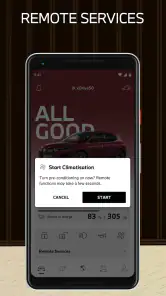
The My BMW app is designed to keep you connected to your vehicle no matter where you are. Whether you're at home, in the office, or sipping coffee at your favorite café, you can always keep an eye on your car. The remote control feature allows you to lock and unlock your car, honk the horn, or even flash the headlights. Ever forgotten where you parked? No worries, the app has a map that shows the exact location of your car.
Simplified Navigation
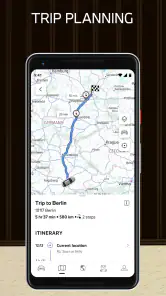
One of the coolest features is the navigation system. You can plan your trips from the comfort of your couch by sending destinations directly to your vehicle's navigation system. It's super convenient and saves a ton of time. Plus, it learns your frequent destinations and suggests them, making your life a whole lot easier.
Stay on Top of Maintenance
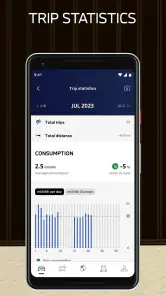
Maintaining a vehicle has never been this easy. The app keeps track of your vehicle's condition and alerts you when it's time for a check-up. It even lets you schedule service appointments with your preferred BMW dealer directly through the app. Talk about convenience!
Real-Time Traffic Updates
There's nothing worse than getting stuck in traffic, but with real-time traffic updates, you can avoid those unnecessary delays. The app provides live traffic information, helping you choose the fastest route to your destination. It's a real time-saver, especially during rush hour.
Energy Management for Electric Models
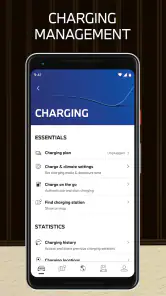
If you're driving a BMW electric vehicle, the app offers specific features such as monitoring your battery status and range. You can even find nearby charging stations and manage your charging sessions, ensuring you're always ready to hit the road.
In conclusion, the My BMW app is an essential tool for any BMW owner. It's like having a personal assistant dedicated to your car's needs. With features that offer convenience, enhance safety, and improve your overall driving experience, it's a no-brainer for those who want to stay connected with their vehicle. Don't just drive your BMW; experience the future of driving with this impressive app.