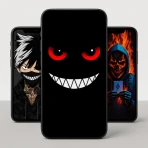
Live Wallpapers - VibeWalls
For Android
I spent time with Live Wallpapers - VibeWalls as a phone-personalization app, testing it from the point of view of someone who wants a screen that feels less static without turning the device into a complicated project. Its focus is clear: animated wallpapers, 4D effects, live themes, and widgets that move or react visually. That makes it more ambitious than a basic wallpaper picker, but also more demanding of your attention, battery, and taste.
My first impression is that VibeWalls is best understood as a visual mood tool rather than an essential utility. It can make a familiar phone feel fresh in a few minutes, especially if you enjoy changing the look of your home screen with the seasons, your hobbies, or simply your current mood. At the same time, not every animated design improves daily use. Some backgrounds look impressive during selection but become distracting once icons, folders, and notifications sit on top of them.
The app is free to download and is suitable for Everyone. It comes from Hong Kong Mishi Technology Co., Limited, and its current version is 1.0.75. On compatible Android devices, it requires Android 7.0 or later. Those details make it accessible to a broad range of phones, although the experience can still vary depending on screen size, hardware, and how much visual activity you prefer.
What I looked for before recommending it
When I judge a live-wallpaper app, I do not start with the most dramatic preview. I ask whether the design remains comfortable after several hours, whether the setup is understandable, and whether the wallpaper works with the rest of the launcher. A background can be beautiful on its own and still be a poor choice when text, icons, and widgets cover the important parts.
I also consider how easily I can return to a normal static image. This matters because personalization apps often encourage experimentation, but a good one should not make changing back feel like a chore. VibeWalls works best when treated as a quick visual layer that I can replace when it stops feeling useful, not as a permanent commitment to one style.
The app’s combination of live wallpapers, 4D wallpapers, themes, and animated widgets gives it a wider scope than a collection made only of still images. The practical question is whether you want all of those elements together. If you only need one calm background, a regular gallery image or the wallpaper already included with your phone may be the better choice.
How the visual choice affects everyday use
I found it helpful to separate “looks good in a preview” from “works well behind an interface.” Darker designs usually leave icons easier to read, while highly detailed scenes can compete with app labels. A moving subject near the center may also sit directly beneath widgets or shortcuts, which reduces the effect that made the design appealing in the first place.
My practical advice is to choose a wallpaper with a relatively quiet area where your most-used icons appear. This is a small decision, but it makes a bigger difference than selecting the most elaborate animation. I would also preview a design with your normal home-screen arrangement rather than judging it against an empty screen.
For a lock screen, a strong focal point can work well because there are fewer icons to manage. For the home screen, I prefer motion that is slow or visually spread out. That distinction is especially useful with VibeWalls because its catalog is designed to provide movement, not merely a new color palette.
What I noticed about setup and switching
The appeal of this type of app is the short path from curiosity to result. I could browse a style, imagine it on the phone, and decide whether it suited my regular layout. That makes VibeWalls more approachable than building a personalized screen manually from separate wallpaper, widget, and launcher tools.
Still, switching has a cost in attention. Every new theme can lead to more adjustments: moving icons, checking whether text stays readable, deciding whether a widget adds useful information or just more motion, and eventually returning to a simpler arrangement. I recommend changing one visual layer at a time. Start with the wallpaper, live with it, and only then consider adding a matching theme or animated widget.
This workflow prevents the common problem of changing everything at once and then not knowing which element makes the phone feel cluttered. It also makes it easier to undo a choice. In my experience, that is one of the most useful ways to enjoy a personalization app without letting personalization become a maintenance task.
You may also like

Amazon Kindle: Revolutionizing Digital Reading

Why OLX: Compras Online e Vendas Captivates Shoppers Worldwide

Unpacking the Strategy of Yalla Ludo's Jackaroo Mode

Why eBay's Mobile App Stands Out in Online Shopping

How Fishdom's Puzzle Mechanics Transform Your Aquarium Experience

Block Blast! The Perfect Puzzle for Busy Lives
Where VibeWalls is at its strongest
The biggest strength is variety within one visual experience. Instead of searching separately for a moving background, a coordinated theme, and an animated widget, I can explore those ideas from the same app. That is convenient for anyone who wants a more complete makeover and does not want to assemble the look piece by piece.
The 4D-style presentation is another reason to try it. I see that category as a way to add depth and a sense of movement to the screen, rather than simply playing a flat animation. The effect is most successful when it supports the image instead of overwhelming it. A subtle sense of depth can make the phone feel more personal while remaining comfortable during ordinary use.
The real win is speed: VibeWalls turns a visual refresh into a short experiment rather than a long customization project. That matters to people who enjoy changing their device but do not want to learn a launcher, edit images, or coordinate several separate downloads.
A realistic daily scenario
Imagine someone who uses the same phone for work and personal time. During the day, a restrained live wallpaper with a darker background can keep the home screen readable and professional. In the evening, switching to a more colorful scene can make the device feel less like a work tool. Adding a widget may reinforce that change, but it is not necessary; the wallpaper alone can provide enough separation between those two moods.
I like this use case because it treats personalization as a small routine rather than a permanent makeover. You can keep a dependable design for busy days and use a more expressive one when you have time to enjoy it. VibeWalls is particularly suited to this approach because its appeal comes from browsing and trying different visual styles.
Why the widgets can change the decision
Animated widgets are potentially more useful than a moving background because they occupy a deliberate place on the home screen. They can become part of the layout instead of covering the entire display with motion. However, they also need more discipline. A widget that adds movement without helping you access information or an action may make the screen feel busier without making it better.
I would use one animated widget as an accent, not several at once. Place it away from the area where you keep your most frequently tapped apps, and check whether it makes those shortcuts harder to find. This is a non-obvious trade-off: the most attractive arrangement is not always the fastest arrangement, particularly if you unlock your phone many times a day.
Who will appreciate the free starting point
Because the app is free, it is easy to test without making an immediate purchase decision. That is valuable in this category, where personal taste matters more than a feature checklist. Someone who is unsure about live wallpapers can try the visual approach, compare it with a static image, and decide based on actual daily comfort.
The app has an average rating of 4.8 from around 2.3 thousand ratings, which suggests a strong reception among the people who have chosen to use it. I would treat that as encouraging rather than conclusive. Wallpaper preferences are subjective, and a highly rated design app can still feel wrong if you prefer a quiet, uncluttered screen.
Where another approach may fit better
VibeWalls is not automatically the best option for every Android user. If your priority is the lowest possible distraction, a static wallpaper wins by being predictable. It does not shift while you read, does not introduce another visual layer, and is easier to match with accessibility-focused layouts or dense icon arrangements.
A phone’s built-in wallpaper tools may also be better when you want reliability with minimal setup. The default option is usually the simplest route for applying a personal photo or a basic image. VibeWalls becomes more compelling when you specifically want animated scenes, depth effects, coordinated themes, or widgets rather than a single still picture.
There is also a middle ground: a dedicated static wallpaper app may suit someone who wants a larger image collection without the extra activity of live elements. I would choose that route for a work phone, an older device that already feels busy, or a handset where battery endurance matters more than visual novelty. VibeWalls is a creative choice, not a universal upgrade.
The battery and attention trade-off
Live content naturally asks the phone to do more than display a fixed image, even if the impact differs from one device and design to another. I would not promise the same battery behavior on every handset, so my advice is practical: use a live design for a full day, watch how your normal routine feels, and switch back if you notice unwanted drain or distraction.
The more important cost may be attention. Motion catches the eye, which is part of the reason people enjoy it. That same quality can become irritating when you are trying to locate an app quickly or read a notification. If you often use your phone while commuting, working, or studying, select a calmer design and keep the animated elements away from the main information areas.
What paid content means for the decision
VibeWalls is free, but in-app purchases range from $0.49 to $39.99 per item. That wide range means I would explore the free experience first and only pay for a specific style that I expect to keep using. A one-time visual impulse is not automatically good value if you change wallpapers every few days.
Before buying, I would ask three simple questions: does the design remain readable with my icons, will I still enjoy the motion after the novelty fades, and does it solve a real limitation in the free selection? If the answer is no, staying with the free options is sensible. Personalization should feel optional, not like a series of purchases required to make the app worthwhile.
The cost of changing back
Switching from VibeWalls to a static wallpaper is not just a visual decision. You may need to reconsider widget placement, icon contrast, and whether your home screen still feels balanced. This is why I recommend taking a quick screenshot of a layout you like before experimenting heavily. It gives you a reference when a new theme looks exciting but proves less practical.
I would also avoid changing wallpaper, theme, widgets, and icon arrangement on the same day unless you enjoy rebuilding your screen. One change at a time keeps the process reversible. This approach is especially helpful for people who want personalization but still depend on muscle memory to open their most-used apps.
Compatibility and expectations
The minimum requirement is Android 7.0 or later, so the app is not limited to only recent Android releases. Even so, minimum compatibility should not be confused with identical performance. A newer phone may handle animated visuals more comfortably than an older one, while different launchers may present themes and widgets in slightly different ways.
For that reason, I would test the app on the exact device you plan to use rather than judging it from another phone. Check the home screen, lock screen, icon labels, and your usual widgets. If the result feels smooth and readable during normal use, the app is doing its job. If it looks good only while browsing previews, the built-in wallpaper option may be the wiser choice.
My recommendation after using it
I recommend Live Wallpapers - VibeWalls to Android users who enjoy visual variety and want a convenient way to try animated wallpapers, 4D effects, themes, and widgets together. Its strongest case is for someone who sees the phone’s home screen as a small creative space and is willing to adjust the design when practicality matters.
I would skip it if your ideal phone is quiet, static, and instantly readable. I would also be cautious if you dislike browsing paid options or if you want one wallpaper that you can set once and forget. In those situations, a static image or the phone’s standard personalization tools are likely to feel more satisfying.
The app has passed the 100K+ installs mark and carries an Everyone age rating, so it is easy to approach as a low-pressure experiment. It was released on Dec 24, 2025, and the current version is 1.0.75. Those details make it a relatively current option for people exploring this style of Android customization.
My final advice is to begin with one restrained live wallpaper, keep your existing icons, and use it for a normal day rather than judging it after a quick preview. If the screen remains comfortable, try a single animated widget as an accent. If the movement distracts you, return to a static design without feeling that you have missed the point. VibeWalls is worth trying for the joy of changing your phone, but its best result comes from choosing less motion than the app first tempts you to use.
Pros
- Wide variety of animated wallpapers for different styles and moods.
- Smooth visuals that make the home and lock screens feel more dynamic.
- Simple browsing makes it easy to preview and apply wallpapers quickly.
- Regular content updates can provide fresh designs to try.
- Works well for users who enjoy personalizing their device appearance.
Cons
- Animated wallpapers may consume more battery than static backgrounds.
- Some wallpapers or features may require in-app purchases.
- Performance can vary on older or less powerful devices.
- The app may require storage space for downloaded wallpaper files.
- Live effects can occasionally feel distracting behind app icons.
FAQ
What is Live Wallpapers - VibeWalls?
Live Wallpapers - VibeWalls is a personalization app designed to give your phone’s home screen and, on supported devices, lock screen a more dynamic appearance. It offers animated backgrounds and visual effects that can make the display feel more modern than a standard static wallpaper. The app is mainly aimed at users who enjoy customizing their device and changing its look frequently.
Does Live Wallpapers - VibeWalls work on both Android and iPhone?
Compatibility depends on the version available for your device and the operating system’s wallpaper restrictions. Android generally provides more flexibility for applying animated wallpapers directly to the home screen, while iOS may limit how live backgrounds behave outside the app. Before downloading, check the store listing for supported devices, operating-system requirements, and whether all advertised wallpaper features are available on your particular phone.
Will VibeWalls drain my battery or use a lot of storage?
Animated wallpapers can consume more battery and system resources than ordinary images, especially when they contain continuous motion, bright colors, or interactive effects. The actual impact varies according to your phone, screen type, animation settings, and how often the wallpaper is active. The app may also require additional storage for downloaded backgrounds, so users with limited space should monitor both battery usage and available storage.
Is Live Wallpapers - VibeWalls free to use?
The app may provide free wallpapers or basic customization options while also offering premium content, subscriptions, or in-app purchases. Availability and pricing can change by region and platform, so it is important to review the current store description before downloading. Pay close attention to trial terms, renewal conditions, and whether particular wallpaper collections or features require payment after installation.
Is VibeWalls safe to download and use?
The safest way to install Live Wallpapers - VibeWalls is through the official Google Play Store or Apple App Store, where the listing includes developer information, permissions, reviews, and privacy details. During setup, review every permission request and avoid granting access that seems unrelated to wallpaper customization. Users should also read the privacy policy and check recent reviews for reports involving advertisements, billing, performance, or unexpected behavior.