Evoto-AI Photo Editor&Retouch
For Android
I approached Evoto-AI Photo Editor&Retouch as a practical photography tool rather than a one-tap novelty. Its focus is clear: use artificial intelligence to clean up portraits, remove backgrounds, apply color treatments, and handle several images in a more organized way. After spending time with that workflow, I found an editor that can shorten the distance between an ordinary phone photo and something ready to share, but it works best when I treat its automatic results as a starting point instead of a final answer.
That distinction matters. Many mobile editors are enjoyable because they offer a large collection of filters, while others are built around detailed manual controls. Evoto sits in a more focused space. It is aimed at people who want help with the repetitive parts of portrait editing, especially when a photo needs a cleaner subject, a more even appearance, or a different visual mood. I would recommend it to someone who wants useful automation without learning a full desktop-style editing system, although I would not choose it for every kind of photography.
How I built a dependable editing routine
My most reliable starting point was to decide what the image actually needed before touching any effect. If the subject was a person, I first considered whether the main problem was the background, skin appearance, color, or overall distraction. That simple pause prevents the common mistake of applying several attractive tools that each look acceptable alone but create an artificial result together.
For a portrait intended for a profile image, I would begin with the subject and background rather than a filter. A portrait retouch should preserve the person’s recognizable features, while background removal should make the separation look intentional. Only after those decisions would I consider color. This order is useful because a strong color treatment can hide problems temporarily, but it cannot repair a poorly isolated subject or an over-smoothed face.
The app’s portrait-oriented workflow makes sense for everyday images such as a headshot, a family photograph, a product image held by a person, or a social post that needs a cleaner presentation. I found the process more comfortable when I kept the original image in mind and made one visible change at a time. That habit also makes it easier to notice when an automatic adjustment has gone too far.
A realistic example is a quick work-profile update. I might have a reasonably sharp indoor portrait, but the room behind me is busy and the lighting is slightly dull. In that situation, I would use the background tool to reduce visual clutter, apply restrained portrait correction, and then use a color adjustment to make the image feel consistent with the platform where I plan to use it. The goal is not to look dramatically edited; it is to make the photo look deliberate.
For a product seller, the order changes slightly. I would protect the shape and edges of the item first, then inspect the background carefully, and only afterward adjust color. A background that looks clean around hair can still be wrong around a thin object, a handle, or a transparent surface. Evoto can save time in this situation, but the result still deserves a close inspection before publication.
Choosing the right starting image
Automation cannot fully compensate for a weak source photograph. I got better results when the subject was reasonably separated from the background and the image had enough detail for edges and facial features to be recognized. If the original picture is heavily blurred, badly exposed, or compressed, aggressive retouching tends to make the weaknesses more obvious rather than solving them.
I also recommend keeping a clean copy of the original before experimenting. This is especially important when trying background erasure or a strong portrait treatment. A polished edit can be useful for one purpose and unsuitable for another, so preserving the untouched version gives me room to create a second interpretation without starting over.
Settings I would check before editing several images
Batch editing is one of the more practical parts of the concept, but it needs discipline. I would not apply the same treatment to a mixed folder containing indoor portraits, outdoor portraits, close-ups, and distant shots. Even similar photographs can react differently to an automatic adjustment because lighting, skin tone, clothing, and background detail vary from frame to frame.
My preferred habit is to choose a small group that genuinely belongs together. For example, several portraits from the same session under similar light are a sensible batch. A collection of unrelated travel photos is not. In the first case, consistency can save time; in the second, a shared treatment may flatten the character of each image.
Before committing to a group edit, I would inspect the strongest and weakest image in that group. The strongest image shows what the adjustment can achieve, while the weakest reveals where the settings may become excessive. This is a useful trade-off: batch processing is faster, but it shifts some responsibility from individual editing to careful selection before the batch begins.
You may also like

Amazon Kindle: Revolutionizing Digital Reading

Why OLX: Compras Online e Vendas Captivates Shoppers Worldwide

Unpacking the Strategy of Yalla Ludo's Jackaroo Mode

Why eBay's Mobile App Stands Out in Online Shopping

How Fishdom's Puzzle Mechanics Transform Your Aquarium Experience

Block Blast! The Perfect Puzzle for Busy Lives
Color filters deserve the same caution. I see them as finishing choices, not substitutes for correcting a distracting background or an uneven portrait. A filter can unify a small set of images for a post or album, but it can also make skin look too warm, too pale, or strangely separated from the surrounding scene. I prefer a subtle filter that supports the photo’s existing mood over a dramatic preset that becomes the subject.
Small habits that make the workflow faster
The fastest users are not necessarily the people who apply the most tools. They are the people who repeat a sensible sequence. I would create a mental checklist: inspect the source, identify the main problem, make the structural correction, review the face or subject edges, then finish with color. That sequence reduces backtracking and keeps the edit tied to a purpose.
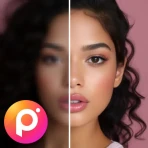
Another useful habit is to compare the edited result with the original before moving to the next image. I look for changes that are technically clean but visually suspicious, such as facial texture becoming too uniform or an erased background leaving an obvious outline. Artificial intelligence is good at making a result look finished quickly, but a quick comparison helps me decide whether it still looks like the same photograph.
When working with a group, I would edit one representative image first and use it as a visual reference for the rest. I would not assume that every automatic result deserves identical treatment simply because the images were captured together. The reference helps maintain a consistent direction, while individual checks protect against the differences that batch workflows can hide.
A further time-saving pattern is to reserve background removal for images that truly benefit from it. Removing a background can make a portrait or product image more flexible, but it is not always an improvement. If the original setting provides useful context, replacing it with a plain result may make the image less personal. I use the tool when the background competes with the subject, not merely because the option is available.
Where the app fits among familiar alternatives
Compared with a basic gallery editor, Evoto offers a more specialized route for portrait cleanup and subject separation. A standard phone editor is often better for quick cropping, rotation, exposure correction, and other simple changes that do not need an AI-centered workflow. If all I want is to brighten a holiday photo and trim its edges, opening a dedicated retouching app may be unnecessary.
Compared with a filter-first social editor, this app feels more useful when the image needs a structural change. A social editor may be quicker for stickers, playful effects, or immediate posting, while Evoto is more appropriate when I want the person or object to remain the focus. The choice depends on whether the problem is presentation or entertainment.
Compared with a professional desktop editor, the advantage is convenience and a less intimidating starting point. The trade-off is control. A specialist working with demanding commercial images may prefer tools that expose every mask, layer, edge, and color adjustment in detail. I would not replace a full professional workflow with this app when exact reconstruction, complex compositing, or pixel-level control is essential.
Important limits in portrait and background work
Portrait retouching needs restraint. The most convincing result is usually not the smoothest face. I would rather keep natural texture and a few ordinary details than produce a polished surface that makes the person look disconnected from the lighting in the rest of the photograph. When the correction is obvious before the viewer notices the expression, it has gone too far.
Background removal has its own difficult cases. Loose hair, fine fabric, semi-transparent objects, and backgrounds with similar colors can challenge any automatic separation. I would pay special attention to the outline around the head and shoulders, because a small halo is easy to miss in a busy preview and very noticeable once the image is placed on a plain background.
Color filters can also expose a weakness in the source image. If the original white balance is already unusual, adding a strong color treatment may push the photograph into an unrealistic range. I prefer to judge the person’s skin and the subject’s important colors before judging whether the overall image feels stylish.
These limitations do not make the app ineffective; they define the level of supervision it needs. I see it as an assistant for repeated corrections, not as an automatic replacement for visual judgment. The more important the image, the more time I would spend checking the edges, facial texture, and color after the automated pass.
What the cost and device details mean in practice
The app is free to install, which makes it easy to test without committing immediately. Optional purchases range from a few dollars to substantially higher individual items, so I would examine the purchase screen carefully before building a regular workflow around paid tools. The free entry point is useful for deciding whether the editing style suits me, while the range of in-app prices means frequent users should consider how often they expect to use premium capabilities.
Evoto comes from TRUESIGHT PTE. LTD. and is listed for everyone, which fits its accessible photography focus. It requires Android 9 or later, and the current version is 3.2.1. Those details make it a reasonable candidate for many Android users, but I would still check the phone’s available storage and performance before planning large batches, especially if my device is older or I routinely work with high-resolution images.
The app has reached over one hundred thousand installs and holds an average rating of four point eight from roughly one point six thousand ratings. I take that as a positive sign of broad user satisfaction, but not as proof that every editing situation will suit it. Ratings tend to summarize general experience; they cannot tell me whether the background edge in my particular portrait will be perfect or whether the available controls match a professional assignment.
Who should use it, and who should skip it
I think Evoto is a strong match for casual photographers who often edit portraits, small creators who need a cleaner visual style, and sellers who want to separate products from distracting surroundings. It is also useful for someone who has several related images and wants a consistent starting point without manually repeating every basic correction.
I would be more cautious about recommending it to photographers whose work depends on natural texture, documentary realism, or exact color reproduction. I would also point beginners toward a simpler gallery editor if their needs are limited to cropping and brightness. On the other hand, someone who dislikes complicated desktop software but regularly needs portrait cleanup may find this focused approach easier to live with.
The app is not the right choice when I need a complete design environment, elaborate compositing, advanced typography, or highly technical color management. In those cases, a more comprehensive editor is the better tool, even if it takes longer to learn. Evoto’s value comes from reducing repetitive portrait and background work, not from covering every branch of image production.
My final assessment after settling into the workflow
What I like most is the way the app encourages a practical editing rhythm: start with the image’s main problem, let automation handle part of the repetitive work, and then inspect the result with ordinary visual judgment. Portrait retouching, background erasing, color filters, and batch editing form a coherent set rather than a random collection of effects.
What keeps me from calling it a universal editor is the need for supervision. Automatic corrections can be convincing at first glance while still changing texture, edges, or color in ways that matter. Batch work saves time only when the selected photographs are genuinely similar, and background removal is most valuable when the original setting is actually getting in the way.
My recommendation is therefore specific: choose Evoto if you want a free-to-start photography app centered on portraits and subject cleanup, and if you are willing to review automated results instead of accepting every edit blindly. Use a simple gallery editor for minor corrections, and choose a professional editor when precision and deep control matter more than speed.
For my own repeatable routine, I would keep the original, select the main correction, test it on one representative image, inspect the face and edges at a useful zoom, and only then extend the approach to a related group. That small amount of care lets the automation do what it is good at while keeping the final image believable. Its best results come from combining speed with restraint, which is why I see it as a capable portrait assistant rather than a magic button.
Pros
- AI retouching produces polished results with minimal manual editing.
- Batch processing helps apply similar enhancements to multiple portraits.
- Skin
- face
- and body tools offer detailed control over portrait appearance.
- The interface is modern and easy to navigate for beginners.
- Useful presets can speed up edits for social media photos.
Cons
- Some advanced tools may require a paid subscription or credits.
- AI edits can occasionally look unnatural or overly smoothed.
- High-resolution processing may consume considerable time and data.
- Results can vary depending on lighting
- image quality
- and face position.
- Privacy-conscious users may hesitate to upload personal portraits for processing.
FAQ
What is Evoto-AI Photo Editor&Retouch used for?
Evoto-AI Photo Editor&Retouch is designed for enhancing and retouching photographs with artificial intelligence. It can help improve portraits, remove or soften skin imperfections, adjust facial features, enhance hair and clothing, refine backgrounds, and apply color or lighting corrections. It is particularly useful for portrait photographers, creators, influencers, and anyone who wants polished results without manually adjusting every setting.
Does Evoto-AI Photo Editor&Retouch work automatically, or can I edit photos manually?
The app is primarily built around AI-assisted editing, so many adjustments can be applied quickly after importing a photo. However, users generally retain control over the intensity of the effects and can fine-tune individual corrections instead of accepting a fully automatic result. This makes it suitable for quick edits, although achieving a natural-looking finish may still require reviewing sliders and reducing overly strong retouching.
Is Evoto-AI Photo Editor&Retouch free to download and use?
Evoto-AI Photo Editor&Retouch may be available to download without an upfront charge, but access to certain tools, exports, advanced AI features, or higher-quality results can depend on the app’s current subscription or credit system. Before editing a large batch of images, check the pricing page, trial conditions, export limitations, and whether a watermark is added to free results, as these policies can change.
Can Evoto-AI Photo Editor&Retouch edit different types of photos?
The app is mainly focused on portraits and people photography, including selfies, studio images, event pictures, and social media content. Its tools are most effective when faces and subjects are clearly visible and the image has reasonable lighting. Results may be less consistent with very small faces, heavy motion blur, extreme shadows, crowded scenes, or photographs containing unusual angles and complex backgrounds.
Are my photos safe when I use Evoto-AI Photo Editor&Retouch?
Because AI editing may require images to be processed by the app’s servers or cloud systems, users should review Evoto’s privacy policy and permissions before uploading personal or sensitive photographs. Avoid submitting confidential images unless you understand how they are stored, processed, and deleted. It is also sensible to use the official app, keep it updated, and verify account and cloud-storage settings.