SpoofCard - Privacy Protection
SpoofCard Communication

- 1.14K Reviews
- 4.3
- Version
- 5.8.4
- Installs
- 500.00K
Screenshots

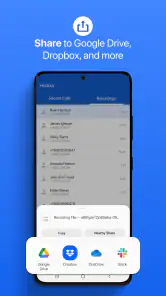
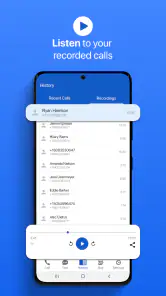
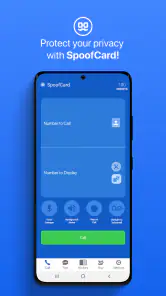
- Key strengths of the app—features, ease of use, or overall experience.
- Easy to use interface for all users.
- Allows customizable caller ID features.
- Supports call recording for convenience.
- Multiple card options for flexibility.
- Offers international calling capabilities.
- Possible downsides—like bugs, missing features, or performance issues.
- Limited free features available.
- Occasional app crashes reported.
- Requires strong internet connection.
- Subscription can be pricey for some.
- Not available in all countries.
Ever had one of those moments where you wish you could make a call without revealing your actual number? Well, that's where SpoofCard steps in as your ultimate sidekick. It's like having a cloak of invisibility for your number. This app is all about privacy protection, and it’s a game-changer for anyone who wants to keep their personal number under wraps.
Getting to Know SpoofCard
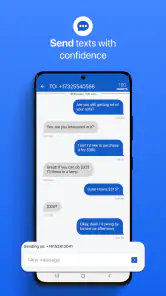
SpoofCard is an app available for both Android and iOS that allows you to make calls and send texts from a masked number. It's perfect for those times when you need to reach out without revealing your personal digits. Whether you’re a business professional, a serial online shopper, or just someone who values their privacy, this app has got your back.
The setup is a breeze. Once you download and install the app, you simply register, and you're good to go. The interface is user-friendly, making it easy even for those who aren’t tech-savvy. You can quickly navigate through its options, and in no time, you’re all set to make your first call under disguise.
Features That Stand Out
One of the first things you’ll notice is the simplicity of the app. But don’t let that fool you into thinking it’s basic. SpoofCard boasts a range of features designed to give you control over your calling experience:
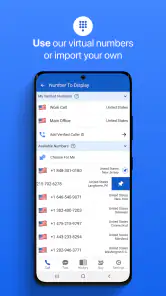
- Custom Caller ID: You can set any number you like to appear on the recipient’s phone. This means you can literally call from "anywhere."
- Voice Changer: Feeling playful? Change your voice during calls. Choose from various effects to disguise your voice. It's a fun way to prank your friends or maintain anonymity.
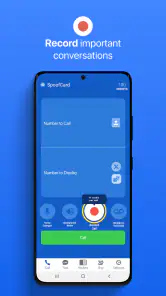
- Call Recording: Need to keep a record of an important conversation? With this feature, you can record your calls, which is especially handy for business transactions.
- Multi-Call: You can make multiple calls at once. This is great for when you need to reach several people quickly without hanging up and dialing again.
Real-Life Scenarios
Picture this: You’re buying something off a classifieds site and don’t want to give your real number. Just use SpoofCard to make the call. Or maybe you’re a journalist needing to contact a source without revealing your personal number. This app provides the perfect solution.
But it’s not just about privacy. The app is also a fantastic tool for those light-hearted moments. Imagine calling up a friend with a different number and a disguised voice. It’s a surefire way to share a laugh.
Privacy and Security
With privacy being a major concern for many these days, SpoofCard takes it seriously. It doesn’t store your call logs or messages, ensuring that your personal information remains just that—personal. The app is built with security in mind, and you can feel safe knowing that your privacy is protected at all times.
Plus, it adheres to all legal standards, so you can use it without worrying about crossing legal boundaries. However, it's always good to remember to use it responsibly and ethically.
My Experience
Personally, I found SpoofCard to be a handy tool. The installation process was smooth, and setting up my first call took only a few minutes. I loved the voice changer feature, which added a bit of fun to my calls. It was easy to navigate, and the app never crashed on me, which is a big win.
The call quality was impressive, with no noticeable lag or poor audio, which is often a concern with apps like these. Overall, it performed well beyond my expectations.
Wrapping It Up
If you’re someone who values privacy or just wants to add a bit of fun to your calling experience, SpoofCard is worth checking out. It’s reliable, easy to use, and offers features that go beyond the standard expectations. Just remember to use it wisely, and it’ll serve you well.
So, next time you need to make a call without leaving a trace, give SpoofCard a try. It’s like having a secret identity for your phone!











