Signia App
Sivantos Pte. Ltd. Medical

- 4.32K Reviews
- 2.9
- Version
- 2.7.21.17379
- Installs
- 1.00M
Screenshots


- Key strengths of the app—features, ease of use, or overall experience.
- Intuitive user interface
- Comprehensive hearing aid control
- Real-time sound adjustments
- Easy pairing with devices
- Customizable sound profiles
- Possible downsides—like bugs, missing features, or performance issues.
- Requires account registration
- Limited compatibility with devices
- Occasional connectivity issues
- High battery consumption
- Frequent app updates needed
Imagine a world where your hearing aids do more than just amplify sound—they seamlessly integrate with your lifestyle, providing a personalized auditory experience. Welcome to the realm of the Signia App. Designed to work in tandem with Signia hearing aids, this app promises a tailored hearing experience, all from the palm of your hand. Let’s dive into the nitty-gritty of what this app offers and how it could potentially transform your auditory experiences.
The User Experience
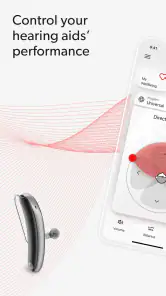
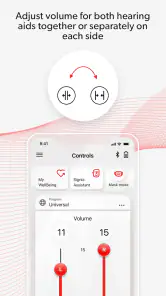
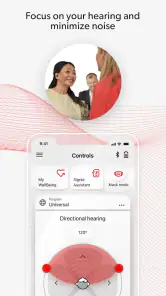
First off, let’s talk about usability. Navigating the Signia App is surprisingly intuitive, even if you’re not particularly tech-savvy. The interface is clean and straightforward, which means you won’t find yourself lost in a maze of settings and options. The home screen gives you quick access to the most important features, such as volume control and sound balance, making on-the-fly adjustments a breeze. I found this especially handy when switching environments—from a quiet room to a bustling street, for instance.
Features that Stand Out
One of the standout features of the Signia App is its ability to create a highly personalized hearing profile. Using the app, you can customize your hearing aids to suit your specific needs, whether that means tweaking the bass, treble, or overall volume. There’s also a nifty feature called “Sound Clarity,” which sharpens speech sounds, making conversations clearer and more enjoyable.
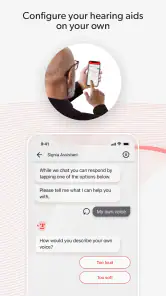
Moreover, the app includes a built-in AI assistant that learns your preferences over time. This means the more you use it, the better it gets at predicting your needs. For instance, it might automatically adjust settings based on your location or the ambient noise levels, which is pretty genius if you ask me!
Connectivity and Compatibility
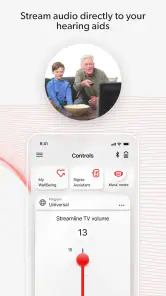
Now, you might be wondering about connectivity. Fear not, the Signia App connects effortlessly with both Android and iOS devices. Once paired with your hearing aids via Bluetooth, the app maintains a stable connection, ensuring that you’re always in control. Plus, it’s compatible with a wide range of Signia hearing aids, so odds are, it’ll work with your current setup.
Why It’s Worth Trying
So, why should you consider giving the Signia App a shot? Simply put, it’s all about convenience and control. Whether you’re attending a meeting, enjoying a movie, or merely catching up with friends, the app empowers you to adjust your hearing aids to match your environment and preferences seamlessly.
In conclusion, the Signia App is a game-changer for anyone using Signia hearing aids. It’s not just about enhancing sound—it's about enriching your life by ensuring you never miss a moment. If you’re looking for a way to elevate your hearing experience, this app might just be your perfect companion.