ScanBizCards Premium
ScanBiz Mobile Solutions LLC Business

- 350.00 Reviews
- 4.2
- Version
- 7.5.5
- Installs
- 10.00K
Screenshots
- Key strengths of the app—features, ease of use, or overall experience.
- High-quality card scanning accuracy
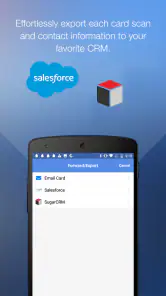
- Integrates with various CRM systems
- Easy export to contacts and emails
- Offline scanning available
- User-friendly interface
- Possible downsides—like bugs, missing features, or performance issues.
- Subscription required for premium features
- Limited free version capabilities
- Occasional OCR misreads on complex cards
- No batch scanning in free version
- Syncing issues with some CRMs
If you've ever found yourself drowning in a sea of business cards and wishing there was a magic wand to organize them, then ScanBizCards Premium might just be your new best friend. This app is like having a personal assistant in your pocket, helping you manage all those important contacts with just a few taps. Let's dive into how this app can transform your networking game.
Unleashing the Power of ScanBizCards Premium
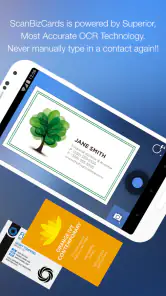
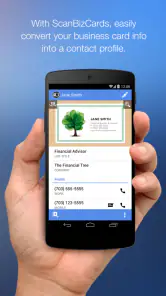
So, you’ve just returned from a conference, and your pockets are bulging with business cards. What do you do? Pull out your phone, open ScanBizCards Premium, and let the magic begin. The app is equipped with a powerful OCR (Optical Character Recognition) engine that accurately scans and digitizes all your business cards into your phone. It's surprisingly efficient and saves you tons of time compared to manual entry.
Seamless Integration and Features
One of the standout features of ScanBizCards Premium is its seamless integration with other apps. Whether you use Salesforce, Evernote, or any other CRM, you can directly export your contacts there. Plus, it allows you to add notes, set reminders for follow-ups, and even send that quick "nice to meet you" email straight from the app. It's like having a miniature CRM in your pocket, tailored specifically for business cards.
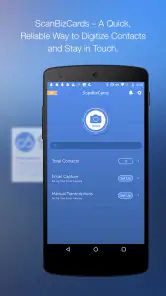
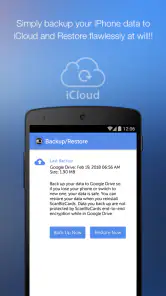
Additionally, the app offers cloud backup, so all your data is safe, and you can access it from any device. The interface is user-friendly, making it easy for anyone, even the less tech-savvy, to navigate through the features effortlessly.
Why You’ll Love It
Now, you might wonder, "Why should I choose ScanBizCards Premium over the others?" The answer is simple: reliability and efficiency. The app doesn’t just scan and store contacts; it enhances your networking strategy. With features like group sharing, you can easily share your entire contact list with colleagues or team members. The app also allows for double-sided card scanning, ensuring you never miss any important details.
Moreover, the app’s ability to scan in multiple languages is a game-changer for international business. It supports several languages, making it versatile and indispensable for global networking.
Wrapping Up My Thoughts
In a world where first impressions matter, keeping track of your business connections can set you apart. ScanBizCards Premium is not just an app; it's a strategic tool for anyone serious about networking. With its robust features and user-friendly interface, it turns the tedious task of managing business cards into a seamless experience. If you're ready to elevate your networking game, this app is definitely worth a try. Trust me, your future self will thank you!











