TV remote control for Roku
TV Master - Smart TV Remote Control Tools
- 4.21K Reviews
- 4.6
- Version
- 4.7
- Installs
- 10.00M
Screenshots
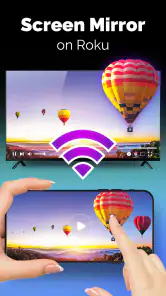
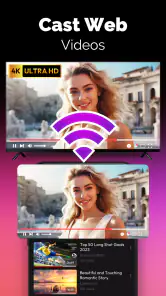
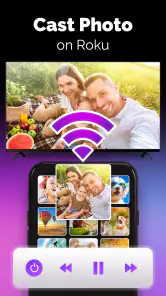
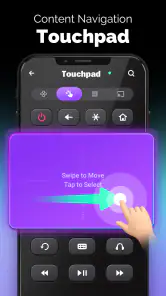
- Key strengths of the app—features, ease of use, or overall experience.
- Easy setup with user-friendly interface.
- Compatible with all Roku devices.
- Responsive touchpad for smooth navigation.
- Customizable remote layout.
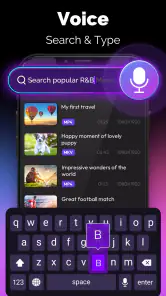
- Supports voice commands for search.
- Possible downsides—like bugs, missing features, or performance issues.
- Requires stable Wi-Fi connection.
- Ads can be intrusive at times.
- Limited features in free version.
- May drain battery quickly.
- Occasional lag in response.
Hey there! So, today I’m diving into the world of TV remote control apps, specifically for Roku. If you’re anything like me, the thought of losing yet another remote control is enough to bring on a mild panic attack. But fear not, because I’ve found a nifty app that might just save the day (and your sanity).
Getting Started with TV Remote Control for Roku
First things first, setting up this app is a breeze. You literally just download it onto your smartphone, and boom, you’re ready to go. No complicated setups or tech wizardry needed. Just make sure your phone and Roku device are on the same Wi-Fi network, and you’re golden.
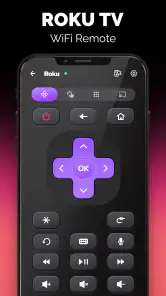
Once you open the app, it’s like stepping into a control center for your Roku device. The interface is super intuitive, resembling the physical remote almost to a T. All the buttons you’d expect are there – the home button, directional keys, volume controls, and even the option to use voice commands. It’s like having a universal remote that can’t slip between the couch cushions.
Features That Stand Out
One of my favorite features has to be the voice command capability. I mean, who doesn’t love feeling like Captain Kirk, commanding your TV to play the next episode of your favorite show without lifting a finger? It’s a small thing, but it adds a whole new level of convenience, especially for those lazy Sunday binge-watching sessions.
And let’s talk about the keyboard feature. Ever tried typing in a search query using a traditional remote? It’s torture. But with this app, typing is as easy as texting. The on-screen keyboard pops up right on your phone, making it super easy to search for your favorite movies or shows without the usual hassle.
Another neat aspect is the ability to switch between different Roku devices. If you’ve got a Roku TV in the living room and a Roku stick in the bedroom, you can easily toggle between them without any fuss. This feature is perfect for homes with multiple Roku setups, keeping everything streamlined and under control.
Why You’ll Love It
So, why should you give this app a shot? For starters, it’s free! Yep, you heard that right. A free app that turns your smartphone into a fully functional Roku remote. Plus, the convenience factor alone is worth it. Gone are the days of scrambling to find the remote in the middle of a suspenseful movie scene.
Moreover, the app is regularly updated, ensuring compatibility with the latest Roku devices and software updates. This means you’re not just getting a temporary fix but a reliable solution that grows with your tech.
And if you’re worried about battery life on your smartphone, don’t be. The app is designed to be lightweight, so it won’t drain your battery any more than a typical app would. Plus, most of us have our phones nearby while watching TV anyway, so it’s not a huge leap to use it as a remote.
In Conclusion
All in all, the TV Remote Control for Roku app is a game-changer for anyone who’s ever experienced the frustration of a missing remote. It’s user-friendly, packed with features, and doesn’t cost a dime. If you’re a Roku user, it’s definitely worth checking out. Trust me, once you start using it, you’ll wonder how you ever lived without it!











