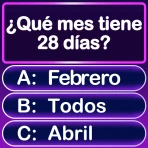
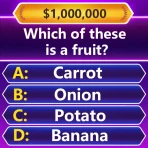
Atmosphere Trivia
For Android
I went into Atmosphere Trivia expecting a straightforward trivia game, but its real appeal became clearer after using it in the kind of situation it seems designed for: a shared evening where people want something to do together without turning the night into a complicated event. It is free, rated for Everyone, and made by Rarefied Atmosphere, Inc., so the basic barrier to trying it is low. More importantly, the game fits a social mood better than a solitary, score-chasing session.
That distinction matters. Many trivia apps are built around answering as quickly as possible, climbing a ranking, or repeating familiar question sets alone. This one presents itself as a way to play trivia with rivals and add energy to a gathering. I found that the experience depends less on treating it like a serious knowledge test and more on getting everyone into the same round without unnecessary friction. When that works, the game can give a quiet evening a useful spark. When it does not, the setup becomes the main event.
Getting a group from download to the first question
The first place I would expect users to get stuck is not the trivia itself. It is the transition from “we should play something” to everyone actually being ready. A group may be spread across different phones, one person may still be installing the game, and another may be trying to understand what to tap next. In a social game, even a short pause feels longer because the whole room is waiting.
My practical advice is to prepare before announcing the first round. Install the game on the devices that will participate, open it once, and make sure each player can reach the point where a session can begin. This is especially useful if you are hosting people who do not enjoy troubleshooting in front of a group. A few minutes of quiet preparation can prevent the familiar situation where one person is ready while everyone else watches a loading screen or searches for the right menu.
The Android requirements are modest: the game supports Android 8.0 and later. That makes it accessible to many older phones, although compatibility on paper is not the same as a smooth evening in practice. A device with limited free space, an outdated system, unstable Wi-Fi, or aggressive battery restrictions can still make joining feel unreliable. I would not assume that an older supported phone will behave exactly like a newer one.
Because the game is free, there is no purchase decision to settle before trying it. That helps when a group wants an unplanned activity, but free access does not remove every source of friction. People still need enough battery, a usable connection where the session requires one, and a little patience while everyone reaches the same stage. If your group dislikes waiting or passing around instructions, a boxed trivia game or a familiar party game may be easier to start.
Small checks that prevent a bad first impression
I would begin with the simplest checks rather than changing several settings at once. Confirm that the game is installed from the normal app store, update it if an update is offered, and restart it if the screen behaves strangely. On Android, also check that the phone is not nearly full and that the game is not being restricted so aggressively in the background that it loses its place when players switch between screens.
It is worth checking the basics on every participating phone instead of assuming only the host matters. One device with a weak connection or an older software environment can interrupt the rhythm for everyone. If the game opens normally on one phone but not another, compare the conditions: operating-system version, available storage, connection quality, and whether the affected device has been left idle for a long time. That comparison often tells you more than repeatedly tapping the same button.
I also recommend opening the game before guests arrive if you plan to use it as an icebreaker. This is not about rehearsing answers. It is about learning where the session starts, how the player names or rivals are handled, and which screen confirms that the group is ready. A host who can explain the next action in one sentence keeps the game feeling social instead of technical.
The current Android version is listed as 3.0.1 with build 1777. If someone is seeing behavior that differs from the rest of the group, checking whether everyone is running the same current release is a sensible first step. I would avoid installing unofficial copies or relying on random download sources to solve a version mismatch. That can create more uncertainty than it removes.
Recovering the evening when a round breaks
Even a well-prepared session can lose momentum. A player may close the app, a connection may dip, or a phone may lock at the wrong moment. My approach is to recover in a fixed order: first have the affected player reopen the game, then wait briefly to see whether the session restores itself, and only after that consider restarting the round. The key is to avoid having every person leave and re-enter at once, because that makes it harder to tell what actually fixed the problem.
If only one participant is affected, treat it as a local problem first. Have that person move to a stronger connection, close other demanding apps, and reopen the game. If the entire group is affected at the same time, compare whether all phones are using the same network. A shared connection problem is more likely than every device independently failing at once. This simple distinction can save a lot of unproductive troubleshooting.
You may also like

Amazon Kindle: Revolutionizing Digital Reading

Why OLX: Compras Online e Vendas Captivates Shoppers Worldwide

Unpacking the Strategy of Yalla Ludo's Jackaroo Mode

Why eBay's Mobile App Stands Out in Online Shopping

How Fishdom's Puzzle Mechanics Transform Your Aquarium Experience

Block Blast! The Perfect Puzzle for Busy Lives
When restarting becomes necessary, I would tell everyone clearly what is happening and use the pause to reset expectations. Decide whether the group wants to replay the interrupted session or simply begin a fresh one. Trivia is sensitive to confusion: if players are unsure whether an answer counted or whether a round has restarted, disagreements can overshadow the fun. A clean restart is sometimes better than trying to reconstruct a broken sequence.
There is also a social recovery technique that matters more than it sounds: do not let one technical delay become one person’s responsibility. If a friend is struggling to join, another player can help while the rest of the group discusses a topic or takes a short break. That keeps the person from feeling singled out and prevents the game from being judged solely by its worst minute. I found this especially important with mixed groups where not everyone is equally comfortable with mobile games.
For a host, the best workflow is to keep the first session short enough that a restart would not ruin the night. Start with a casual round instead of presenting it as the evening’s main competition. If everything works, the group can continue. If not, you have learned how the game behaves without making the whole gathering depend on it.
Separating app friction from the surrounding setup
Not every interruption is caused by Atmosphere Trivia. Phones can be overloaded, wireless networks can be crowded, and operating systems can pause background activity to preserve battery. If the game opens and responds normally but the group cannot maintain a shared session, the surrounding setup deserves attention before blaming the app.
A useful test is to compare locations. If the same phone works on a different connection, the original network is a stronger suspect. If the problem follows the phone wherever it goes, storage, software, battery management, or the device itself becomes more likely. I would make one change at a time and test again. Changing the network, reinstalling the game, updating the operating system, and altering battery settings together makes it impossible to know which action helped.
Reinstalling should be a later step, not the automatic answer. It can clear damaged local files, but it also adds another setup task and may remove information stored locally. Before doing it, make sure you know how the group will reconnect and whether anything important is tied to the current installation. If the issue is simply a weak connection, reinstalling will not improve the network.
Phone permissions and notification behavior can also affect how comfortable the session feels, but I would only change what the operating system explicitly asks for or what is clearly relevant to launching and playing. Avoid granting unrelated access just because a troubleshooting guide recommends it. If the game asks for a permission that seems unrelated to the action you are trying to perform, pause and consider whether you actually need to continue before accepting.
The same caution applies to support advice found in random comment sections. Suggestions such as downloading modified packages, disabling broad security protections, or clearing every app’s data are excessive for a simple trivia session. Start with safe actions: update through the official store, restart the app, check the connection, free a little storage, and restart the phone. Those steps address common causes without creating new ones.
Who gets the most from this trivia game
I think the strongest audience is a small group that wants a shared activity but does not want to learn a complicated game system. It can work after dinner, during a casual visit, or as a way to fill an awkward gap before another plan begins. The “nemeses” idea is useful here because friendly rivalry gives people a reason to stay engaged, even when nobody considers themselves a trivia expert.
It is also a reasonable choice for families looking for an accessible quiz-style game. The Everyone age rating makes the intended audience broad, although the actual suitability of any question still depends on the people playing and the atmosphere you want. For mixed-age groups, I would pay attention to whether everyone is enjoying the pace rather than assuming a general age label guarantees that every round will suit everyone equally.
Players who prefer private practice, deep explanations, or a carefully structured solo learning tool may be happier with a dedicated quiz app. Atmosphere Trivia makes more sense when the social exchange is part of the point. Likewise, a group that wants a physical board, visible cards, and conversation without phones may prefer a traditional trivia set. The mobile format is convenient, but it also means the evening depends on screens, batteries, and device coordination.
The game may not be the right choice for a large gathering where many people need to participate instantly. Even if the trivia itself is enjoyable, organizing a bigger group through phones can create delays and side conversations. In that situation, a host-led quiz with teams may be easier to control. I would also skip it as the centerpiece of an event where reliable timing matters, such as a tightly scheduled party, unless I had already tested the setup.
How it compares with familiar alternatives
Compared with solo trivia apps, this game feels more appropriate when the goal is shared attention rather than personal improvement. A solo app is usually better if you want to answer at your own pace, repeat questions, or use spare minutes on a commute. Atmosphere Trivia earns its place when the reactions between players matter as much as the answers.
Compared with a web-based quiz, a dedicated game can feel more focused because people are not juggling browser tabs and unrelated notifications. The trade-off is that every participant may need the app installed and ready. A browser quiz can be easier for a one-time event if nobody wants another installation, while this game is more attractive for a group that expects to return to it.
Compared with a physical trivia game, the phone-based approach reduces the need to carry cards, keep score manually, or prepare a table. That convenience is valuable for spontaneous plans. The downside is that a physical game remains playable through a poor connection or a dead battery. I see this app as a convenient companion for informal gatherings, not a universal replacement for every trivia format.
What the audience numbers suggest, and what they do not
The game has reached over 100,000 installs and holds a 4.7 average from around 2,700 ratings, alongside 355 written reviews. Those figures suggest that it has found a receptive audience, and the rating is encouraging for anyone deciding whether a free experiment is worth the small setup effort. I still would not treat popularity as proof that it will fit every group. The most important question is whether your friends enjoy mobile, competitive trivia in the first place.
Its release date was October 9, 2023, which places it in a relatively modern mobile-app context while still leaving room for users on older supported Android phones. The developer, Rarefied Atmosphere, Inc., has positioned it around the social side of trivia rather than presenting it as a formal study tool. That focus explains both its strength and its limitation: it can animate a gathering, but it is not necessarily the best answer for someone seeking a comprehensive knowledge-training routine.
My practical verdict after using it socially
I would recommend Atmosphere Trivia to a friend who wants a free, low-commitment way to turn a quiet get-together into a friendly contest. The best results come from treating setup as part of hosting: install it early, check the participating phones, choose a reliable connection, and keep a backup plan ready. Those steps sound ordinary, but they make a noticeable difference because trivia loses its charm quickly when everyone is waiting for one device to cooperate.
The most useful habit is to separate the game from the environment. If one phone struggles, troubleshoot that phone. If everyone struggles together, inspect the shared connection or the timing of the session. If a restart is required, make it a clean group decision instead of repeatedly changing settings. This workflow does not guarantee a perfect round, but it keeps small problems from becoming arguments or wasted time.
I would skip it when the group wants a completely screen-free evening, when participation must be instant for a large crowd, or when the event cannot tolerate even a short technical pause. A physical trivia game or a host-led quiz is safer in those cases. I would also choose a more traditional solo quiz app for private practice, because the social rivalry is the reason this particular game stands out.
For everyone else, the combination of free access, broad age suitability, and a strong user rating makes it easy to try without much risk. Just do not judge it only by the first thirty seconds after installation. The real test is whether the group can get into a rhythm, tease one another about answers, and keep playing after the initial novelty fades. When that social rhythm clicks, the game works best as a lightweight evening activity rather than a demanding trivia course.
Pros
- Wide range of trivia topics keeps each round varied.
- Quick questions make it easy to play during short breaks.
- Simple interface is approachable for casual players.
- Helpful for learning interesting facts while having fun.
- Replayable rounds encourage repeated play and practice.
Cons
- Some questions may feel too easy for experienced trivia fans.
- Difficulty can vary noticeably between different categories.
- Requires an internet connection for some features or content.
- Ads may interrupt gameplay
- depending on the app version.
- Limited depth may disappoint users seeking detailed explanations.
FAQ
What is Atmosphere Trivia, and how does the game work?
Atmosphere Trivia is a quiz-style game focused on testing your knowledge through themed questions and quick challenges. After opening the app, you typically choose or enter a trivia session, read each question, and select the answer you believe is correct before time runs out. Scores, rounds, and available categories may vary depending on the version and game mode.
Can I play Atmosphere Trivia offline, or do I need an internet connection?
An internet connection may be required for important features such as downloading questions, joining online games, synchronizing progress, viewing rankings, or accessing updated content. Some trivia sessions might remain available offline after the necessary data has loaded, but this should not be assumed for every mode. Check the app’s current store description and test your preferred features before traveling or playing without mobile data.
Is Atmosphere Trivia suitable for children and family play?
Atmosphere Trivia can be enjoyable for families, but its suitability depends on the question categories, difficulty, advertisements, and any online interaction included in the current release. Parents should review the age rating, privacy information, and in-app content before allowing younger children to use it. If the game includes competitive or social features, supervision may also be helpful.
Does Atmosphere Trivia include advertisements, purchases, or paid features?
The free version of Atmosphere Trivia may be supported by advertising or may offer optional purchases, depending on the platform and release. Paid elements can include ad removal, extra question packs, premium modes, virtual items, or other enhancements. Before downloading, review the store listing for pricing details and check your device’s purchase settings, especially if children use the device.
What permissions and personal information does Atmosphere Trivia request?
The permissions requested by Atmosphere Trivia can differ between Android and iOS and may change with updates. A trivia app may request network access, notifications, or account-related information for online play, reminders, and progress synchronization. Before installing, read the privacy policy and the app-store data-safety section. Avoid granting permissions that seem unrelated to the features you intend to use.