Vlad and Niki: Kids Piano
For Android
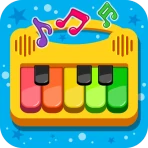
I spent time with Vlad and Niki: Kids Piano as a simple music game for young children, and my first impression was clear: this is designed to make pressing piano keys feel approachable rather than turn a phone into a serious instrument. The game comes from Hippo Kids Games and sits in the music category, with Vlad and Niki giving the experience a familiar character-led identity. It is free to start, aimed at Everyone, and the store summary presents it as an educational piano simulator for kids.
That description is accurate, but it does not fully explain where the game fits in everyday family life. I see it as a short, low-pressure activity for a child who enjoys tapping, sounds, and colorful musical play. It can work during a quiet break, while traveling, or when a parent wants to introduce the basic idea of a keyboard without handing over a real instrument. It is not a replacement for piano lessons, and children looking for a deeper music game may outgrow it quickly.
How the game feels during ordinary play
The main appeal is immediacy. A child can open the game and begin interacting with piano-style keys without first learning complicated menus or rules. That matters with very young players, because a long setup or demanding tutorial can lose their attention before the musical activity even begins. Here, the concept is easy to understand: touch the keys, listen to the result, and experiment.
In my experience, that simplicity makes the game especially suitable for short sessions. A child can play for a few minutes while waiting at a restaurant or during a car journey, assuming the device is available and charged. It also gives parents an easy way to encourage sound exploration without needing to explain musical notation immediately. The child can discover that different keys produce different results through direct trial and error.
The educational value is modest but real. This is not teaching harmony, reading music, finger placement, or structured practice in the way a dedicated learning platform would. Instead, it introduces cause and effect: touch creates sound, repeated touches create patterns, and a sequence of notes can feel like a tiny performance. For a preschool-age child, that first layer of curiosity can be more useful than a formal lesson that feels too demanding.
There is also a practical advantage in the character presentation. Vlad and Niki help the game feel like a familiar children’s activity rather than an abstract keyboard utility. That can make a difference when a child is choosing between several games. The characters are part of the invitation to play, while the piano interaction remains the central activity.
What to expect from speed and responsiveness
For this kind of game, perceived speed is less about loading a large world and more about whether the interface reacts naturally when a child taps repeatedly. A piano simulator needs to feel immediate enough that the sound seems connected to the finger movement. In normal use, I would approach it with that expectation: quick, direct interaction rather than a complex application with many layers to process.
The game’s straightforward purpose is helpful here. It does not ask the device to manage the kind of expansive environment found in a large action game. That generally makes a simple music activity a lighter choice for ordinary play, although the experience can still vary depending on the phone or tablet, available storage, and what else is running in the background. I would close demanding apps before giving the device to a child, especially on an older handset.
A useful tip is to test the game yourself before a child’s first session. Check whether the sound is at a comfortable level, make sure the device is not in a distracting notification state, and confirm that the child can reach the keys comfortably. This small preparation is more valuable than trying to troubleshoot while a young player is already impatient.
Another practical point is that touch accuracy matters more for a child than it does for an adult. Small screens can make several keys feel crowded, particularly when a child uses broad fingertips rather than precise taps. A larger tablet may therefore feel more comfortable than a compact phone, even though the phone is more convenient for travel. That is a usability trade-off rather than a flaw in the musical idea.
Where heavier use can expose limitations
The light concept does not mean every situation will feel equally smooth. Repeated tapping, quick changes between screens, or playing while other apps remain active can put more pressure on an older device than a single careful tap would. I would not judge the game only by a calm first interaction; I would also watch how it behaves after a child has been tapping continuously and moving around the available options.
Young children are also unpredictable testers. They may press several keys at once, rotate the device, leave the game open, or switch away without closing it. Those actions are normal in a family setting. If the game ever stops responding, the sensible recovery routine is simple: return to the home screen, close the game if needed, and reopen it. Restarting the device is a last resort, not something I would expect as part of normal play.
You may also like

Amazon Kindle: Revolutionizing Digital Reading

Why OLX: Compras Online e Vendas Captivates Shoppers Worldwide

Unpacking the Strategy of Yalla Ludo's Jackaroo Mode

Why eBay's Mobile App Stands Out in Online Shopping

How Fishdom's Puzzle Mechanics Transform Your Aquarium Experience

Block Blast! The Perfect Puzzle for Busy Lives
Parents should also consider sound as part of heavy use. A child may repeat the same notes enthusiastically, and what feels playful for a minute can become tiring in a longer session. Headphones are not always ideal for very young children because adults may want to hear what is happening, so keeping the volume moderate and setting a time boundary is often the better approach.
The free entry point is convenient, but families should pay attention to the purchase flow. The game includes in-app purchases ranging from $1.99 to $19.99 per item. I would hand the device over only after checking the store account and purchase protections, particularly if the child can reach menus without supervision. The game can be free to download while still requiring adult attention around optional spending.
Stability, recovery, and the family routine
Reliability is not only about crashes. For a children’s game, it also means that a parent can start an activity without a long explanation, a child can return to it after a break, and the device does not become unnecessarily difficult to manage. This piano game benefits from having a focused purpose. There are fewer kinds of activity to understand than in a broad children’s entertainment app, so the routine is easier to repeat.
I would use it in a predictable pattern: open the game, let the child explore for a short period, play alongside them for a moment, and then close it before the activity becomes repetitive. Playing together offers a small but useful improvement over simply handing over the phone. You can ask the child to find a high or low note, copy a short rhythm, or make a “song” with a beginning and ending. Those prompts turn free tapping into a more intentional exercise without pretending that the app is a full music course.
If a child leaves the game and returns later, I would not assume that every session should continue exactly where the last one ended. A simple app is often best treated as a fresh activity each time. That mindset reduces frustration if the child has to begin again and keeps the focus on immediate play rather than progress tracking.
The current version is 1.5.1, and I would keep the app updated through the normal store process when an update is offered. Updates can matter for compatibility and stability, but I would avoid promising a particular performance improvement unless I had tested that exact change on the family’s device. The safest practical advice is to evaluate it on the device where the child will actually play, not only on a newer phone used by an adult.
One recovery habit is worth teaching older children: if taps seem delayed, stop pressing repeatedly for a moment instead of hitting the screen harder. Children often respond to a delay by tapping faster, which can make it harder to tell whether the issue is temporary input lag, sound processing, or the device itself. Pausing, checking the volume, and reopening the game gives a clearer result.
Device constraints that affect the experience
The game supports Android 7.0 and later, so compatibility begins with the operating system rather than with the newest hardware. That broad starting point is useful for families using an older spare phone or tablet, but operating-system support alone does not guarantee that every device will feel equally comfortable. Screen size, touch quality, speaker clarity, free storage, and background activity all influence a child’s experience.
A tablet is likely to be the better choice when the child is learning where keys are located. The larger surface gives small hands more room and makes it easier for an adult to demonstrate a pattern beside the child. A phone wins when portability matters, such as a waiting room or a short trip, but cramped keys can make accidental touches more common.
Speaker quality also deserves attention. A child needs to hear the notes clearly enough to connect touch and sound, yet a weak or distorted speaker can make the activity less pleasant. If the device already struggles with audio in other apps, I would not expect this game to solve that hardware limitation. Testing at a moderate volume is the best way to decide whether the particular device is suitable.
Storage and battery are less dramatic concerns for a focused music game than for a large 3D title, but they still matter in real family use. A nearly full device can behave unpredictably, and a low battery can turn a planned distraction into a sudden interruption. Before a journey, I would install and open the game at home, confirm that the sound works, and charge the device rather than discovering a problem when the child is already waiting.
Because the age rating is Everyone, the game is positioned for a broad audience, especially children. That does not remove the need for adult guidance. The age label describes suitability, while parents still decide whether the visual style, audio level, screen time, and purchase options fit their own child. A toddler may need help with navigation, while an older child may want more challenge than the game offers.
Who will enjoy it, and who should choose something else
I think this is a good match for a child who enjoys Vlad and Niki, likes tapping activities, or is showing early interest in musical sounds. It is also useful for parents who want a gentle first contact with a piano-like interface without committing to lessons or buying an instrument immediately. The free price makes it easy to try, while the simple controls reduce the learning barrier.
It is less suitable for a child who already wants songs to follow, graded exercises, note names, recording tools, or a clear practice path. In that situation, a dedicated piano-learning app or a more structured music game would be a better option. Those alternatives may demand more attention, but they provide a stronger sense of progression and teach skills that this experience does not appear designed to cover.
I would also skip it as the main choice for a child who becomes frustrated by open-ended play. Some children enjoy being given a keyboard and freedom to experiment; others need goals, rewards, or a recognizable song to complete. The right choice depends on whether the child sees exploration as fun or as a lack of direction.
Compared with a real toy keyboard, the app is easier to carry and costs nothing to download, but it depends on a screen and battery. A physical keyboard gives more tactile feedback and can invite longer shared play, while the app is more convenient for a quick activity. Compared with a standard piano simulator for adults, this game is friendlier and more child-focused, but it is not the option I would choose for serious practice or precise musical training.
Compared with a video-based children’s music app, the important difference is participation. The child is not only watching a performance; they are producing sounds through the keys. That makes it a better choice when the goal is active experimentation. A video app may be preferable when a parent needs a quieter, more passive activity, especially in a setting where repeated piano sounds would be disruptive.
My performance verdict after using it
My overall view is positive but specific. This is a focused children’s music game, not a complete educational piano system. Its strongest quality is the low barrier between opening the app and making sound. That makes it practical for short sessions, shared play, and early curiosity about keyboards. The developer’s character-led approach gives the activity a recognizable identity without requiring a child to understand formal music concepts first.
The audience response is encouraging: it holds an average rating of 4.7 from around 8.7 thousand ratings, and it has passed over 5 million installs. Those figures suggest that the simple formula has reached many families, though they should be read alongside the game’s narrow purpose. Popularity does not turn a piano simulator into a lesson platform, and parents should choose it for playful exploration rather than advanced instruction.
For performance, I would call it a sensible lightweight choice on a compatible device, with the usual caveat that older hardware, crowded storage, poor speakers, or background apps can change the experience. I would prepare the device, test audio, supervise purchases, and keep sessions short. Those habits address the most likely sources of friction without making the game feel like a technical project.
The final question is whether I would recommend installing it. Yes, if you want a free, child-friendly way to let a young player experiment with piano sounds, especially when Vlad and Niki already appeal to them. I would not recommend relying on it for musical progress, structured learning, or long-term challenge. Used for what it does best—a quick, approachable music activity—it earns its place among children’s apps, provided an adult remains nearby to manage the device and the boundaries around play.
Pros
- Simple piano layout suitable for preschoolers
- Familiar Vlad and Niki characters make practice more engaging
- Bright visuals and playful sounds encourage exploration
- Works well for short
- casual play sessions
- Easy for children to use with minimal adult help
Cons
- Limited musical depth for children seeking advanced practice
- Repeated sounds and songs may become monotonous
- Some content may require in-app purchases
- Bright animations can be distracting for sensitive children
- May offer little value for older kids or experienced players
FAQ
What is Vlad and Niki: Kids Piano?
Vlad and Niki: Kids Piano is a colorful, child-friendly music game inspired by the popular Vlad and Niki characters. It lets young children play simple piano notes, melodies, and songs through an easy touch interface. The app is designed mainly for preschool and early-school-age users, combining familiar characters, bright visuals, and basic musical interaction in a playful environment.
Is Vlad and Niki: Kids Piano suitable for young children?
The game is generally aimed at young children who enjoy music and character-based games. Its large on-screen keys and straightforward controls make it easy for beginners to understand without reading complex instructions. Parents should still check the recommended age rating, advertising settings, and available content on the relevant app store, since the experience and suitability may vary depending on the device and version.
Does Vlad and Niki: Kids Piano require an internet connection?
Some parts of Vlad and Niki: Kids Piano may work without a constant internet connection after installation, particularly the basic piano interaction. However, internet access can be required for downloading the app, displaying advertisements, restoring purchases, or loading additional content. If you plan to let a child play offline, it is best to test the game first and review its behavior with Wi-Fi and mobile data disabled.
Are there advertisements or in-app purchases in the game?
Depending on the version available for Android or iOS, Vlad and Niki: Kids Piano may include advertisements, optional purchases, or other monetization features. This is especially important when children use the device independently. Before downloading, parents should review the store listing, configure parental controls, and disable unauthorized purchases. Checking the app’s privacy and advertising information is also recommended.
Is Vlad and Niki: Kids Piano educational or only for entertainment?
The app is primarily an entertainment game, but it can introduce children to basic musical concepts through tapping notes, recognizing sounds, and experimenting with rhythm. It should not be considered a complete music-learning course, because it may not provide structured lessons, notation training, or progressive instruction. It works best as a simple, supervised activity that encourages curiosity and early interaction with music.