Libby, the Library App
OverDrive, Inc. Books & Reference

- 63.26K Reviews
- 4.8
- Version
- 9.0.0
- Installs
- 10.00M
Screenshots
- Key strengths of the app—features, ease of use, or overall experience.
- Access to a vast collection of eBooks and audiobooks.
- User-friendly interface for easy navigation.
- Syncs across multiple devices seamlessly.
- Offers offline reading mode for convenience.
- Customizable reading settings to suit preferences.
- Possible downsides—like bugs, missing features, or performance issues.
- Limited availability of some titles.
- Requires a library card to access content.
- Occasional app crashes reported by users.
- Not all libraries support the app.
- Some users find audiobook playback buggy.
Have you ever wished you could carry an entire library in your pocket? Well, with the Libby app, that's pretty much what you get! If you're a book lover like me, then you know how precious every single page can be. So, let's dive into Libby and see what makes this app a must-have for every bibliophile out there.
Discovering a World of Books
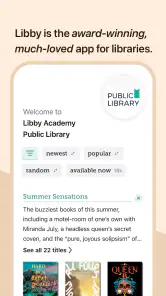
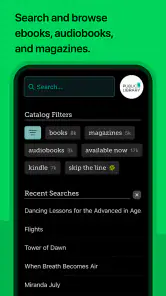
Libby is like having a personal library assistant who’s always ready to help you find your next great read. With a super friendly interface, it’s as easy as pie to search for books, audiobooks, and even magazines. What’s cool is that all you need is a library card, and bam! You’re connected to a wealth of knowledge and stories. No more late-night drives to the library or fines for overdue books. Everything you need is right at your fingertips.
Browsing and Borrowing Made Easy
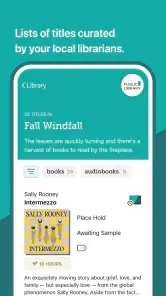
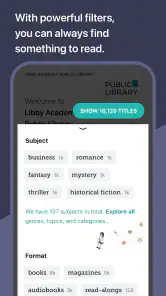
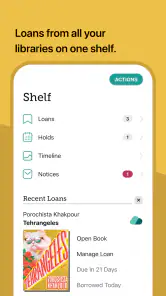
The app’s layout is intuitive, making it really simple to browse through titles or search for something specific. You can filter your searches by genre, language, or even the audience type. Once you find something you fancy, borrowing is just a tap away. And if the book you’re keen on is checked out, you can place a hold and Libby will notify you as soon as it’s available. It’s like having a librarian who never sleeps!
Reading and Listening On-the-Go
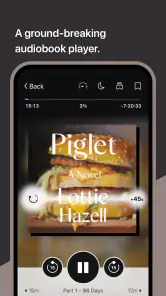
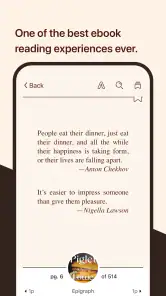
Whether you’re waiting for your morning coffee or commuting to work, Libby has got you covered. The app lets you download books and audiobooks for offline use, so you can read or listen without worrying about your data plan. The e-reader is customizable, allowing you to adjust the font size, background lighting, and even switch to dark mode. And if you’re into audiobooks, the playback speed is adjustable too. It’s these little details that make using Libby such a pleasure.
Sync Across Devices
One of the things I absolutely love about Libby is its ability to sync across multiple devices. Start reading on your tablet at home and continue on your phone during your lunch break. Your progress is saved across devices, which is a total game-changer for someone like me who’s perpetually switching gadgets. Plus, the notes and bookmarks feature is a lifesaver for jotting down those memorable quotes or important passages.
Final Thoughts
Libby is more than just an app; it’s a portal to endless adventures, learning, and enjoyment. It brings the library to you, making reading accessible anytime and anywhere. Whether you’re a casual reader or a bookworm, Libby offers a seamless experience that caters to all your literary needs. So, if you haven’t tried it yet, grab your library card and dive into the wonderful world of Libby. Happy reading!