Opera GX: Gaming Browser
Opera Communication

- 7.11K Reviews
- 4.6
- Version
- 3.0.6
- Installs
- 10.00M
Screenshots



- Key strengths of the app—features, ease of use, or overall experience.
- Customizable interface for personalized experience.
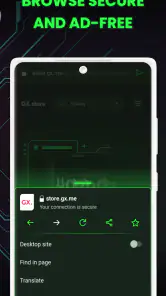
- Built-in ad blocker enhances browsing speed.
- Twitch integration for easy streaming access.
- Network limiter for optimal gaming performance.
- RAM and CPU limiters to boost game performance.
- Possible downsides—like bugs, missing features, or performance issues.
- Some features may be overwhelming for new users.
- Limited extensions compared to other browsers.
- Occasional compatibility issues with websites.
- Resource-heavy on low-end systems.
- Gaming focus might not appeal to all users.
When I first heard about the Opera GX browser, I was intrigued. As a dedicated gamer, the idea of a browser tailored specifically for gaming was like music to my ears. So, naturally, I had to dive in and see what this was all about. Spoiler alert: it did not disappoint.
First Impressions
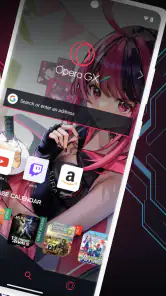
Right off the bat, Opera GX makes a bold statement with its sleek and edgy design. It’s clear that the developers wanted to cater to the gaming community, with its dark theme and neon accents that scream "gamer". The customization options are vast, allowing you to tweak the colors and themes to match your personal gaming rig. It feels like a browser that truly understands what gamers want in terms of aesthetics.
Performance Features
Now, let's talk about performance, because, let's be real, that's what we all care about. Opera GX comes with a unique feature called "GX Control". This allows you to limit the CPU and RAM usage of the browser, ensuring that your games run smoothly without any hiccups. Gone are the days of closing countless tabs just to get a decent frame rate. This feature alone might be a game-changer for those with less powerful setups.
Another nifty feature is the "Network Bandwidth Limiter". This tool allows you to control how much bandwidth the browser is using, so your downloads don’t slow down your online gaming sessions. I tested this out while playing a couple of online games, and I have to say, it worked like a charm. No more lagging just because you’ve got a few downloads running in the background.
Integration and Extras
But wait, there’s more! Opera GX offers seamless integration with Twitch, which is a fantastic addition for those of us who like to keep up with our favorite streamers. The sidebar allows you to see who’s online and what they’re playing without having to open another tab. It’s these little touches that make a big difference.
For music lovers, the browser has an integrated music player that supports various streaming services like Spotify, Apple Music, and YouTube Music. This means you can keep your tunes going while you game, all without leaving the browser. It’s these thoughtful integrations that make Opera GX stand out in the crowded browser market.
Final Thoughts
In conclusion, Opera GX isn’t just a gimmick; it’s a genuinely useful tool for gamers. Its focus on performance enhancements and user-friendly features make it a worthy addition to any gamer's toolkit. While it may not replace your primary browser for everyday tasks, its specialized features make it an excellent secondary option for gaming sessions. I’d recommend giving it a shot, especially if you’re tired of your browser hogging all your resources while you game. Trust me, once you go GX, you might not look back.











