Google Tasks
Google LLC Productivity

- 24.89K Reviews
- 4.6
- Version
- 2025.11.17.833092473.0-release
- Installs
- 10.00M
Screenshots
- Key strengths of the app—features, ease of use, or overall experience.
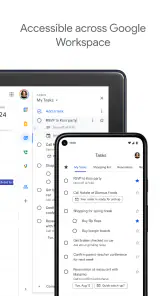
- Seamlessly integrates with Google Workspace.
- Simple and intuitive user interface.
- Syncs across all devices instantly.
- Effortless task sharing with others.
- Customizable reminders and notifications.
- Possible downsides—like bugs, missing features, or performance issues.
- Lacks advanced project management features.
- Limited to-do list customization options.
- No offline functionality available.
- Can't attach files to tasks.
- Restricted to Google account users.
Let's dive into the world of productivity with Google Tasks, shall we? This nifty little app is like that organized friend we all need but never really get to be. It's available on both Android and iOS, so no matter what side of the smartphone divide you fall on, you can get your life in order.
Getting Started
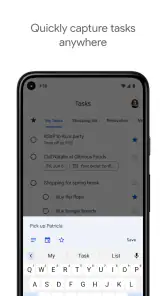
First things first, setting up Google Tasks is a breeze. I mean, if you can set up an email account, you can definitely handle this. Once you download it, you’ll be greeted with a clean, minimalist interface. No crazy colors or ads bombarding you—just pure, unadulterated productivity magic.
Features That Stand Out
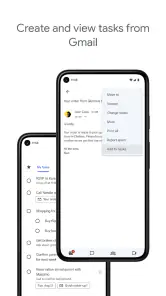
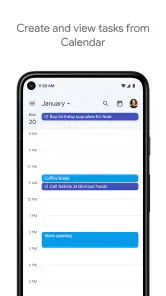
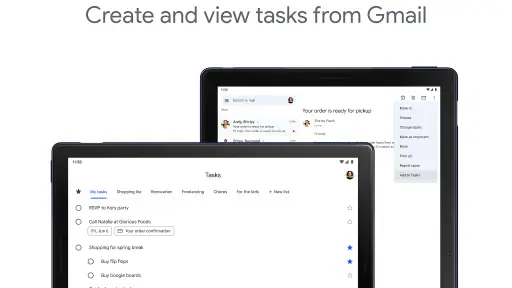
So, what makes Google Tasks stand out amidst the sea of productivity apps? For starters, it integrates seamlessly with other Google apps like Calendar and Gmail. Imagine receiving an email about a meeting and effortlessly adding it to your task list without even breaking a sweat. It’s these little integrations that make your life a whole lot easier.
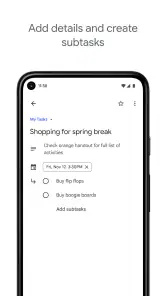
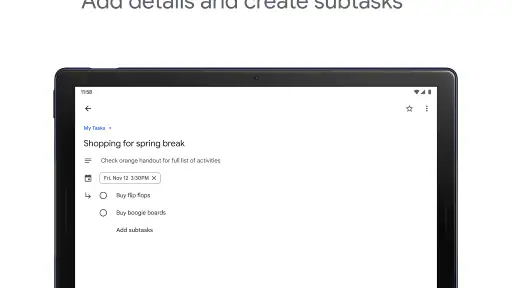
Another feature I personally love is the ability to create sub-tasks. It's like having a to-do list within your to-do list. Perfect for those big projects that need breaking down into smaller, more manageable chunks. Plus, you can set due dates and times, which means no more missed deadlines or scrambling at the last minute.
User Experience
Using Google Tasks feels like chatting with an old friend. The app is intuitive, and the learning curve is practically non-existent. Everything is where you’d expect it to be, and it doesn’t try to do too much. It’s simple, but in a good way. You won’t find yourself lost in a maze of features you’ll never use.
What’s more, the synchronization between your devices is seamless. I tested it on my phone and tablet, and voila, everything updated in real-time. No need to worry about having different lists on different devices—Google’s got you covered.
Final Thoughts
If you're someone who thrives on organization and efficiency, Google Tasks will quickly become your go-to app. It’s like having a personal assistant in your pocket, minus the cost. While it may not have all the bells and whistles of some other productivity apps, its simplicity and integration with Google’s ecosystem make it a winner in my book.
So, if you haven’t already, give Google Tasks a try. You might just find that getting things done isn’t as daunting as it used to be. And who knows, you might even start enjoying it!











