Piano Evo: Learn Songs & Music
For Android
I spent time with Piano Evo: Learn Songs & Music as a small, approachable piano-learning game rather than treating it like a complete replacement for a teacher or a full digital piano studio. That distinction matters. The app sits in the music category, but its game format makes practice feel lighter: you can open it for a short session, work through musical exercises, and return later without needing to prepare a physical keyboard first.
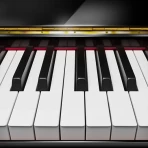
Its central idea is easy to understand. Piano Evo combines a real-keyboard-style playing surface with lessons, chords, scales, and MIDI support. In other words, it is aimed at people who want more structure than simply tapping random notes on a virtual piano, while still wanting something convenient on a phone or tablet. I found that balance appealing, especially for beginners who need a clear starting point but may not yet know whether they want to commit to formal lessons.
The game is made by GMobiler Apps and is free to install. It is rated for Everyone, which fits the low-pressure educational direction. The app has reached over one hundred thousand installs and holds a 4.7 average from more than six hundred ratings, so it has attracted a meaningful audience without being presented as a specialist conservatory tool. Its current version is 1.0.2, and it runs on Android 7.0 or later.
How Piano Evo fits into everyday music practice
A game-like entry point for learning piano
What I like most about the concept is that it lowers the psychological barrier to practice. Many piano apps either behave like simplified keyboards, where the user is left to explore, or like rigid courses that can feel intimidating from the first screen. Piano Evo aims between those extremes. The lesson-oriented structure gives you something to do, while the playable keyboard keeps the experience connected to actual music rather than turning everything into a quiz.
That makes it particularly suitable for a first contact with piano. If you are unsure where middle notes sit, how a chord is formed, or why scales matter, having these subjects grouped inside one app is more useful than searching for disconnected videos. The game format also makes short practice sessions feel legitimate. Ten focused minutes can be worthwhile when the activity tells you what to work on instead of leaving you staring at a blank keyboard.
I would not describe the experience as a substitute for a weighted instrument. A phone screen cannot reproduce the resistance, spacing, or physical feedback of an acoustic piano. Still, a virtual keyboard can help with note recognition, basic patterns, and hand coordination. That makes the app best understood as a portable learning companion, not as a complete instrument.
What the lessons, chords, and scales contribute
The inclusion of lessons is important because it gives the app a sense of progression. Chords and scales add another layer beyond playing individual notes. For a beginner, these topics can seem abstract when explained only through diagrams. Practicing them on a keyboard, even a virtual one, makes the relationship between the names and the positions more concrete.
Chords are especially useful for anyone interested in accompanying songs rather than only reproducing melodies. A learner can begin to recognize that several notes played together create a musical shape, while scales help explain why melodies and exercises use particular note sequences. These are modest foundations, but they are more valuable than an app that focuses only on flashy song playback.
One practical way I would use it is to separate a session into two parts: begin with a scale or chord exercise to warm up, then move into a lesson or song-related activity. That order helps prevent the common beginner habit of jumping straight into a difficult melody with no preparation. It also turns the app into a repeatable routine instead of a collection of unrelated screens.
Why MIDI support changes the audience
MIDI support gives Piano Evo a wider use case than a purely touch-based piano game. If you already own compatible MIDI equipment, the app becomes more interesting because you can approach practice through a physical keyboard rather than relying entirely on the phone display. That can make note timing and finger placement feel more natural, particularly for someone who finds on-screen keys cramped.
This is also where expectations need to be managed. MIDI support does not automatically make the app a professional workstation. It simply makes the learning experience more adaptable for users who have external equipment. If you are buying a keyboard specifically to use with the app, you should think of the app as one part of that setup, not the sole reason to purchase hardware.
A useful workflow is to use the phone for guided study and the external keyboard for repetition. The screen can show what you are working on, while the physical instrument lets you develop a more realistic sense of spacing and movement. That combination is more meaningful than using either option alone, but it also means the app delivers its best value to users who are willing to practice actively rather than just tap through lessons.
You may also like

Amazon Kindle: Revolutionizing Digital Reading

Why OLX: Compras Online e Vendas Captivates Shoppers Worldwide

Unpacking the Strategy of Yalla Ludo's Jackaroo Mode

Why eBay's Mobile App Stands Out in Online Shopping

How Fishdom's Puzzle Mechanics Transform Your Aquarium Experience

Block Blast! The Perfect Puzzle for Busy Lives
What it feels like in a realistic daily scenario
Imagine having a short break after work and wanting to practice without setting aside an entire evening. I would open the app, choose a narrow task, and spend the first few minutes reviewing a scale or chord pattern. After that, I would move to a lesson while my attention was still fresh. The advantage is not that the app magically teaches everything in one sitting; it is that it gives a small session a clear shape.
On another day, I might use it while traveling, when carrying a piano is impossible. The touch keyboard would not replace my regular instrument, but it could keep note names and patterns familiar. That is a realistic strength: continuity. The app can help prevent a complete break in practice when circumstances make a full setup inconvenient.
For a parent introducing music to a child, the Everyone rating and game presentation may also make the first step less formal. However, I would still supervise the learning process if the child becomes frustrated or starts treating speed as the only goal. Piano is not just about pressing the correct key quickly, and a game-like interface can sometimes encourage completion over understanding.
Free access and the role of paid purchases
The app itself is free, which makes trying the learning approach relatively easy. You do not have to decide in advance that a full paid course is worthwhile. That is a genuine advantage for curious beginners, occasional learners, and families testing whether piano practice will become a lasting interest.
There are in-app purchases ranging from $7.99 to $14.99 per item. I would treat those purchases as an optional commitment rather than part of the basic decision to install. The free entry lets you judge the keyboard feel, lesson style, and general usefulness first. Only after that personal test would I consider paying for additional value.
This pricing structure creates a sensible distinction between free access and paid value. The free version is useful for evaluating fit, while a purchase may make sense for someone who has already formed a regular habit and wants to go further. I would not buy immediately just because the app has a strong rating. A rating can suggest that many users enjoy it, but it cannot tell me whether its teaching style matches my pace or whether I will actually practice.
For someone comparing it with a subscription-based piano service, the purchase model may feel more comfortable if the available paid items provide the material that person wants without requiring an ongoing commitment. At the same time, users looking for a broad, continuously expanding curriculum may prefer a service built around a larger course library. Piano Evo’s value depends on whether its focused format is enough for you, not simply on the fact that the initial download costs nothing.
Where the experience has limits
The biggest limitation is the screen itself. Virtual keys are convenient, but they do not offer the tactile separation of a real keyboard. Beginners may press neighboring notes accidentally, while experienced players may find the layout too restrictive for expressive playing. MIDI support helps solve that problem for people with suitable equipment, but it does not help someone who wants a completely hardware-free experience with the feel of a real piano.
Another trade-off comes from the game format. It can make repetition more inviting, but it may also simplify musical goals. A successful lesson or exercise does not necessarily mean that your rhythm, posture, fingering, or musical expression is developing correctly. Without a teacher or a physical instrument nearby, it is easy to practice an inaccurate movement repeatedly.
I also think users should be realistic about song learning. A guided app can help you understand notes, patterns, chords, and scales, but learning a complete song involves more than following prompts. You still need repetition, listening, memory, and patience. If your main goal is to perform advanced pieces with nuanced dynamics, a dedicated teacher, sheet-music workflow, or more specialized piano platform may be a better primary tool.
The paid items are another point to consider. Because purchases sit above the free starting point, the app may feel limited if the material you most want is reserved for payment. That is not automatically a flaw; developing structured educational content takes work. But it does mean the free experience should be judged as a trial and learning aid, while paid content should be evaluated according to how consistently you plan to use it.
How it compares with familiar alternatives
Compared with a basic virtual piano, Piano Evo offers more direction. A simple keyboard app can be handy for finding notes or playing casually, but it often leaves the learner to invent a curriculum. Piano Evo’s lessons, chords, and scales make it more suitable for someone who wants a path rather than an empty instrument.
Compared with video tutorials, it offers a more interactive relationship with the keyboard. A video can explain a concept clearly, but it cannot always tell whether the learner is engaging with the notes in the intended way. Piano Evo is better for active practice, while videos may be better for visual explanations, musical context, or demonstrations of technique.
Compared with private instruction, the app is far more convenient and less expensive to try, but it lacks personal correction. A teacher can notice tension, poor fingering, uneven rhythm, and confusion that an app may not address in the same way. I would choose Piano Evo as a starting point or supplement, not as the only source of guidance for someone pursuing serious technique.
Compared with subscription-led learning platforms, its appeal is its narrower, more game-like focus. A large service may provide more genres, feedback systems, and course depth, but it can also feel overwhelming or expensive for a casual learner. Piano Evo is a better fit when you want a compact practice tool and are comfortable deciding for yourself how far to take the material.
Who will get the most from it
I see the strongest value for complete beginners, returning players who need a gentle refresher, and people who want to maintain contact with piano away from home. It also suits learners who enjoy structured exercises but do not want the formality of a traditional course. The free installation makes it easy to test without making a large commitment.
Users with a MIDI keyboard are likely to appreciate the app more than users who expect the on-screen keyboard to behave like a full instrument. The external setup can make practice more comfortable and may encourage longer sessions. Even then, I would use the app alongside real playing rather than expecting it to replace the instrument.
It may also work well for someone who learns through small goals. If you enjoy completing a lesson, reviewing a chord, then returning the next day to build on it, the game structure can provide useful momentum. The key is to treat the structure as support for learning, not as a score to rush through.
Who should skip it or choose something else
I would skip it as a primary solution if you already play advanced repertoire and need detailed control over dynamics, pedaling, articulation, or performance interpretation. The app’s strengths are accessibility and guided fundamentals, not replacing a serious practice room.
I would also look elsewhere if your priority is a large song catalog, formal assessment, live teacher feedback, or highly specialized theory instruction. A dedicated course or instructor will usually offer more depth in those areas. Likewise, if you dislike game-like learning and prefer reading notation independently, the interface may feel less natural than sheet music and a metronome.
Finally, people who do not own a MIDI keyboard should not assume that the support for one is essential. The app can still be approached through its virtual keyboard, but anyone expecting realistic touch response may be disappointed. A low-cost physical keyboard paired with the app could be a better route, provided that the extra hardware is already part of your plans.
My buying decision after testing the approach
My recommendation is to start with the free version and make the decision based on actual practice, not on the promise of becoming a pianist quickly. Spend enough time to see whether the keyboard is comfortable, whether the lessons explain concepts in a way you understand, and whether you return to the app without forcing yourself. Those are better indicators of value than a single enjoyable session.
If you develop a routine and the available paid items match your goals, the $7.99-to-$14.99 range can be considered as a focused investment in continued learning. I would only pay after identifying a clear reason: a lesson path you intend to finish, a topic you want to study, or a workflow that fits your MIDI setup. Paying without that reason risks turning a promising free experiment into an unused purchase.
For me, the strongest case for Piano Evo is its combination of accessibility and musical structure. It gives beginners somewhere to begin, makes chords and scales feel less distant, and remains portable enough for short practice sessions. Its weaknesses are equally clear: the phone keyboard is not a real piano, game progress is not the same as technical correction, and serious players will outgrow its likely role.
My final verdict: try it if you want a friendly, low-risk way to begin piano practice, and consider paying only once the free experience has earned a place in your routine. I would recommend it to curious beginners and casual learners, especially those with MIDI equipment or a need for portable practice. I would not recommend relying on it alone for advanced musicianship. Used with realistic expectations, it is a useful learning game; treated as a complete piano education, it is likely to feel too limited.
Pros
- Interactive lessons make piano practice feel engaging and easy to follow.
- Song-based learning helps users apply notes and techniques immediately.
- Suitable for beginners with little or no previous piano experience.
- Short practice sessions fit well into busy daily routines.
- Can provide motivation through visible progress and lesson completion.
Cons
- Advanced players may find the lessons too basic over time.
- Some songs or learning content may require in-app purchases.
- A stable internet connection may be needed for certain features.
- Virtual keyboard practice cannot fully replace an acoustic piano.
- Progress can depend heavily on consistent daily practice.
FAQ
What is Piano Evo: Learn Songs & Music?
Piano Evo: Learn Songs & Music is an educational piano app designed to help beginners and casual learners practice songs, notes, rhythm, and basic keyboard skills on a mobile device. It typically combines interactive lessons with guided song practice, allowing users to follow visual prompts and play along at their own pace. It is best viewed as a convenient introduction to piano rather than a complete replacement for a teacher or real keyboard.
Do I need a real piano or keyboard to use Piano Evo?
No, the app can generally be used with the touchscreen piano built into the application, so you can practice without owning a physical instrument. This makes it useful for beginners who want to explore piano before buying equipment. However, a real keyboard may provide a more natural playing experience and better finger technique. Before downloading, check device compatibility and whether the version you install supports external MIDI or keyboard connections.
Is Piano Evo suitable for complete beginners?
Yes, Piano Evo: Learn Songs & Music is mainly aimed at users who are starting from the basics or want a simple way to practice familiar melodies. The visual guidance can make it easier to understand which keys to press and when to press them. Beginners should still expect to practice regularly, because the app can guide timing and notes but cannot automatically develop posture, hand position, expression, or other skills normally corrected by a piano instructor.
Are all songs and lessons free in Piano Evo?
The availability of songs, lessons, and practice features may depend on the version of the app and its monetization model. Some content may be accessible without payment, while additional song packs, advanced lessons, ad-free use, or premium tools could require in-app purchases or a subscription. Review the pricing information shown in the app store and inside the application before starting a trial, especially if recurring billing is involved.
Does Piano Evo work without an internet connection?
Some basic piano practice may work offline after the application has been installed, but online access can be required for downloading songs, synchronizing progress, displaying advertisements, verifying subscriptions, or receiving new content. Offline behavior may also vary between Android and iOS versions. If you plan to practice while traveling or with limited data, open the app beforehand, download any available lessons, and confirm which features remain usable without an internet connection.