scan my tesla
Børsand Engineering Auto & Vehicles

- 65.00 Reviews
- 4.2
- Version
- 3.1.4
- Installs
- 10.00K
Screenshots
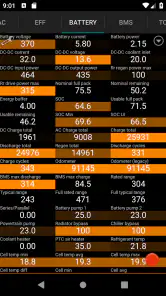
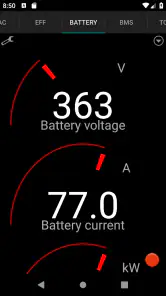
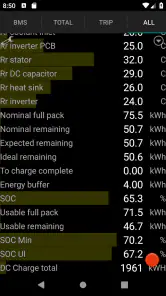
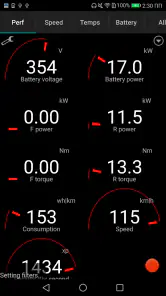
- Key strengths of the app—features, ease of use, or overall experience.
- Detailed analytics for Tesla vehicles
- User-friendly interface with easy navigation
- Real-time data monitoring
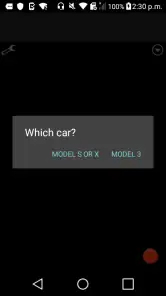
- Supports multiple Tesla models
- Frequent updates and enhancements
- Possible downsides—like bugs, missing features, or performance issues.
- Requires advanced technical knowledge
- Limited support for non-Tesla vehicles
- Subscription needed for full features
- Potential data privacy concerns
- Complex setup for some users
Scan My Tesla is an intriguing app that caters specifically to Tesla owners, offering them a deeper dive into their vehicle's data. As someone who's always been fascinated by the intricate details of technology, I found this app to be a goldmine of information. Let's break down what makes this app tick and whether it's worth your time.
Getting Started with Scan My Tesla
First things first, setting up Scan My Tesla isn't as straightforward as downloading it from the app store and hitting "start." You'll need an OBD-II adapter, and if you're not familiar with what that is, it might sound like a bit of a hassle. But trust me, for Tesla enthusiasts who love to geek out on data, it's a small price to pay for the treasure trove of information you get in return.
A Peek Under the Hood
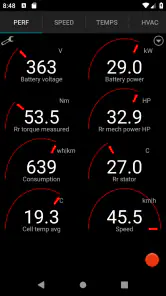
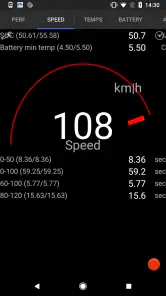
Once you're connected, the real magic begins. The app offers a comprehensive look at your car's data that you won't find on the basic Tesla dashboard. From battery health to motor temperatures, and even the minutiae of your car's software versions, Scan My Tesla gives you almost too much information—if that's possible!
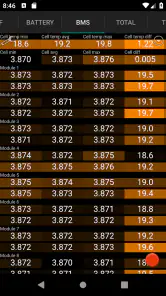
For those who love numbers and graphs, the app's interface is a delight. It's not just about raw data; it's about understanding your vehicle on a deeper level. You can monitor things like cell voltages and battery temperatures in real-time, which, let's be honest, is pretty cool if you're into that sort of thing.
Why It Stands Out
What really sets Scan My Tesla apart from other automotive apps is its ability to offer insights into the vehicle's performance that are usually hidden from the average user. It's like having a backstage pass to your car's brain. The app is particularly popular among those who are keen on optimizing their Tesla's performance or preparing for long road trips where efficiency and battery management are crucial.
Another standout feature is the app's community support. The developers and users are active on various forums, sharing tips, tweaks, and updates. This sense of community can be incredibly helpful, especially if you're new to the world of Tesla or automotive diagnostics.
Some Hiccups Along the Way
Of course, no app is perfect, and Scan My Tesla does come with its quirks. The setup process can be a barrier for some, as it requires additional hardware and a bit of technical know-how to get started. Additionally, the app's interface, while functional, might feel a bit dated to some users expecting a more polished design.
There's also the fact that diving into such detailed data might be overwhelming for users who just want to know how far they can go on a single charge. For them, the regular Tesla app might suffice, leaving Scan My Tesla for those who deeply care about the nitty-gritty details.
Final Thoughts
In conclusion, Scan My Tesla is a niche app that offers incredible insights for those who are genuinely interested in the inner workings of their electric vehicle. It's not for everyone, especially if you're not comfortable with a bit of DIY setup or if you're not a fan of data-heavy interfaces. However, for the curious and the passionate, it's an invaluable tool that makes owning a Tesla even more exciting.
So, if you've got a Tesla and a penchant for data, give Scan My Tesla a go. You might just find yourself spending more time analyzing your car's performance than actually driving it!