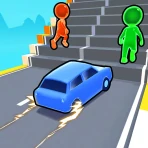
Dr. Panda Racers
For Android
I spent time with Dr. Panda Racers as a compact racing game built around making a car, shaping a track, and then seeing how that creation feels at speed. That combination gives it a different mood from a typical mobile racer. Instead of dropping straight into a large competition, it invites you to prepare the vehicle and course first, which makes each race feel connected to what you have just built.
It comes from Dr. Panda, a developer known for approachable experiences, and it is aimed at Everyone. The game costs $3.99, so it is worth deciding whether its creative, relaxed style matches what you want before buying it. My overall impression is that it works best as a shared-device game for short sessions, especially when one person enjoys arranging things and another wants to race immediately.
How it feels on a shared household device
The most natural way I found to use the game was not as a long solo racing campaign, but as a small activity that several people could take turns enjoying. One player can focus on assembling the car, another can think about the route, and someone else can take the finished design onto the track. That division makes the game easy to pass around without requiring everyone to understand a complicated progression system.
For a household with a child and an adult, this creates a useful rhythm. The child can make choices about the vehicle and course, while the adult can help with the practical parts of navigating the race. The important point is that the game gives both people something to do. It is not simply a racing title where one person plays and everyone else watches.
I also found that the build-before-race structure helps reduce arguments about who gets the “best” car. The vehicle and route are shared creations rather than possessions that need to be unlocked by one particular player. A child can make an unusual choice, and the result becomes part of the next race instead of being treated as a mistake that has ruined a longer campaign.
That said, the experience is better suited to brief, repeatable sessions than to a full evening of competitive racing. If your household expects deep tournaments, detailed tuning, or a large collection of cars, this will feel deliberately light. Its appeal comes from the immediate loop of making something and trying it, not from building a serious racing career.
What to decide before handing over the device
Because this is a paid game, I would make the purchase decision with the actual users in mind. The store information lists a 3.9 average from around 400 ratings, with over 50 thousand installs. Those figures suggest that it has found an audience, but they do not change the central question: will the people using your device enjoy creative setup as much as the driving itself?
I would choose it for a child who likes vehicles, tracks, and experimenting with combinations. I would be more cautious for someone who wants realistic racing, high-speed competition, or a constant stream of new challenges. The Everyone age rating makes it suitable for a broad audience, but suitability does not guarantee that every child will find the pace exciting.
On a shared tablet or phone, I recommend agreeing on a simple turn-taking routine before starting. One person can assemble the car, one can arrange the track, and the next can race. Then rotate those jobs. This prevents the most confident player from quietly taking over every part of the session and makes the game feel collaborative rather than like a single-player app being passed around.
A practical advantage is that the game’s main appeal is understandable without a long explanation. I could show the basic idea quickly: make a car, prepare a route, and race it. That makes it easier to introduce during a quiet afternoon or while waiting somewhere, when nobody wants to read instructions for several minutes.
Keeping setup separate from the race
The setup stage deserves more attention than the short store summary might suggest. In my experience, it is where much of the game’s personality comes from. The car is not just a tool for reaching the finish; it is something the player has helped put together. Likewise, the track is not merely a background. Building it changes how the next run feels and gives the player a reason to try again.
This creates a useful boundary between creative play and driving play. If one person wants to experiment and another is eager to race, they do not have to enjoy the same part equally. The builder can finish a design, then hand the device over. That separation is particularly helpful on a family device where different users may have different attention spans.
You may also like

Amazon Kindle: Revolutionizing Digital Reading

Why OLX: Compras Online e Vendas Captivates Shoppers Worldwide

Unpacking the Strategy of Yalla Ludo's Jackaroo Mode

Why eBay's Mobile App Stands Out in Online Shopping

How Fishdom's Puzzle Mechanics Transform Your Aquarium Experience

Block Blast! The Perfect Puzzle for Busy Lives
My main tip is to treat the first few attempts as experiments rather than attempts to create a perfect course. A track that looks interesting on the setup screen may be less enjoyable once you are driving it. Trying a simple arrangement first gives the player a reference point. After that, changing one part at a time makes it easier to understand what affected the race.
That one-change approach is more useful than rebuilding everything after every run. It turns the game into a small cause-and-effect exercise: alter the car, test it; alter the route, test it; then compare the experience. This is one of the less obvious strengths of the design because it gives young players a reason to observe results instead of treating every run as random.
There is also a trade-off here. Players who want instant action may see the assembly and track-building stages as a delay. I did not experience them as wasted time, but I did notice that the game’s satisfaction depends on accepting them as part of the race. If you skip mentally past the preparation, the driving portion alone may feel too simple.
Coordinating turns without making the game complicated
Shared use works best when the group treats the game as a sequence of roles. I would let the first player choose the car, give the second player responsibility for the course, and reserve the race for a third player if several people are waiting. With only two people, swap the roles after each run. This gives everyone a clear contribution and avoids the vague “your turn” arguments that can happen when the game has several connected stages.
Another useful routine is to ask the builder to explain one choice before the race begins. It might be why the car was assembled in a certain way or why the track was arranged differently. This does not turn the game into a lesson, but it encourages the player to think about intention. The racer can then say whether the result matched expectations, giving the group a natural conversation after the run.
I would not use the game as a test of driving skill between siblings. Its better role is shared experimentation. If the fastest player always gets the device, the creative part becomes decoration. When the household values the building decisions as much as the final result, the game has a better chance of staying enjoyable after the novelty of the first race wears off.
For a child playing alone, the same idea can be adapted into a personal challenge: create a route, remember what was changed, and decide whether the next version feels better. The game does not need another person to be meaningful, but another person can make the design process more social and help younger players stay engaged when a race does not go as expected.
One limitation is that this kind of coordination depends on the people using the device. I would not assume that the game itself will organize household turns or enforce boundaries. The practical solution is a simple family rule about passing the device, not an expectation that the app will manage the arrangement for you.
Age, trust, and the right kind of independence
The Everyone rating is reassuring for households looking for a broadly accessible racing game. I found the concept easy to explain in age-appropriate language, and the creative structure gives adults a chance to stay involved without needing to direct every action. A child can make choices independently, then ask for help with the racing portion if needed.
That balance matters on a shared device. I prefer games where an adult can see what the child is doing and understand the activity without needing specialist knowledge. Here, the visible connection between construction and racing makes that straightforward. If a child says a track is difficult, the adult can discuss the design rather than simply telling them to try harder.
Trust still needs to be handled at the household level. Since the game is paid, I would make sure the person using the device understands that it is a purchased title and that the device should be returned according to the family’s normal rules. I would also agree on whether designs can be changed by anyone or whether each person gets a turn to preserve their own creation.
I would avoid presenting the game as an educational tool in a formal sense. It can encourage planning, observation, and discussion, but its primary purpose is play. The strongest benefit comes from the way it invites children to make something and see what happens, not from any promise of structured instruction.
For younger players, an adult may need to help with the transition from building to racing. That is not a flaw unique to this title; it is a consequence of asking the player to manage two different kinds of activity. The best support is to keep the first course uncomplicated and let the child discover the relationship between the setup and the result.
Where it stands beside ordinary mobile racers
Compared with a conventional racing game, this one places less emphasis on a large roster, realistic competition, or a demanding upgrade path. A standard racer is usually designed to get you into a race quickly and keep you chasing better times or higher positions. Dr. Panda Racers takes a more playful route: the preparation is part of the entertainment, and the race is the payoff for what you have just made.
That makes it a better match for creative households than for players seeking a serious driving simulation. If you want detailed handling, intense opponents, or a long-term competitive ladder, I would choose another racing game. If you want a title that lets a child participate in designing the experience rather than merely consuming preset tracks, this one has a clearer identity.
It also differs from endless-runner racing games, where the main challenge is reacting quickly while the course continues to move. Here, the appeal is less about surviving a stream of obstacles and more about seeing how a chosen setup behaves. That makes it easier to discuss and replay with another person, although it may feel less thrilling to someone who wants constant pressure.
The $3.99 price is easiest to justify when you expect repeated shared use. A single short play session would not show the full value of the build-and-test loop. The purchase makes more sense for a household that will return to it, try different arrangements, and let several people contribute. For a player who already owns several deep racing games, it may feel too modest to become a main title.
Technical fit and everyday practicality
The current version is 26.3.14, and the listed minimum operating system is Android 7.0. That makes the compatibility requirement relatively clear for Android users: check the device’s system version before buying, especially if the game is intended for an older hand-me-down phone or tablet. On a shared device, this small check is worthwhile because the person making the purchase may not be the person who uses the game most.
I would also think about the physical format of the device. A larger screen is generally more comfortable for a shared building-and-racing activity because two people can see the choices without crowding the display. A phone can still work for one player or quick turns, but passing it between several people may make the creative stage feel less relaxed.
The game’s compact concept is useful when you need something that can be understood quickly, but it also means there is less reason to keep playing for a long uninterrupted stretch. I see that as a good fit for short household breaks. It is easy to bring out for a few rounds, then put away without feeling that everyone has abandoned a major campaign halfway through.
One realistic scenario would be a parent and child sharing a tablet after dinner. The child assembles the car, the parent helps think through the track, and they alternate driving the result. After a few runs, they change one part and compare what happened. That session uses the game’s strongest qualities: collaboration, experimentation, and a clear beginning and end.
Who should choose it, and who should skip it
I would recommend it to families wanting a friendly racing activity that supports conversation and turn-taking. It is also a good option for children who enjoy making arrangements and testing their ideas, rather than only trying to beat a preset opponent. The broad age rating and approachable premise make it easy to introduce without turning the first session into a tutorial.
I would skip it if your priority is realism, competitive depth, or a substantial progression system. It is not the title I would pick for someone asking for a demanding racer with precise vehicle physics or an extensive collection to master. I would also hesitate for a player who dislikes preparation and wants every tap to lead directly to high-speed action.
My most useful advice is to buy it for the shared activity, not for the label of “racing” alone. The car assembly and track creation are not minor extras; they determine whether the game feels satisfying. If those parts sound appealing, the racing becomes a natural reward. If they sound like obstacles between you and the race, another mobile racer will probably be a better choice.
After using it, I see Dr. Panda Racers as a small, focused game with a clear household role. It does not try to replace a full racing simulation, and it should not be judged by that standard. Its value is in giving players ownership of the setup, making experimentation visible, and allowing different people to share one session without needing the same skill level.
For my household verdict, I would recommend it when the goal is a calm, repeatable activity built around making and testing. The paid entry point asks for a little commitment, and the light racing may disappoint fans of intense competition, but the design has a genuine strength: the race begins before the driving starts. If that sounds like the kind of play you want on an Android device running version 7.0 or later, it is a worthwhile option for shared use and short creative sessions.
Pros
- Simple controls make it easy for young children to start racing.
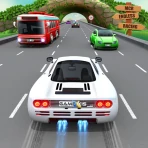
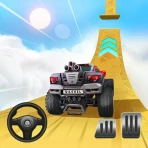
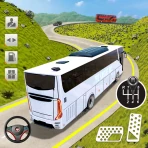
- Bright 3D visuals and playful characters create an appealing presentation.
- Short races are well suited to brief play sessions.
- The game encourages exploration through varied tracks and settings.
- Child-friendly gameplay avoids complex menus and difficult mechanics.
Cons
- Limited challenge may feel repetitive for older children.
- Track variety can seem small after several races.
- Some features may require additional purchases or paid access.
- The cartoon presentation may not appeal to children seeking realistic racing.
- Performance can vary on older devices with limited hardware.
FAQ
What is Dr. Panda Racers?
Dr. Panda Racers is a colorful racing game designed primarily for young children. It lets players choose friendly characters, select a vehicle, and compete on playful tracks filled with bright scenery and simple challenges. The game focuses more on exploration, fun, and easy controls than realistic driving, making it accessible to children who may be new to racing games.
Is Dr. Panda Racers suitable for young children?
Yes, the game is intended for younger players and uses straightforward controls that are easy to understand. Races are presented in a lighthearted way, without complicated menus or intense competition. Children can generally begin playing with little assistance, although parents may still want to explore the game first and adjust device settings or supervision according to the child’s age.
Does Dr. Panda Racers require an internet connection?
Dr. Panda Racers is generally designed as a mobile game that can be played without a constant internet connection once it has been installed. This makes it convenient for travel, waiting rooms, or other situations where Wi-Fi or mobile data is unavailable. However, internet access may still be needed for downloading the app, updates, or platform-related services.
Are there advertisements or in-app purchases in Dr. Panda Racers?
Parents should check the current store listing before downloading because monetization details can vary between versions, regions, and platforms. Dr. Panda games are commonly made with children in mind, but device-level purchase restrictions are still recommended. Setting up parental controls can help prevent accidental purchases and ensure that children only access content approved by their family.
What devices can run Dr. Panda Racers?
Dr. Panda Racers is available for supported Android and iOS devices, but compatibility depends on the operating system version, available storage, and the specific device model. Older phones and tablets may experience reduced performance or may no longer be supported. Before installing, check the official Google Play or App Store page for current requirements and update information.