Bitmoji
Bitmoji Entertainment

- 404.34K Reviews
- 4.5
- Version
- 11.82.0.1
- Installs
- 100.00M
Screenshots
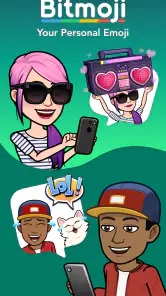
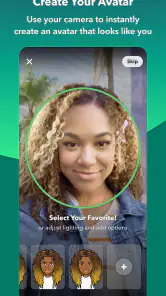
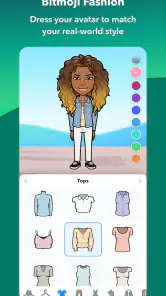
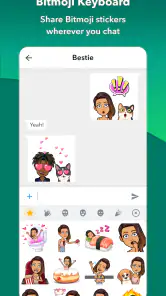
- Key strengths of the app—features, ease of use, or overall experience.
- Highly customizable avatars.
- Seamless integration with Snapchat.
- Wide range of stickers available.
- Easy to use interface.
- Regular updates with new features.
- Possible downsides—like bugs, missing features, or performance issues.
- Limited customization for free users.
- Requires internet connection.
- Privacy concerns with data sharing.
- Can be addictive and time-consuming.
- In-app purchases for premium features.
Have you ever wanted to express yourself in a more personalized way in your chats? Enter Bitmoji, the app that lets you create your own custom emoji that looks just like you—or at least how you'd like to be seen! It's like bringing a mini version of yourself to life in the digital world, and it's honestly a blast to use.
Creating Your Avatar
Getting started with Bitmoji is as easy as pie. Once you’ve downloaded the app, you can either log in with Snapchat or create a new account. The fun really begins when you start creating your avatar. The app offers a surprisingly diverse range of customization options, from hairstyles and skin tones to accessories and outfits. It's pretty impressive how detailed you can get, and I spent a good chunk of time tweaking my avatar until it felt just right.
Related Articles
A World of Expressions
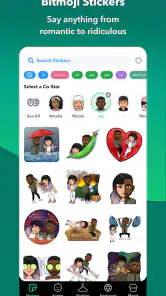
Once your avatar is ready, Bitmoji offers a massive library of stickers featuring your digital doppelgänger in various poses and expressions. Whether you're feeling sassy, happy, or just want to send a "good morning" to a friend, there's a Bitmoji for that. It integrates seamlessly with most messaging apps, so you can easily drop your personalized stickers into conversations with just a tap.
Integration with Snapchat
If you're a Snapchat user, Bitmoji becomes even more powerful. Your Bitmoji can be used in Snapchats, adding a personal flair to your snaps. Plus, with the "Friendmoji" feature, you can see your avatar hanging out with your friends' Bitmojis, which is just downright adorable. It's a neat way to enhance your interactions on the platform.
Keeping It Fresh
Bitmoji regularly updates its wardrobe and sticker library, keeping things fresh and seasonal. I love how they add new outfits and themes for holidays and special events. It's like having a wardrobe that never goes out of style! And if you’re someone who likes to keep things current, this feature will surely keep you entertained.
Final Thoughts
In a world where digital communication is king, Bitmoji adds a fun and personal touch to your interactions. It's easy to use, endlessly customizable, and just plain fun. Whether you’re a Snapchat regular or just someone who loves a good emoji, Bitmoji is an app worth trying out. It brings a bit of your personality to the screen, and honestly, who wouldn’t want that?