Burner: Second Phone Number
Ad Hoc Labs, Inc Communication

- 16.91K Reviews
- 4.3
- Version
- 6.14.2.2942.12895340
- Installs
- 5.00M
Screenshots

- Key strengths of the app—features, ease of use, or overall experience.
- Provides privacy with a second phone number.
- Easy setup and user-friendly interface.
- Customizable voicemail and text settings.
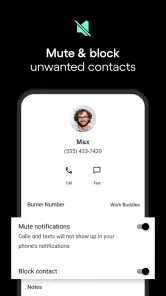
- Supports call forwarding and blocking.
- No long-term contracts required.
- Possible downsides—like bugs, missing features, or performance issues.
- Calls and texts may cost additional credits.
- Limited features on free version.
- Can experience occasional call drops.
- Subscription can be pricey for some users.
- Not available in all countries.
If you’ve ever found yourself wanting a separate phone number for business, online dating, or just a bit of extra privacy, Burner is the app that might just become your new best friend. Not to be confused with your run-of-the-mill calling app, Burner offers a unique twist by providing you with an additional phone number that can be used just like your regular one. Let’s dive into what makes this app tick and why it might be worth your while.
Getting Started with Burner
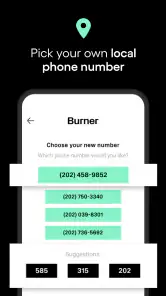
First things first, setting up Burner is a breeze. You download the app, and it walks you through the process of selecting a new number. You can choose an area code and even search for a specific number if you’re feeling a bit picky. The app is available on both Android and iOS, so no one’s left out in the cold.
Features That Stand Out
Burner is not just about calling; it’s a whole suite of services. You get to send and receive texts, make and receive calls, and even manage voicemail. One feature I found particularly nifty is the ability to integrate with other apps like Dropbox and Slack. This means you can save voicemails directly to your cloud or use your new number in a professional setting seamlessly.
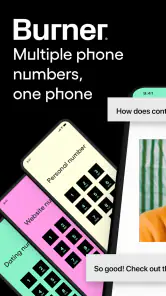
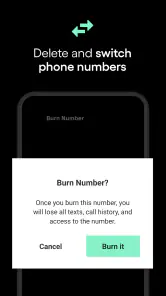
Another great feature is the ability to create multiple numbers. Imagine having a number dedicated solely to online shopping. You can keep your primary number private and free from spammy marketing calls. Once you’re done with a number, you can “burn” it, hence the name. It’s like having a self-destruct button for your phone number!
Privacy and Security
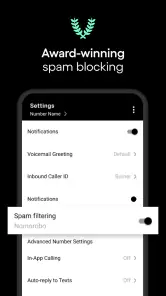
In today’s digital age, privacy is a big deal, and Burner takes this seriously. The app doesn’t just give you a throwaway number; it provides a secure line that protects your personal information. This is particularly useful for those who want to keep their real number off public forums or job sites. The calls and texts are encrypted, giving you an extra layer of security.
Usability and User Experience
The interface is straightforward, with a clean design that doesn’t overwhelm you with too many options. The app runs smoothly with minimal lag, making the user experience quite pleasant. The only hiccup I encountered was a slight delay in receiving texts during peak times, but it wasn’t a deal-breaker.
The pricing model is flexible, offering both subscriptions and pay-as-you-go options. This flexibility is great because you’re not locked into a long-term commitment if you just need a number for a short period.
Final Thoughts
All in all, Burner is a solid app for anyone needing a second line without the hassle of a new phone or contract. It’s perfect for freelancers, small business owners, or anyone who values their privacy. While it might not replace your primary number, it’s an excellent tool to have in your digital arsenal. So, if you’re in the market for a second number, give Burner a shot. You might just find it’s exactly what you’ve been looking for.











